Created By: Vishal Gudhka
INTRODUCTION
A captive portal automatically redirects users to a designated page whenever they attempt to access blocked, restricted, or potentially malicious websites. Instead of silently dropping traffic, it serves as both a security checkpoint and a policy enforcement tool, guiding users toward safer browsing practices. In this guide, you’ll learn how to configure a captive portal within a SASE environment and see practical scenarios of how redirection mechanisms are applied.
- Prerequisites and Initial Setup: Before enabling the captive portal, a minimum configuration must be in place.
Note: This configuration serves as the initial step in successfully registering and establishing connectivity with the SASE Gateway. Ensure that these settings remain intact and unaltered for proper operation.
Step 1: Enable Service Endpoint from Director under Parent Organization
- From Director, navigate to: Parent Organization → Select SASE GW à Configuration Tab à Services à Captive Portal à Click on Edit Button.
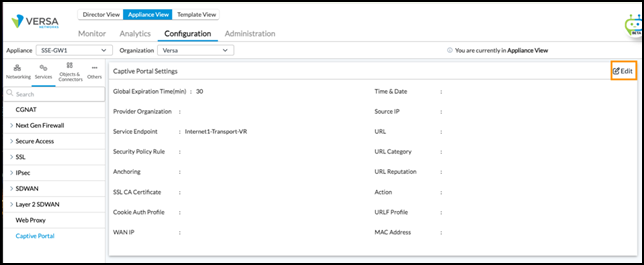
Step 2: Configure Gateway Settings
- Click on Transport-VR and ensure the following entries exist.
- HTTP Port = 80 and HTTPS Port = 443
- Server URL = <Enterprise Chosen Domain>
- Certificate = <Server Certificate on SASE Gateway>
- IP Address = <WAN Interface IP>
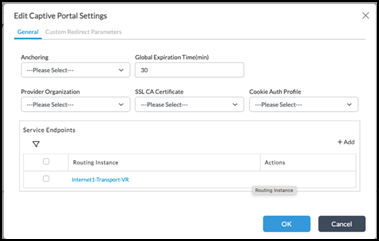
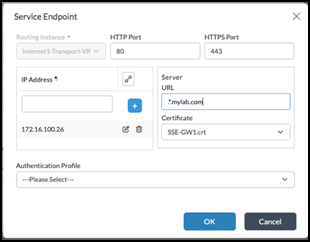
- Captive Portal Configuration (Child Tenant)
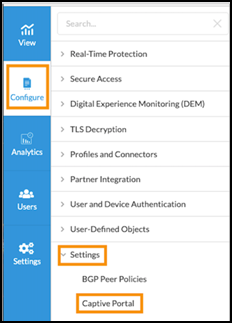
- From Concerto, go to: Child Tenant à Configure à Settings à Captive Portal.
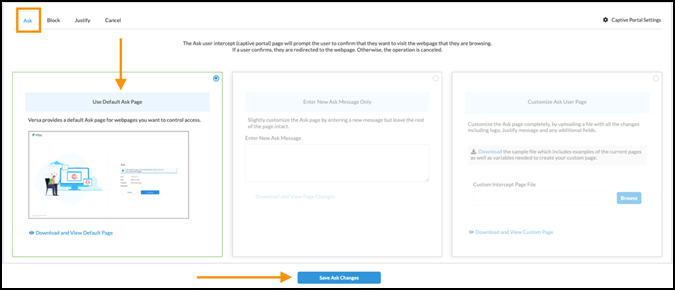
- Configure default portal pages:
- Ask Page: Select Use Default Ask Page → Click Save Ask Changes
- Ask Page: Select Use Default Ask Page → Click Save Ask Changes
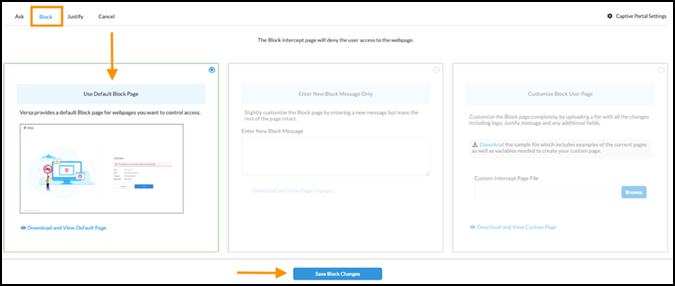
- Block Page: Select Use Default Block Page → Click Save Block Changes
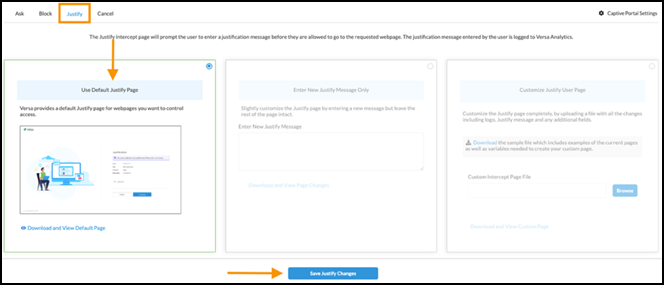
- Justify Page: Select Use Default Justify Page → Click Save Justify Changes
- Cancel Page: Select Use Default Cancel Page → Click Save Cancel Changes
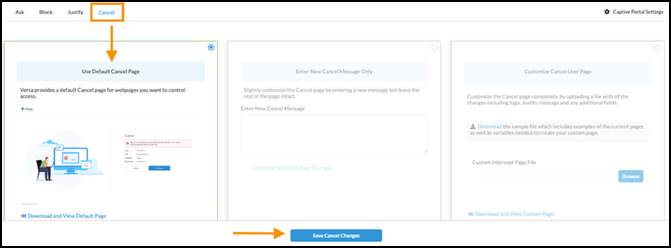
- Publish the Captive Portal configuration to the SASE Gateway.
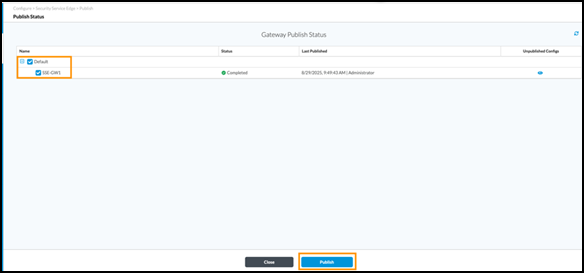
- URL Filtering and Policy Enforcement
Scenario 1: Allow only Enterprise domains, block the rest.
- Upload a CSV file with allowed domains:
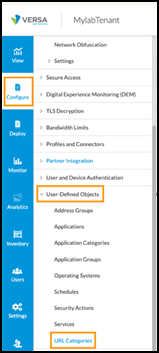
- Child-Tenant à Configure à User-Defined Objects à URL Categories.
- Child-Tenant à Configure à User-Defined Objects à URL Categories.
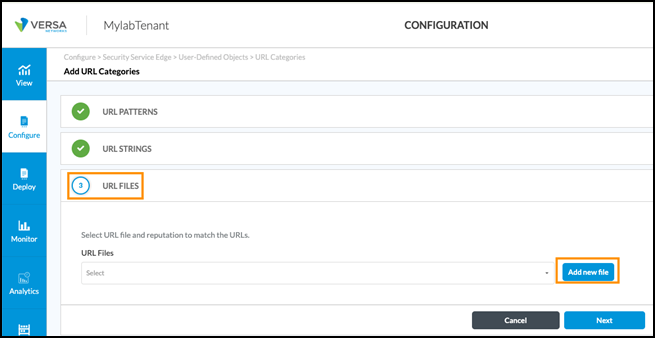
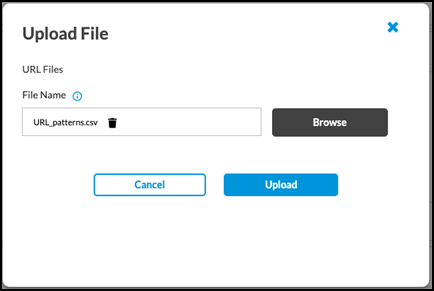
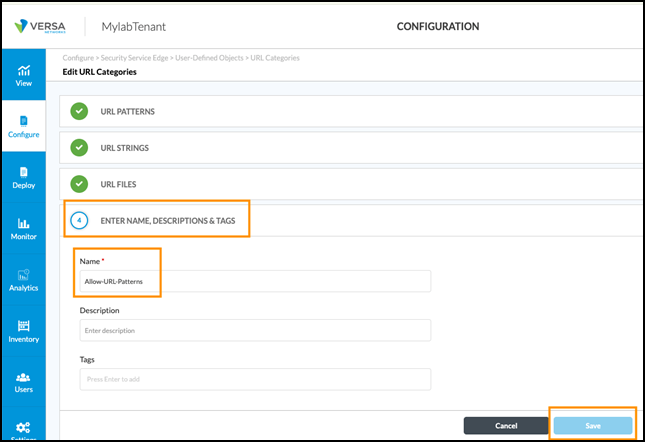
- Click Add URL Categories → URL Files → Add New File → Browse → Upload CSV

- Configure URL-Filtering Profile
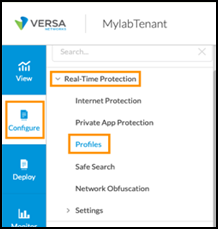
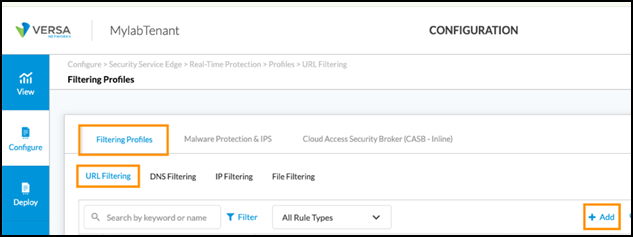
- Configure → Real-Time Protection → Profiles → Filtering Profiles → URL Filtering → click Add
- Configure → Real-Time Protection → Profiles → Filtering Profiles → URL Filtering → click Add
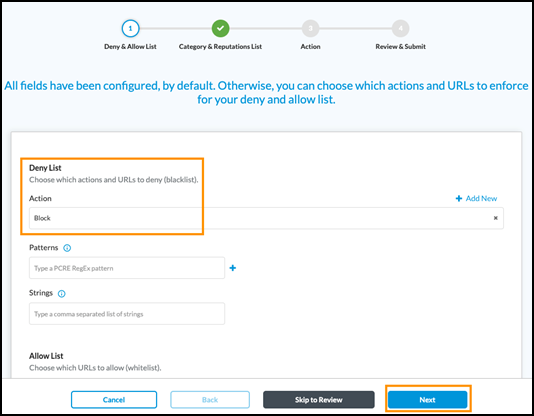
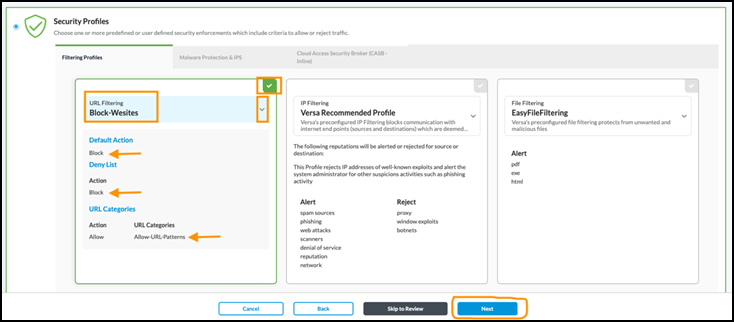
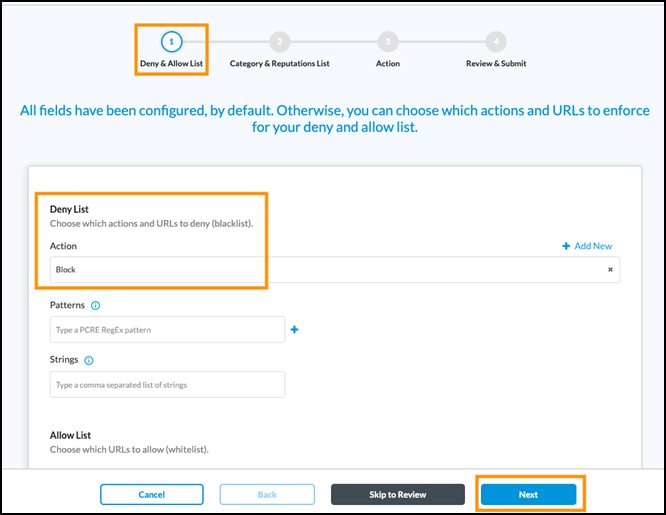
- Set Action = Block for all denied URLs. Then Click Next
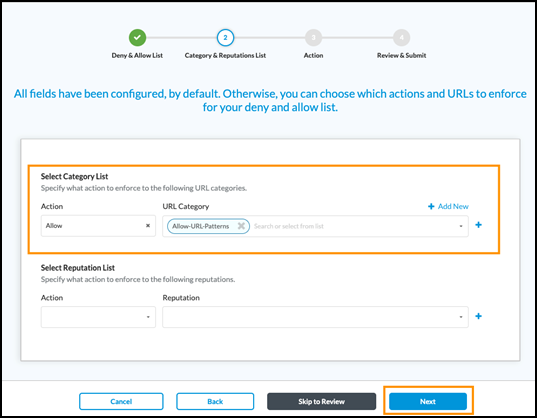
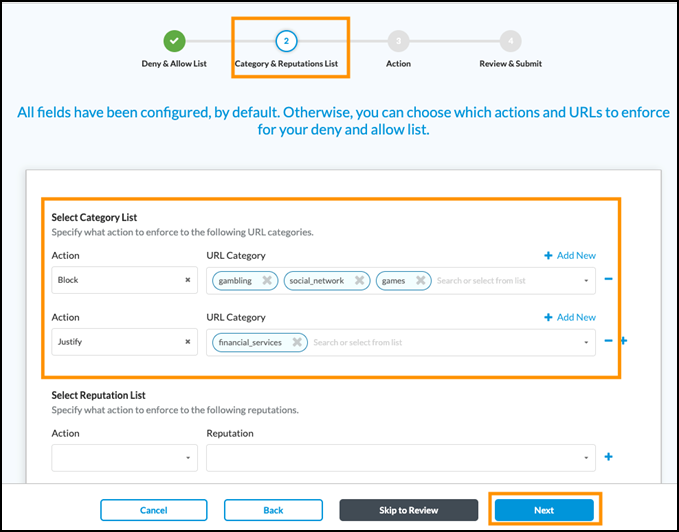
- Select Category List → Action = Allow and URL Category = Allow-URL-Patterns (uploaded under URL-Categories). Then click Next.
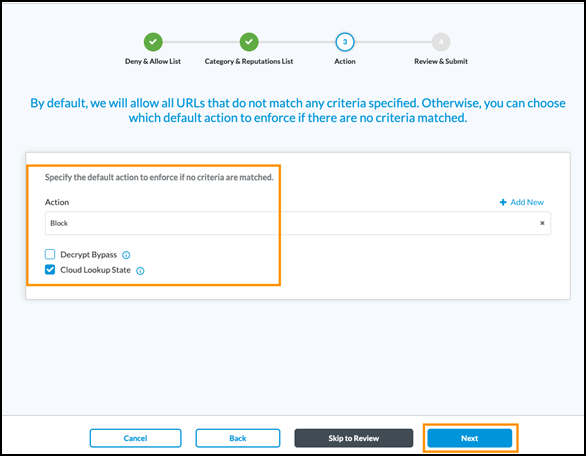
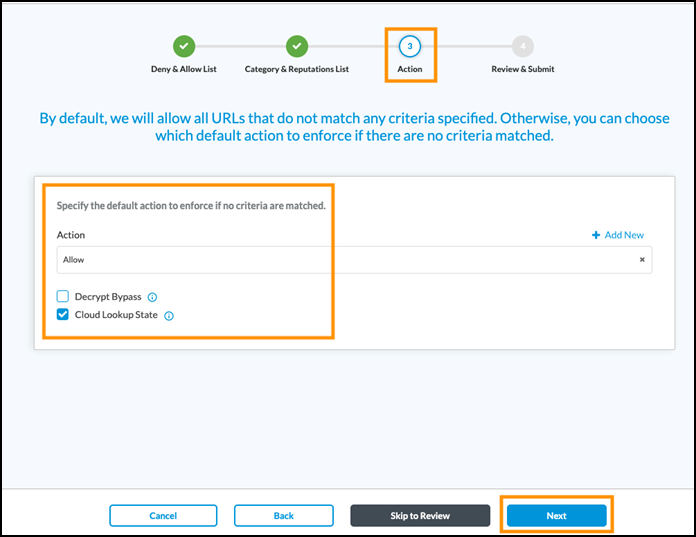
- Set Default Action = Block for unmatched traffic. Enable “Cloud-Lookup State”. Then click on Next.
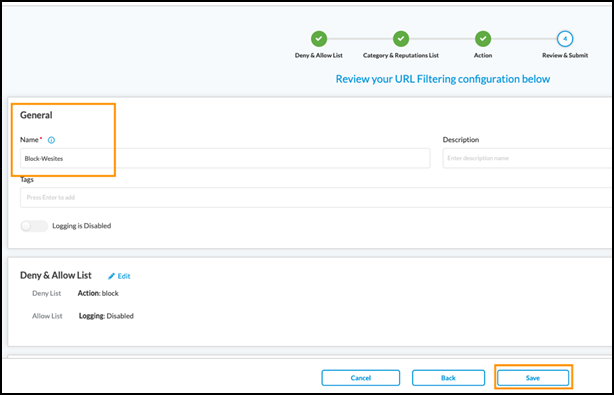
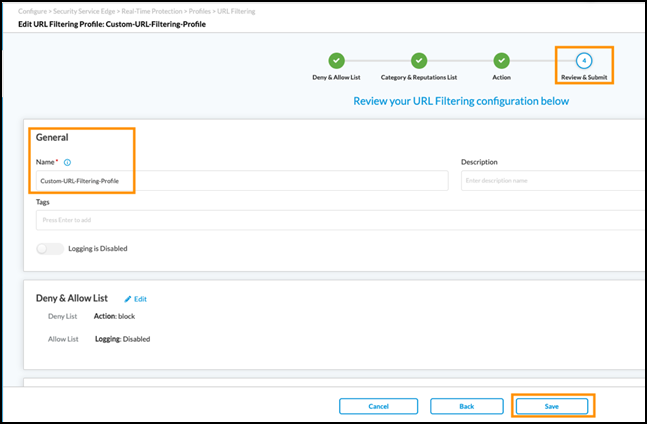
- Name the Profile and Click Save.
- Configure an Internet Protection Rule.
- Configure → Real-Time Protection → Click Add Icon.
- Configure → Real-Time Protection → Click Add Icon.

- Go to Enforcement tab à Select URL Filtering. Select the Block-Websites URL filtering profile.
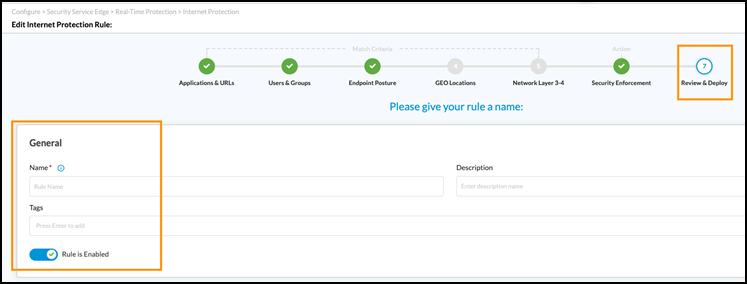
- Name the Internet Protection Rule and Click Save.
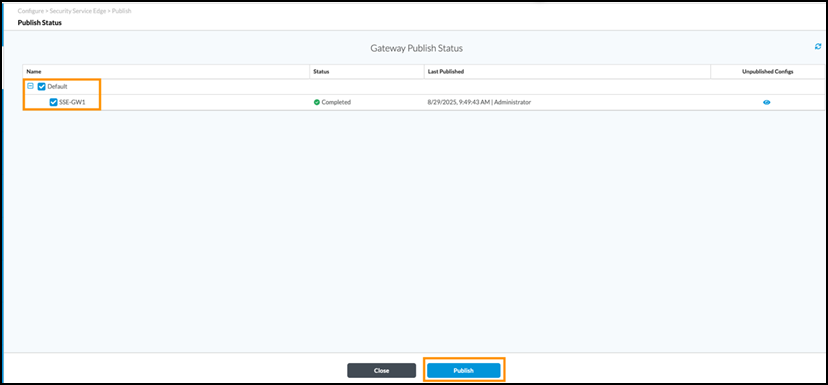
- Publish the Config to the SASE Gateway
Verification:
- Connect to SASE Gateway.
- Test Browsing
- Enterprise domains should open normally.
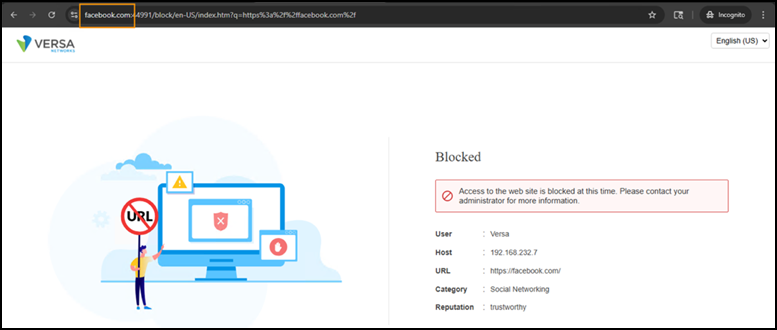
- Blocked domains (e.g. Facebook) should redirect to the Captive Portable Block Page
Scenario 2: Block Gaming, Social Media, and Gambling; Justify Finance Sites.
- Create a new URL Filtering Profile.
- Gaming, Social Media, Gambling → Block and Finance_service → Justify
- Other traffic → Allow and Enable “Cloud Lookup State”.
- Name the profile and click Save.
- Update the Internet Protection Rule.
- Real-Time Protection → Internet Protection → Click on Allowed-Domains → Enforcement Tab. Replace the old profile with the newly created one
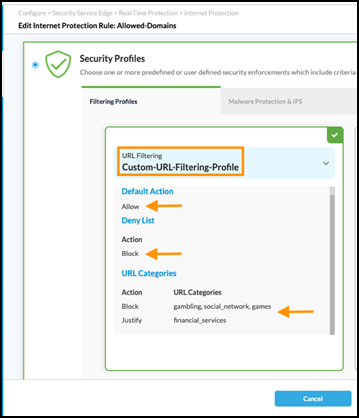
- Save and Publish the new Config.
Verification:
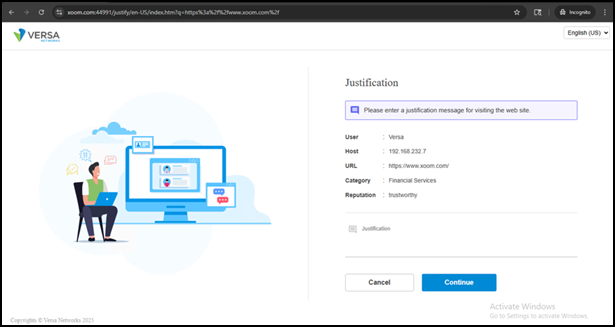
- Open a Browser and visit a financial_Services site. User is routed to the Justify page before access is granted.