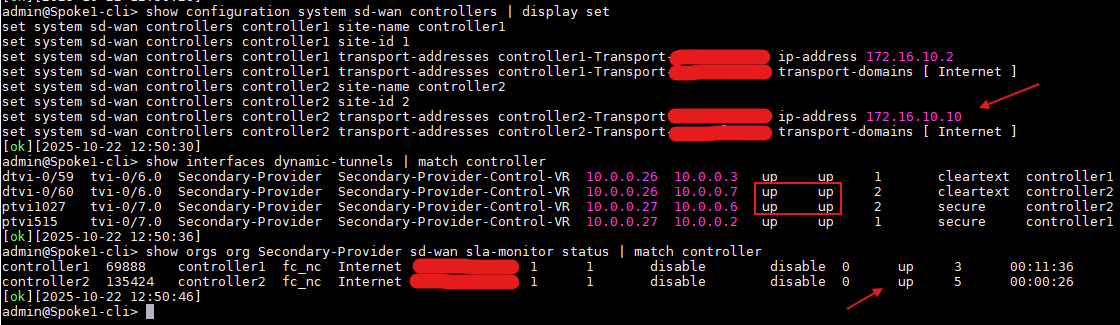
This KB explains how to change the WAN IP of existing controller which is in production without deleting and re-adding the controller from workflow.
This is valid if you have multiple controllers and you are changing WAN IP on one controller at a time while other controllers are in working state and Director is able to reach the branches via other controller. Or if you have one controller but multiple WAN links and all the branches are reachable via other WAN link whose IP is not changing. To advertise the new changed IP address to the branches we would need Director to be able to communicate with the branches even after controller WAN IP is changed.
Old Controller Details
Controller
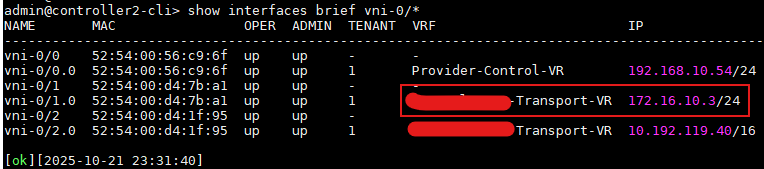
Branch

Procedure:
Step 1: Configure the new WAN IP and delete the old IP. Change the static route or BGP configuration to accommodate the new next hop or BGP neighbor IP. In following example the subnet of new and old WAN IP remains same hence we didn't have to change static route.
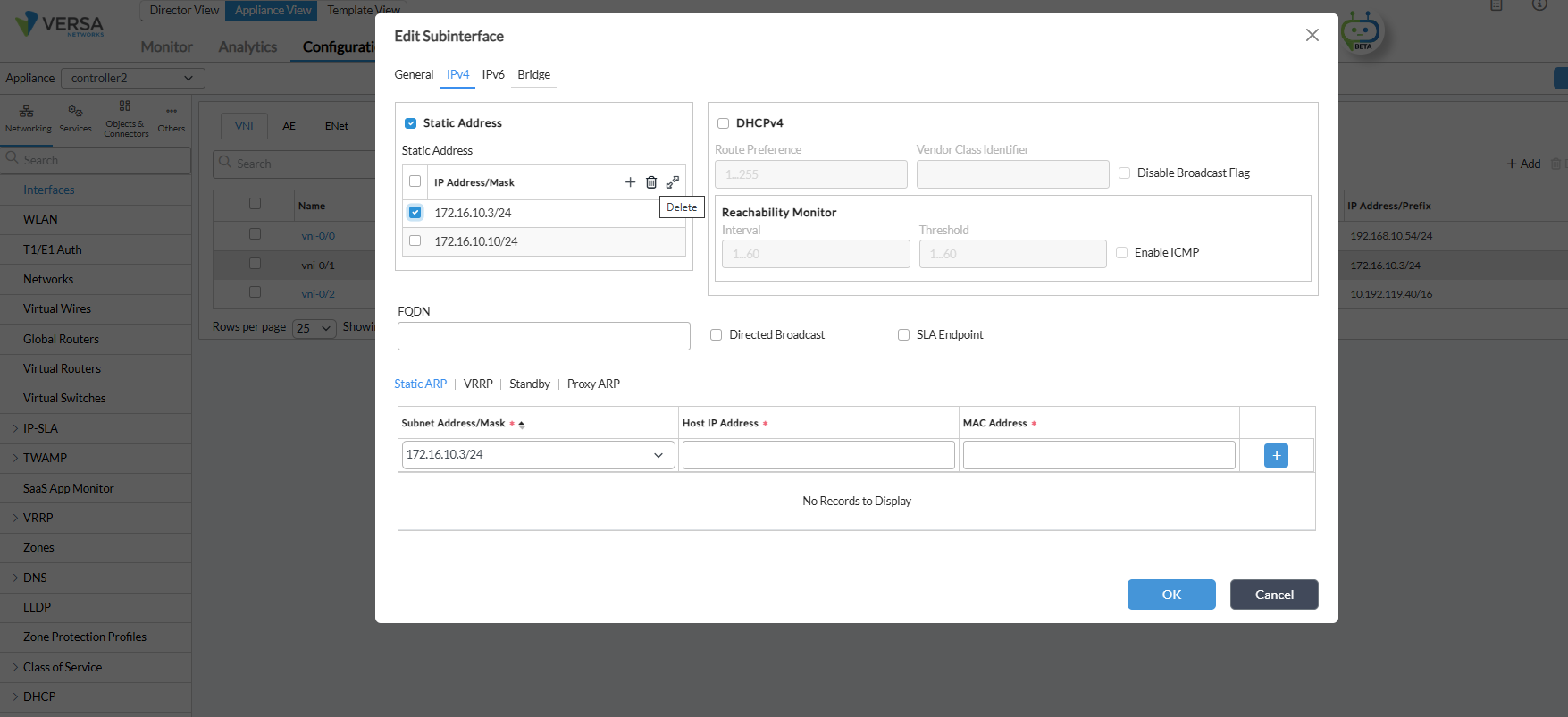
Step 2: Verify the connectivity to next hop, remote branches (bgp neighbors on WAN not control-VR if any) via new WAN link.
Following shows that the WAN IP is changed on controller vni-0/1 and we are able to ping the next hop IP for static route.
On Controller:
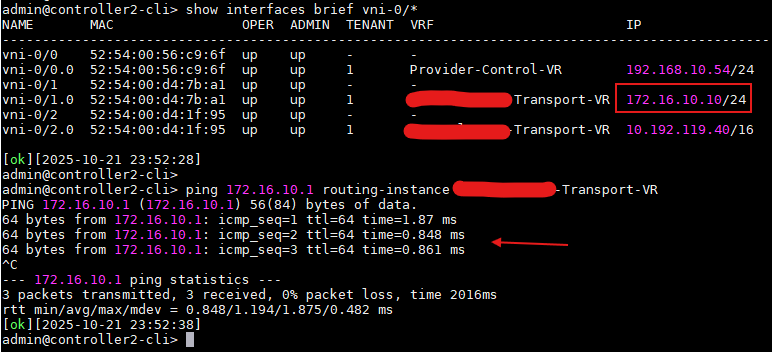
At this point the branches will loose connectivity to the controller whose IP is being changed.
On Branch:

Step 3: Redeploy the workflow template for all the devices so that the new controller information is propagated to the device template. Redeploy the workflow devices.
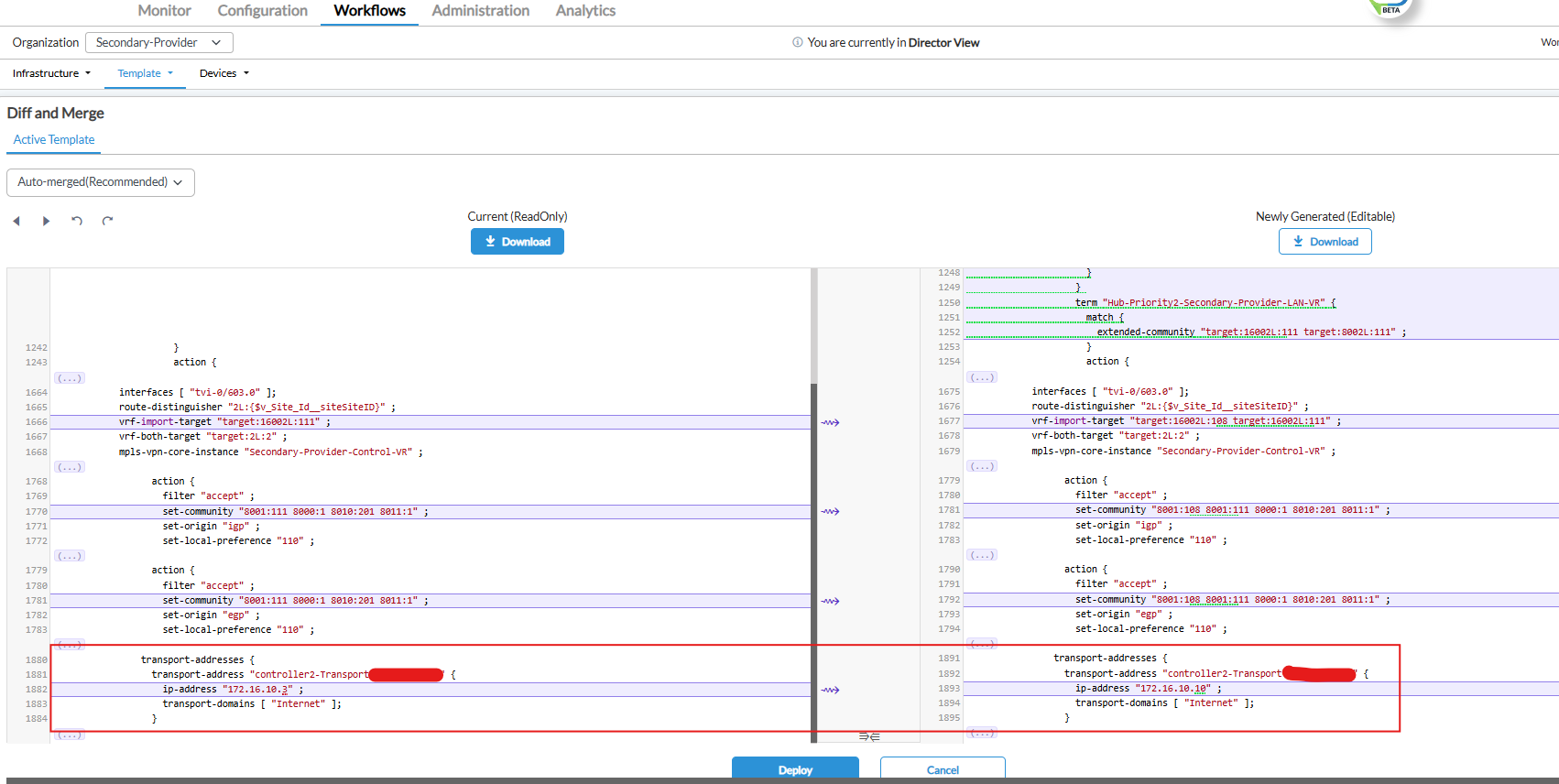
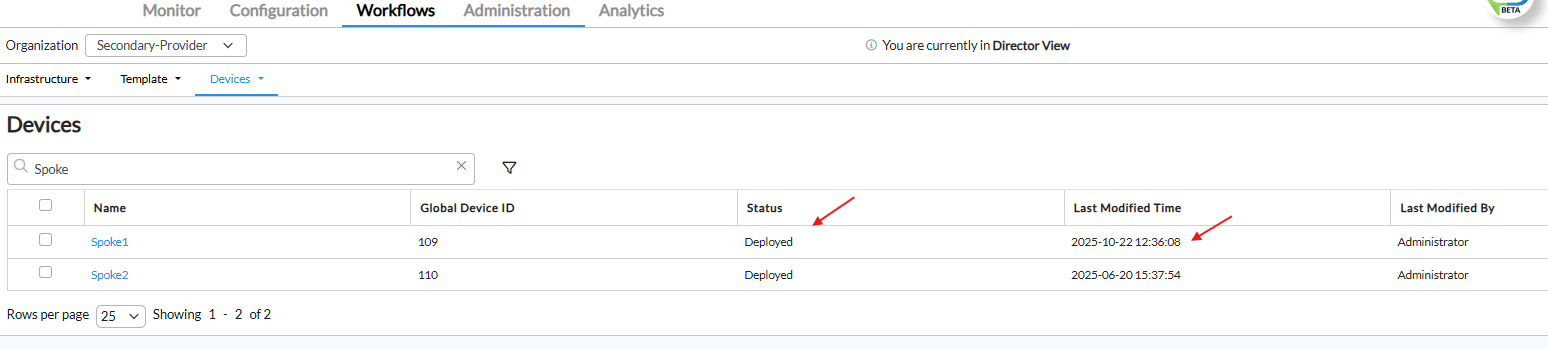
Step 4: Commit the template on the branches (auto merge and overwrite both works for this). Please make sure to review the differences to verify all other configuration which is being changed (if any).
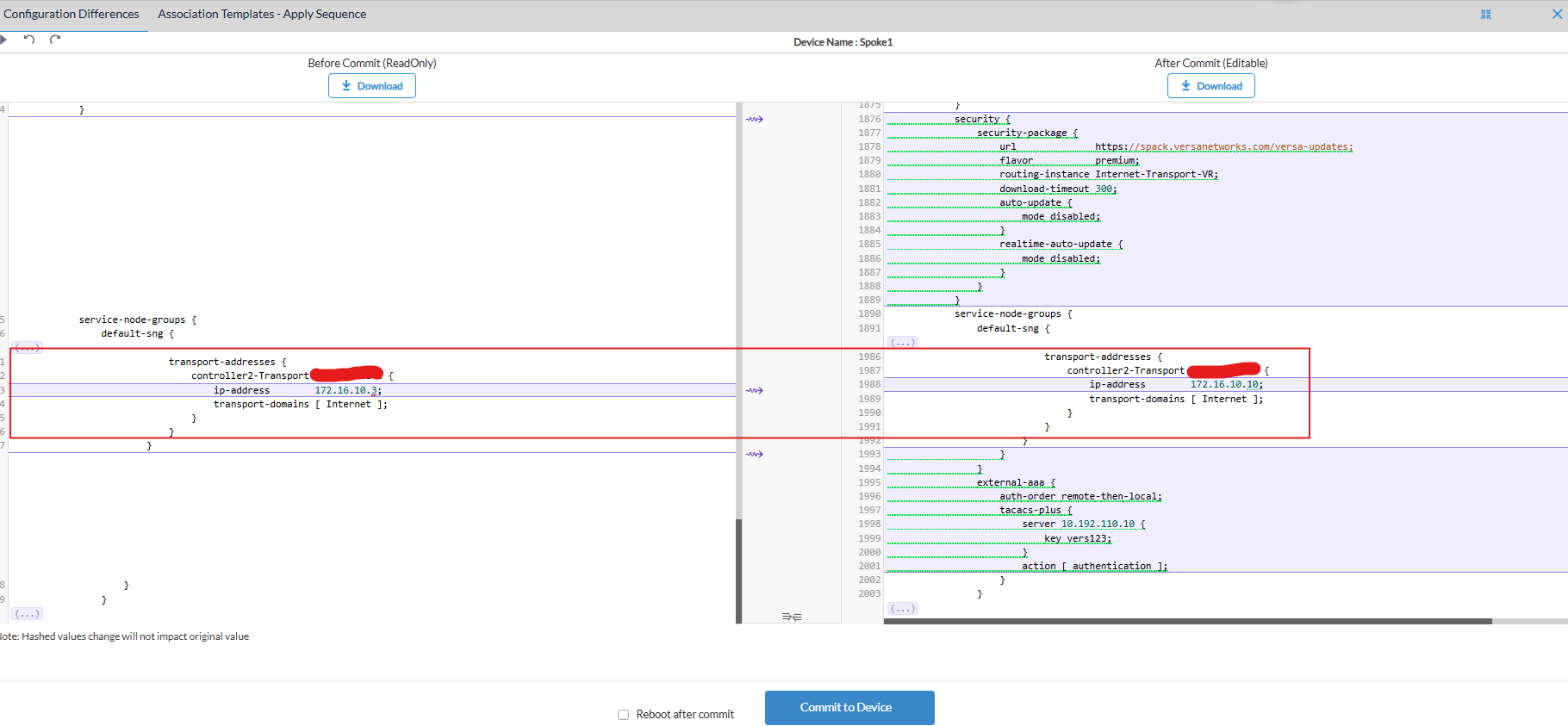
Controller IP on branch is changed, post that branch initiates VPN to the new controller WAN IP and provided that the underlay connectivity is fine, VPN and SLA would come up. This might take few minutes.
On Branch: