This article describes how to configure FEC to recover lost Packets
Please refer to the reference deployment architecture here
Prerequisite
Versa headend should be installed and functional.
Scenario
In this example, we have two WAN links named as MPLS and INTERNET on the Versa FlexVNF CPE to forward the traffic.
We need to configure the SDWAN policy which will enable FEC when SLA gets violated i.e. packet loss on the link exceeds 2%
And Traffic should not be switched over to another link if SLA gets violated
Configuration
SLA Profiles
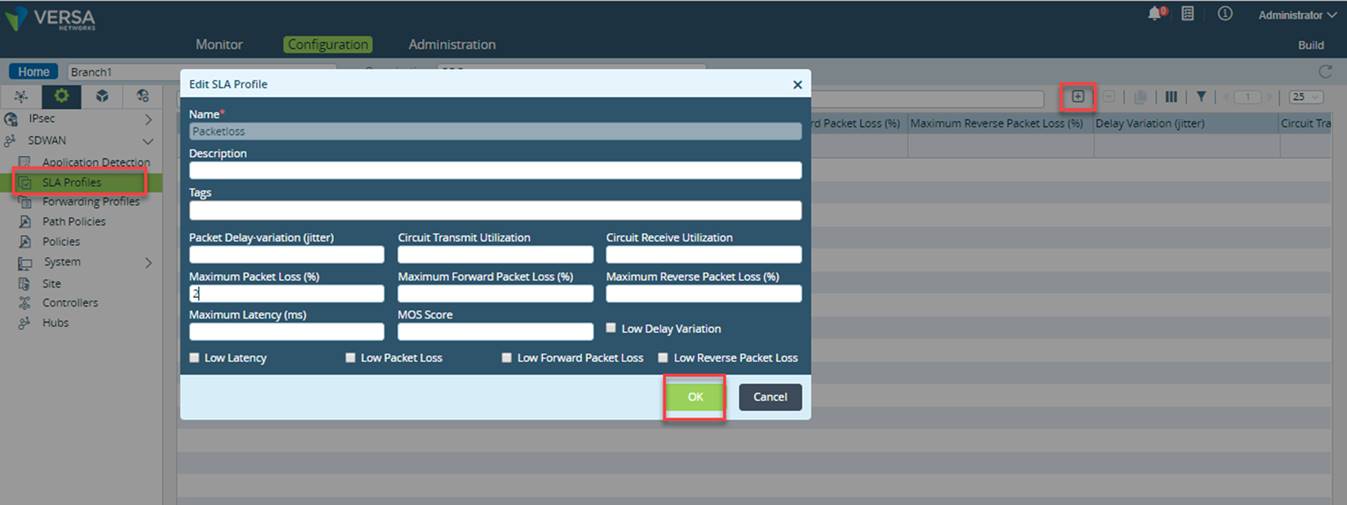
- Login to Versa Director GUI and navigate to Appliance > Configuration > Services > SDWAN > SLA Profiles
- Click on + to add new SLA profile
- We need to create SLA profile, enter value of 2 under Maximum Packet Loss (%) variable in the SLA profile
- Click OK
Forwarding Profiles
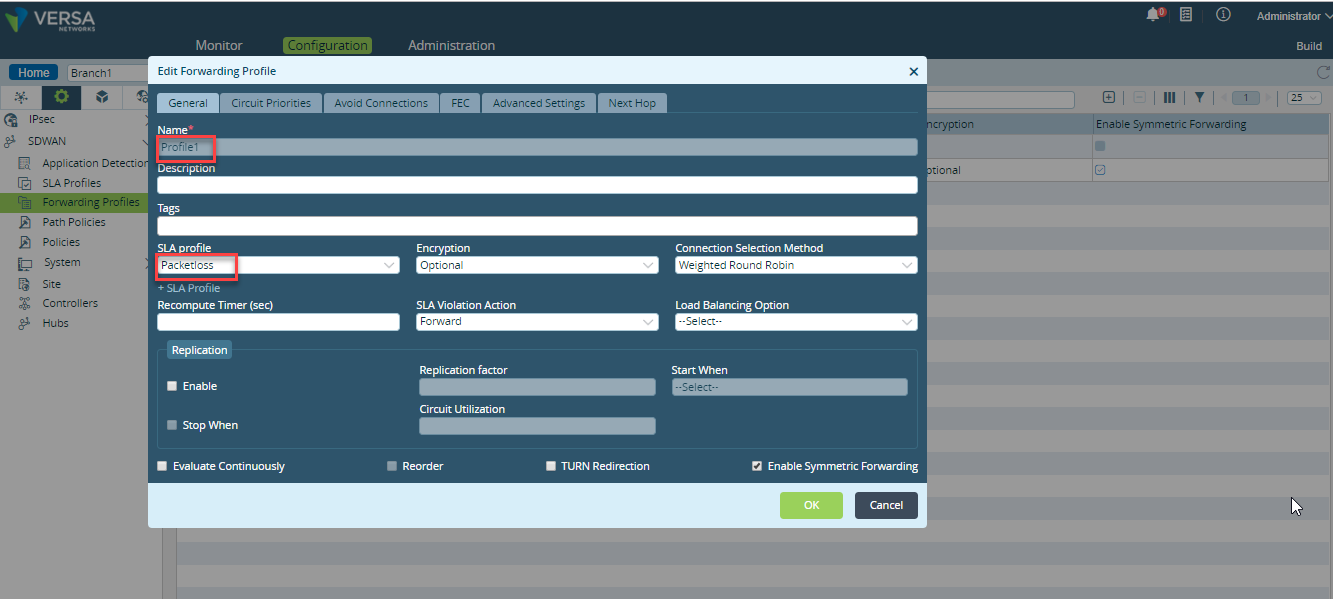
- Click on Forwarding Profiles tab and click + to create the forwarding profile.
Name : provide the Name for the forwarding profile.
SLA profile : select the SLA profile which was configured earlier in this article
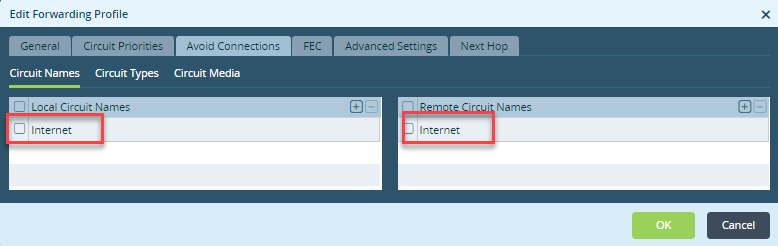
- Click on Avoid Connection Tab (After the SLA violation the Traffic will switch over to the Next Circuit, to avoid it, we can select other circuit in the Avoid Connection Tab,so that after SLA violation traffic will not switch over and FEC parity Packets will be generated as per our requirement )
- Local Circuit Names section : define the local circuit name to be skipped.
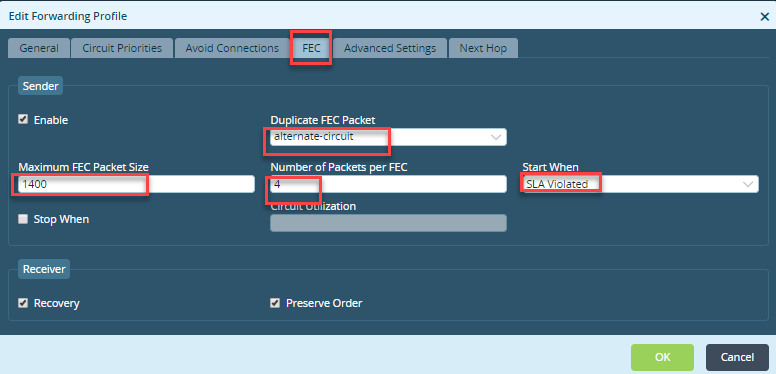
- Select FEC tab to configure Forward Error Correction (FEC) for the forwarding profile
Sender
- Enable : Select this to enable FEC.
- Duplicate FEC Packet : Select this to duplicate the FEC parity packet. This is enabled by default.
- Maximum FEC Packet Size : Specify the maximum packet size for FEC parity packet.
- Number of Packets per FEC : Specify the number of packets allowed for FEC parity packet.
- Start When : Select this (SLA Violated) to enable FEC automatically when the traffic does not meet the SLA thresholds.
- Stop When : Select this to FEC based on Circuit Utilization threshold.
- Circuit Utilization : Specify the threshold in percentage. The FEC stops when the circuit utilization exceeds the specified threshold.
Receiver
- Recovery : Select this to enable packet recovery after receiving FEC packet. This is enabled by default.
- Preserve Order : Select this to reorder out-of-order packets and forward them in the original order. This is enabled by default.
Policies
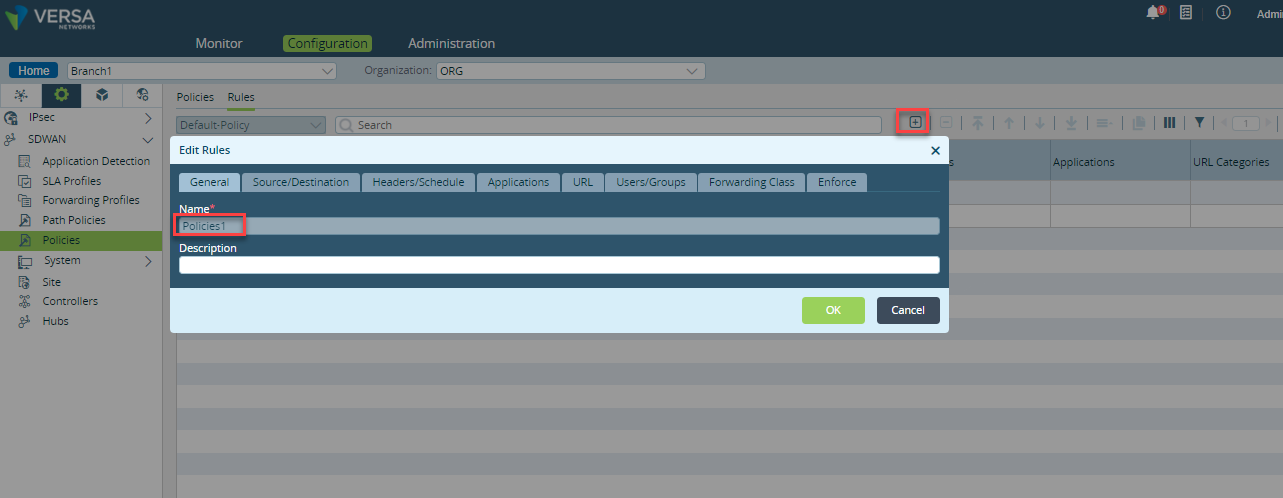
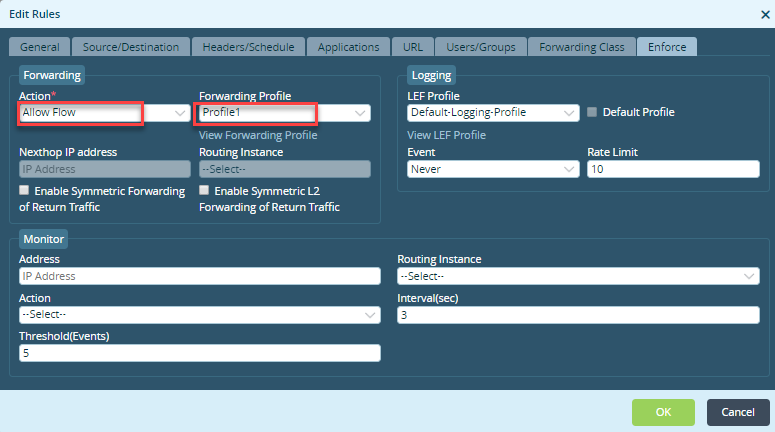
Navigate to Policies > Rules > click on + > Provide a name for the Policy > Go to Enforce Tab
- Select Allow Flow from drop-down for Action under Forwarding section.
- Select the Forwarding Profile name configured in Forwarding Profiles
Validation
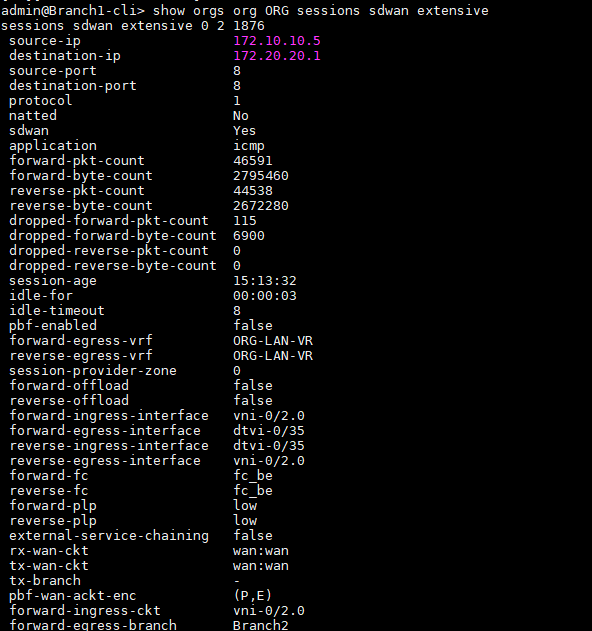
- CLI output will show replication and per-packet load balancing related counters.
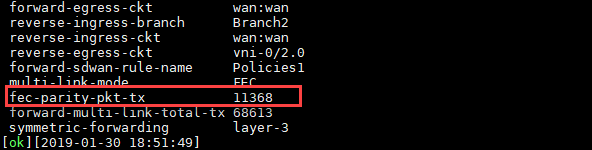
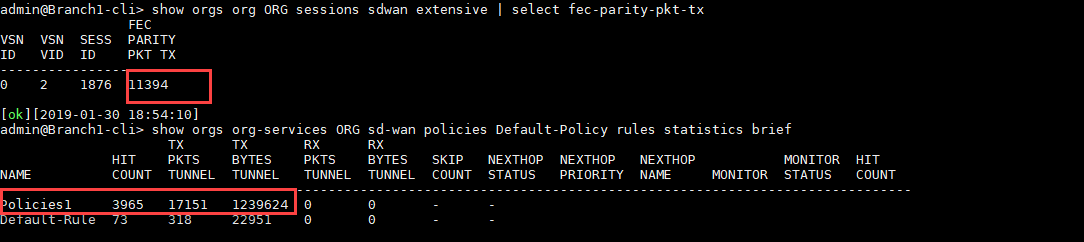
show orgs org <org-name > session sdwan extensive - Following counter will increment for FEC on sender branch
fec-parity-pkt-tx - Number of FEC parity packets sent
- Following counter will increment if replication is in forward path:
forward-multi-link-total-rx - Total rx packet count on replication/load-balanced links