Note:
Please review this docs link used for 16.1R2 and 20.2 VOS versions:
From 21.2 and above, we have a way to run internet speed tests from Versa Operating System™ (VOS™) devices using pre-deployed internet speed-test servers, and below is the docs link:
https://docs.versa-networks.com/Versa_Operating_System/VOS_Troubleshooting/Run_Internet_Speed_Tests
Versa Speed Test allows you to measure WAN link bandwidth. Currently, this process is initiated manually and you have to configure the server before starting the speed test from the client device. Both–the Client and the Server are Versa FlexVNF devices and can belong to either a regular CPE or to an SD-WAN topology. In a nutshell, the Server and the Client mode is used to measure the bandwidth on a transport link. So configure one of the appliances as a speed test server. Multiple remote CPE appliances act as clients which allow you to measure the bandwidth.

Configuring the Speed Test Server Appliance
Follow these steps to configure the speed test server appliance:
- Login to Versa Director.
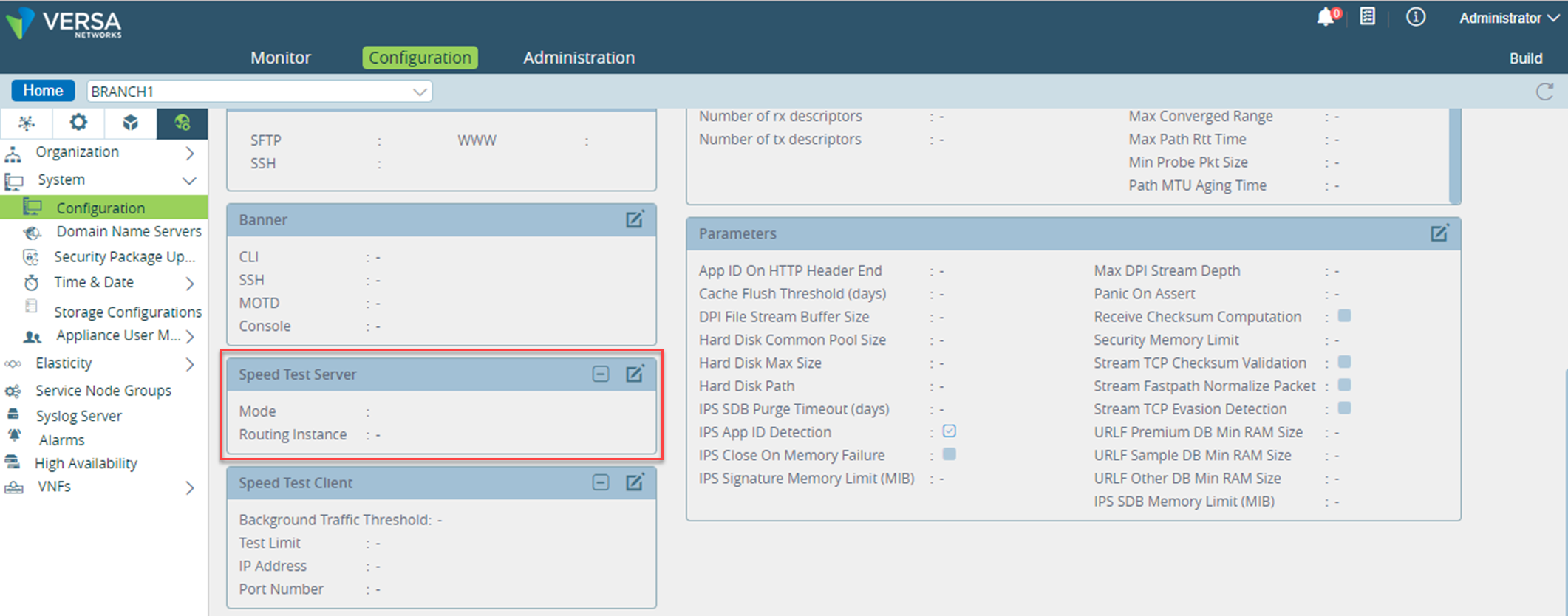
- Select Administration > Device > Configuration > Others > System > Configuration > Speed Test Server and click
 .
.
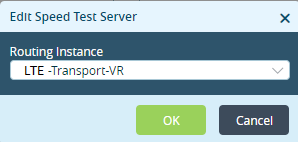
- This opens Edit Speed Test Server window. Select a Routing Instance from the drop-down menu and click OK.
Measuring Bandwidth of Remote Appliance or CPE
Follow these steps to measure the bandwidth of remote appliance or CPE:
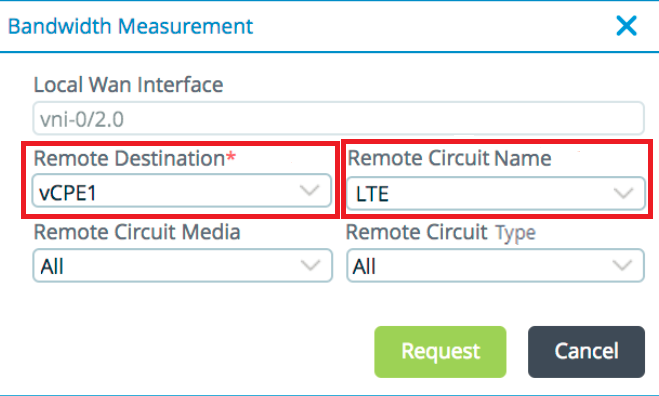
- Select Device > Monitor > Summary and click Measure. This opens the Bandwidth Measurement window.
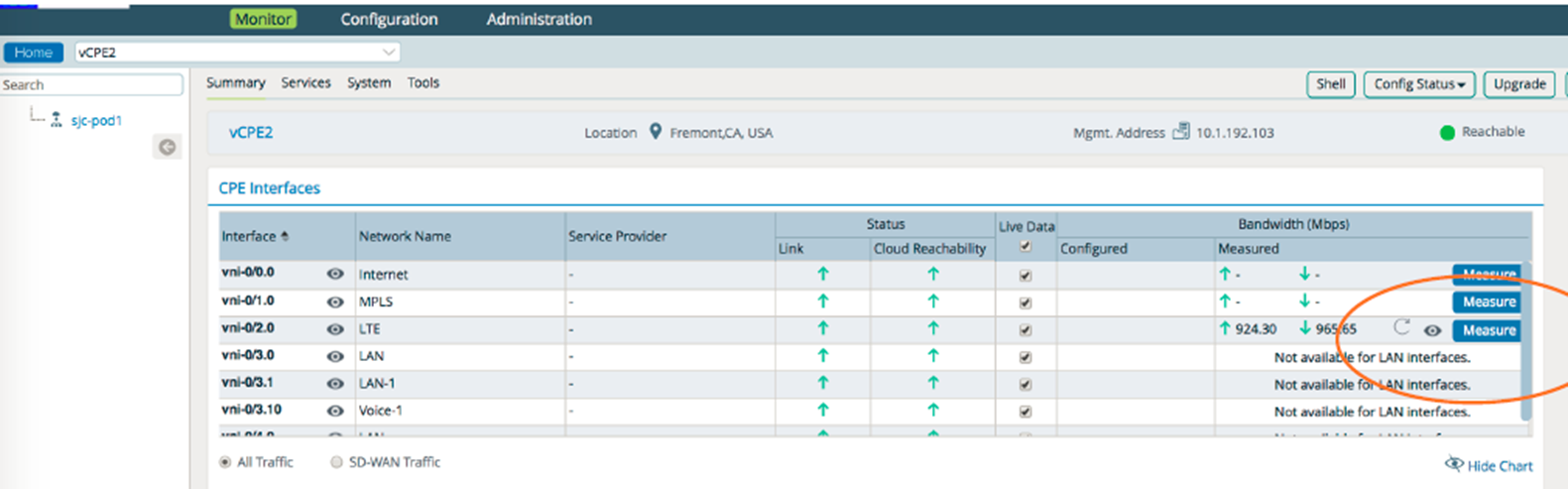
- Select the appropriate Remote Destination and Remote Circuit Name from the drop-down menu in the Bandwidth Measurement window and click Request.
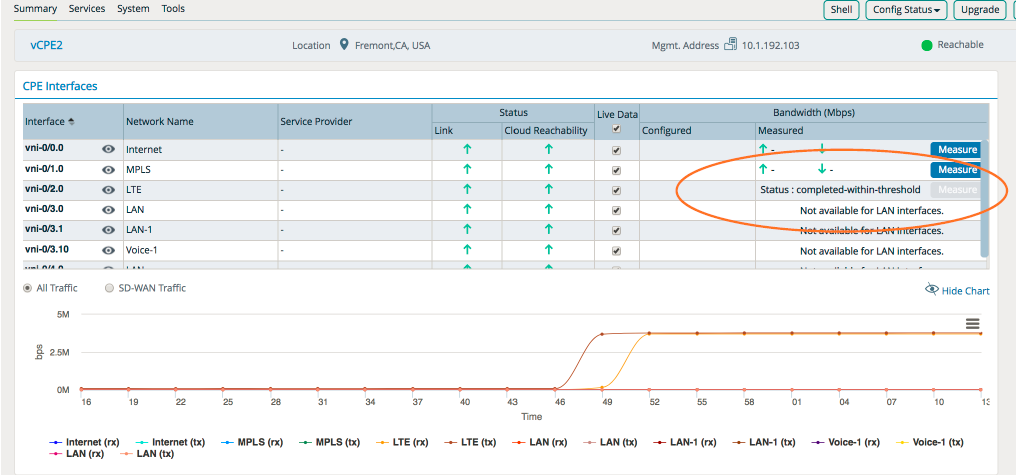
- Refresh the page when the test is completed.
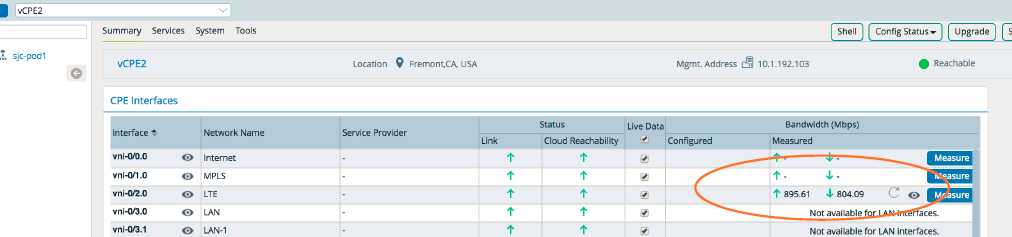
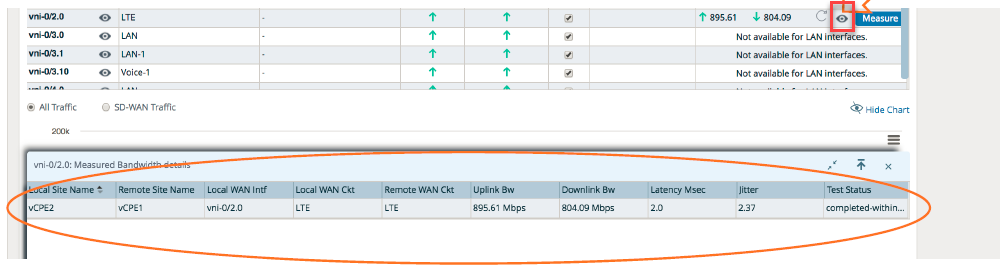
- Click
 to view the details of the measured bandwidth.