Purpose
The purpose of this article is to showcase SAML integration with Azure AD for VSA portal and gateway authentication when
- Portal and gateway are configured in the same device
- Device 1 is configured as portal and device 2 is configured as gateway
This wiki article will not showcase all the basic VSA configuration.
Create a SAML APP in Azure
- Login to Azure Portal
- Click on Enterprise Applications
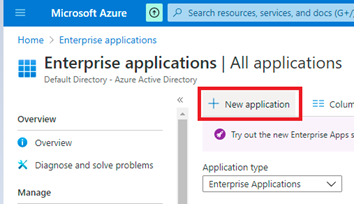
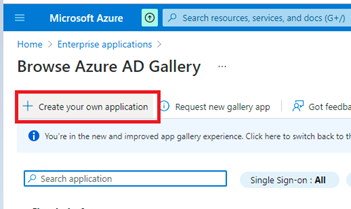
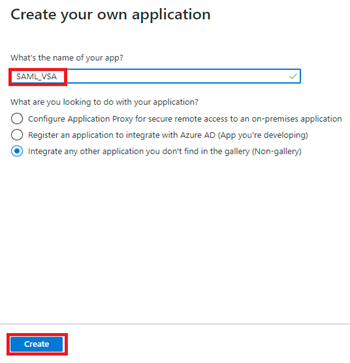
SAML APP Configuration
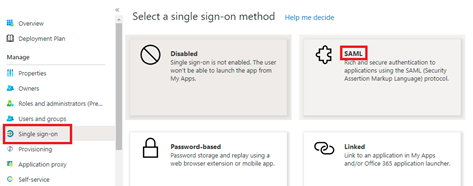
4. Edit Basic SAML configuration
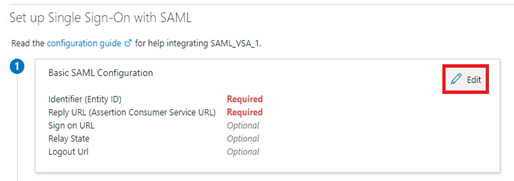
5. SSO URL in the SAML application should be configured in the following format.
https://<domain-name>/secure-access/services/saml/login-consumer
6. In the below example shown, domain name in the URL is replaced with the WAN IP address of the device which has both Secure access portal & gateway configured.
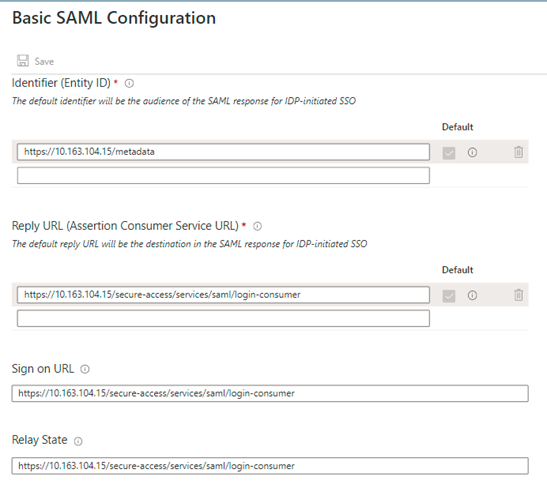
Please note: If the config is via concerto, we need to use below reply-url on the SSO (Assertion Consumer Service URL): https://sase-concerto.acs.versanow.net/secure-access/services/saml/login-consumer
User Attributes & Claims
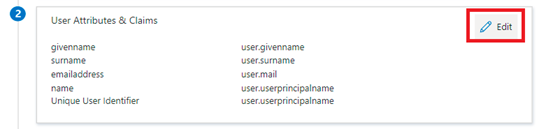
7. The Value of Unique User Identifier should match the User ID that will be used during VSA Registration. The default value is userprincipalname.
In this example, email ID of the user is used as User ID for the registration. In this case the value type of Unique User Identifier should be changed to user.mail
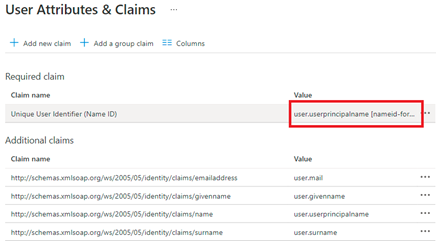
8. Click on the Value to edit
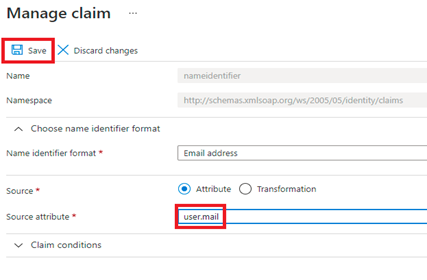
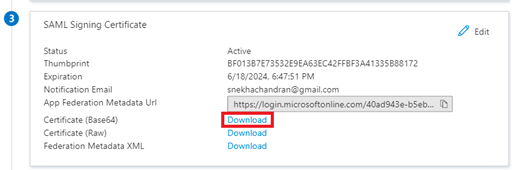
Azure certificate for SAML profile creation
9. Download the below shown certificate into the local machine
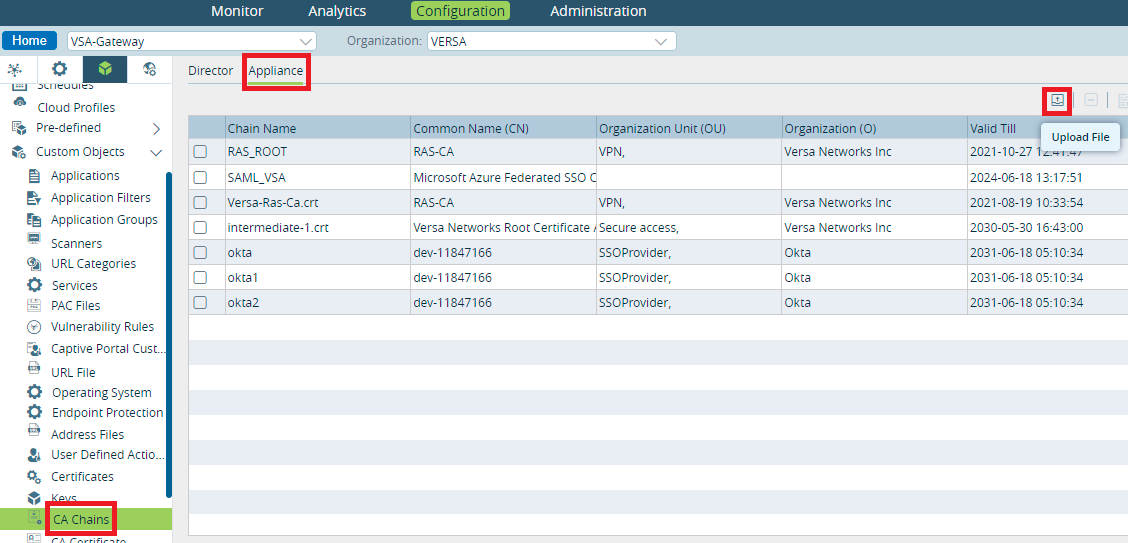
10. In the Director, navigate to VSA device appliance context -> Configuration-> Objects & Connectors -> Objects -> Custom Objects ->CA Chains
11. Under Director tab, upload the Azure SAML certificate
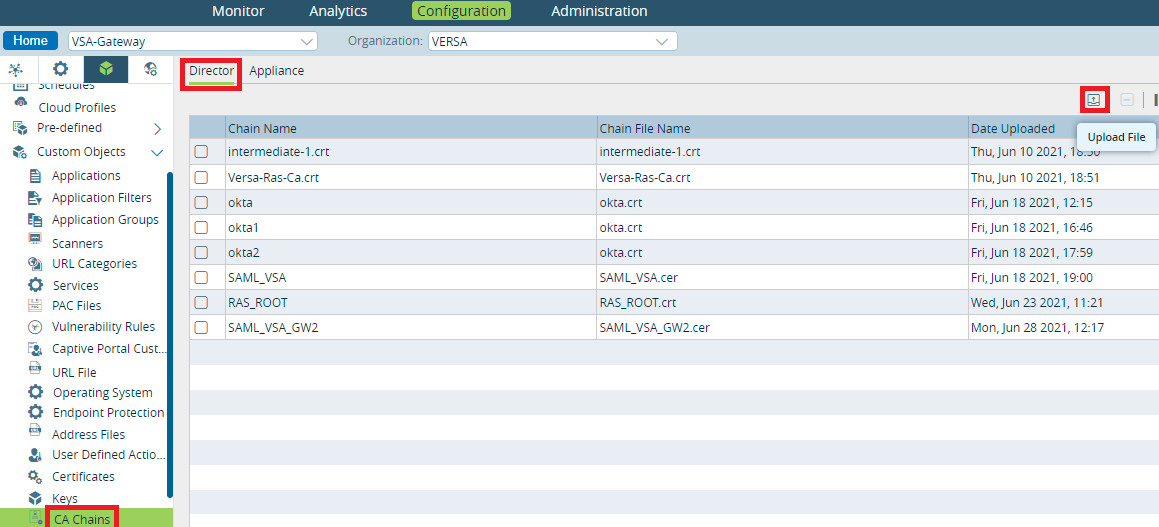
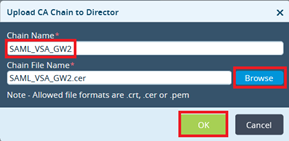
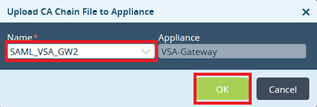
12. Navigate to Appliance tab and import the CA-chain cert that was uploaded in the previous step
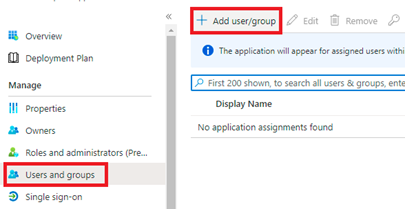
Assign Users for SSO Authentication
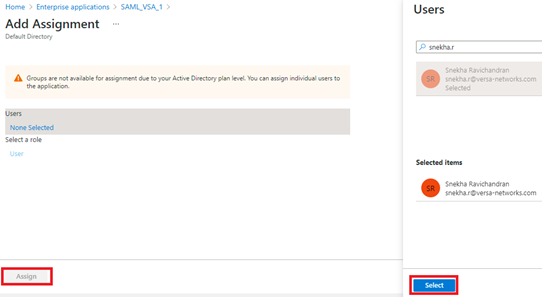
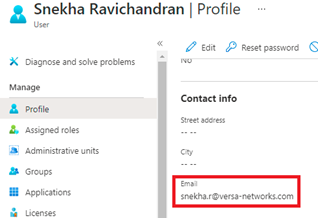
14. Make sure email address is mapped under user profile
SAML Profile Configuration – VSA
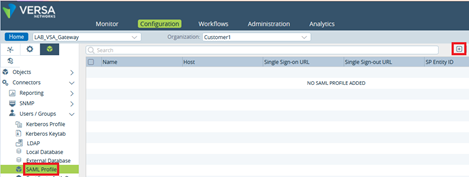
15. To configure SAML profile in VSA device, from Director configuration tab, open device template, navigate to Objects & Connectors -> Connectors -> Users/Groups -> SAML Profile
16. Use the below details to configure SAML profile
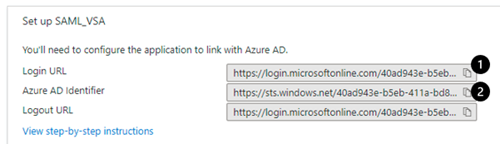
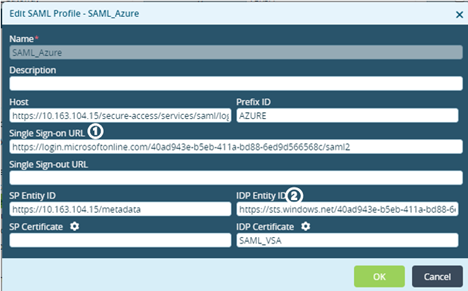
17. Configure Host with SSO URL configured in Azure SAML app
18. SP Entity ID : Identifier (Entity ID) value configured in Azure SAML app
19. IDP certificate -> configure the certificate that was downloaded and imported from Azure SAML app.
20. Map this SAML profile in the authentication profile configured under VSA portal and gateway.
Refer this document to configure authentication profile for VSA
https://wiki.versa-networks.com/display/VSETAC/Versa+Secure-Access+VPN+Gateway
21. If VSA portal and gateway are configured in 2 different devices, each device needs to be configured with SAML profile by creating 2 different SAML apps in Azure (1 for each device) by repeating above mentioned steps with SSO URL
1st APP -> https://<Device1 WAN IP>/secure-access/services/saml/login-consumer
2nd APP -> https://<Device2 WAN IP>/secure-access/services/saml/login-consumer
Client Side Verification
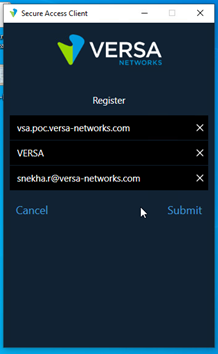
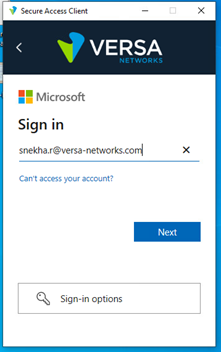
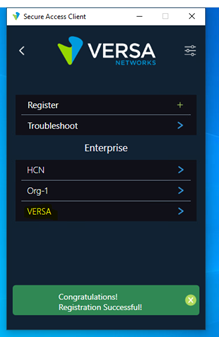
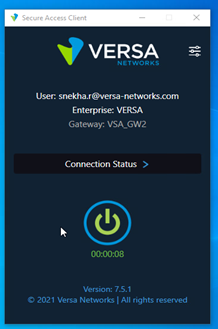
22. Use Microsoft login credentials – for Portal & gateway authentication
Debugging
- Enable VSA debug – device CLI
admin@VSA-Gateway-cli(config)% set debug saccess all-flags level all admin@VSA-Gateway-cli(config)% commit |
[admin@VSA-Gateway: ~] $ cd /var/log/versa/ [admin@VSA-Gateway: versa] $ tail -f -n 100 versa-service.log |
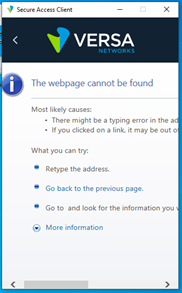
- If SSO URL configured in Azure SAML app (Point no 5) is incorrect, below shown error occurs
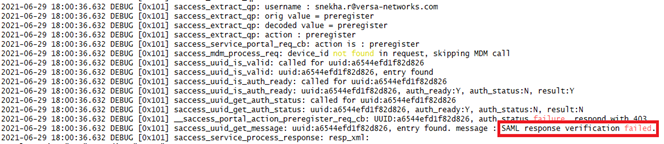
- If below shown error is encountered, check if IDP Entity ID (Point number 16) in Versa SAML profile is properly configured
- If SAML authentication is successful

Author: Snekha Ravichandran