This article describes how to perform script based Zero Touch Provisioning (ZTP) using IPv6 addressing scheme.
Note
If you have a branch which is already deployed with IPv4 addressing, and needs to enable dual stack(IPv4 and IPv6), please follow the configuration sections below,
section-1: update existing workflow-template by enabling IPv6 on WAN interface.
section-3: update the device-workflow by adding IPv6 details in bind data.
Next, you can proceed with the commit template to device which completes the process.
Prerequisites
- The Versa SDWAN Controller should have IPv6 addressing scheme on south-bound interface.
- Versa FlexVNF CPE and ISP interface will need to be configured as IPv6 Addressing scheme.
- This document is not restricted to specific Versa certified software and hardware versions.
Configuration
Creating the IPv6 post-staging template
A post-staging template has the complete configuration required to deploy various network services at the branch level. You can configure the post-staging templates for both LAN and WAN interfaces.
- Login to the Versa Director and in the Director view, navigate to Workflow > SDWAN > Templates and click
 to create a template. This opens the Create Template window.
 - Select the Basic tab (default) and enter the required details, such as Name, Organization, Device Type, Controller, Subscription etc
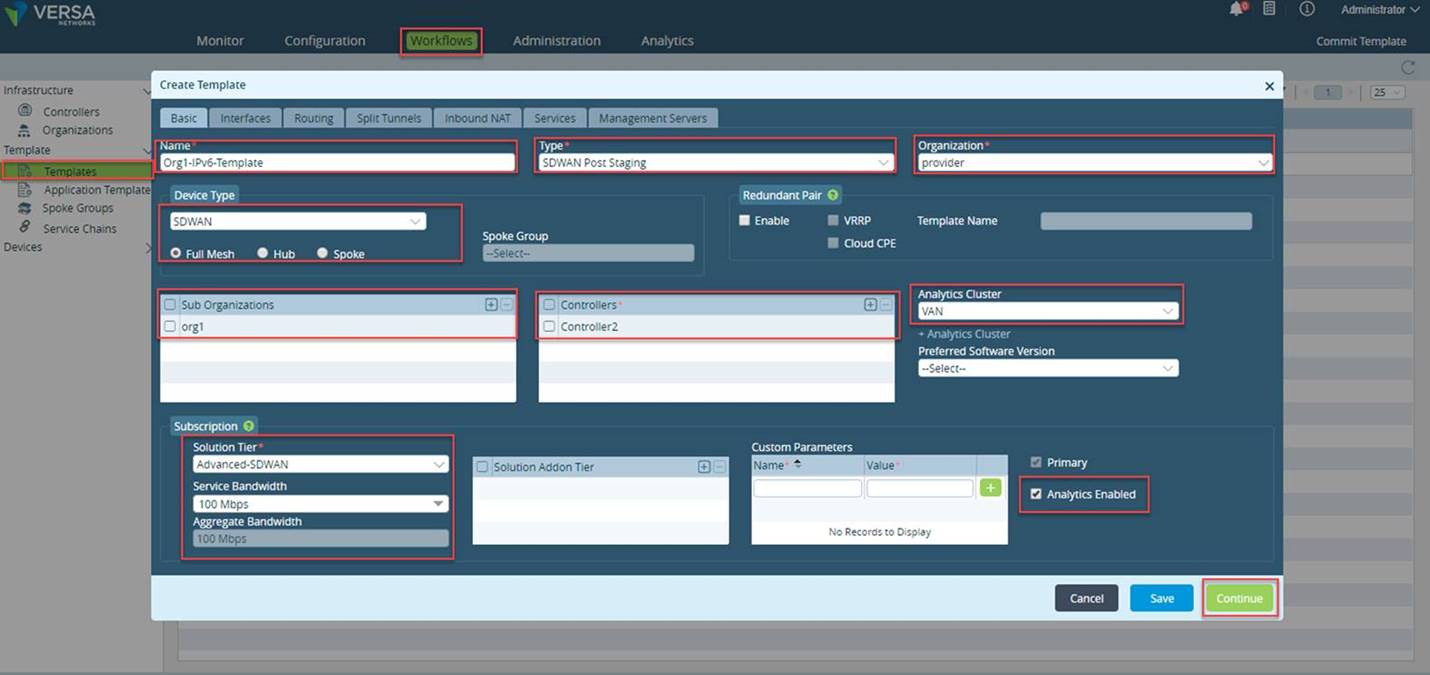
- Click Continue to Interfaces tab
- Select Static checkbox under one of the WAN interfaces and make the required selection on the LAN interfaces
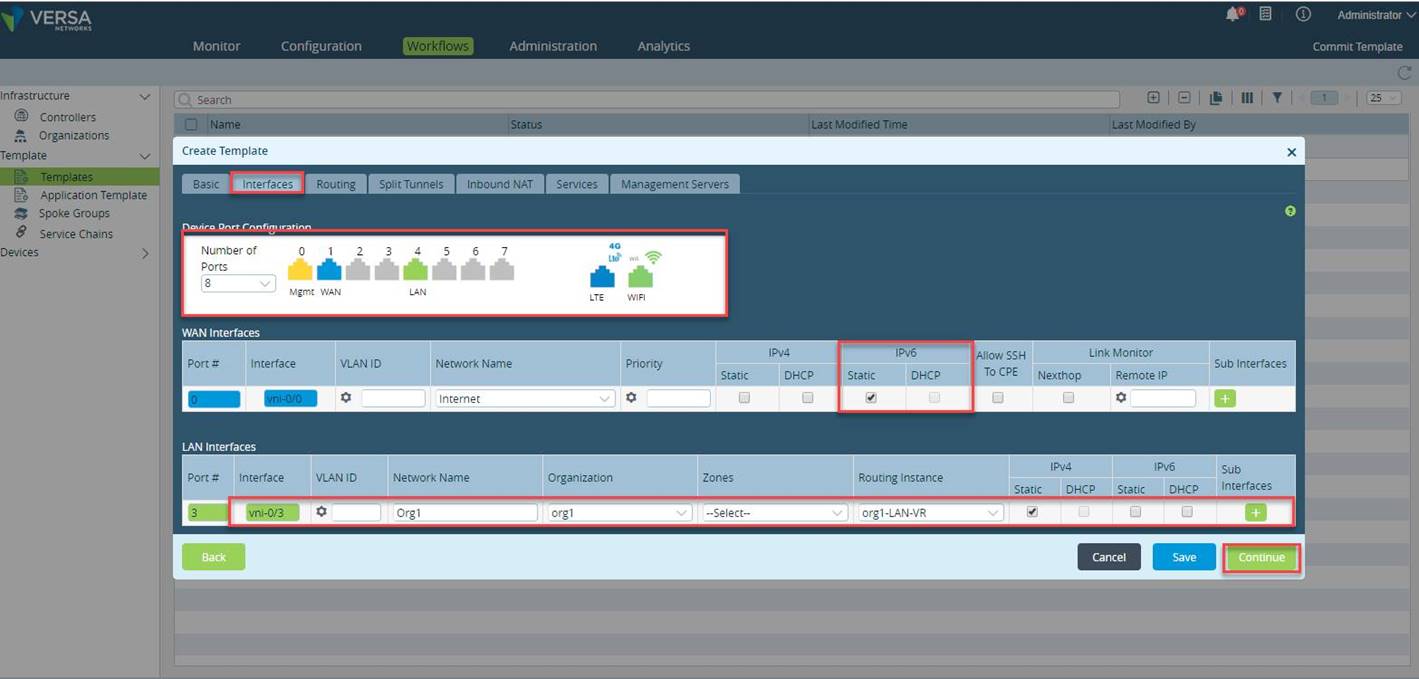
Click Continue to go ahead with the template creation.
Based on the requirement, configure the Below are the optional parameters/tabs. You can configure as per your requirements.
Click the Routing tab to configure protocols.
Click the Split Tunnels tab to configure split tunnels.
Click the Inbound NAT tab to configure the protocol and IP address of inbound traffic.
Click the Services tab.
Click the Management Servers tab to configure the network and IP address of different servers
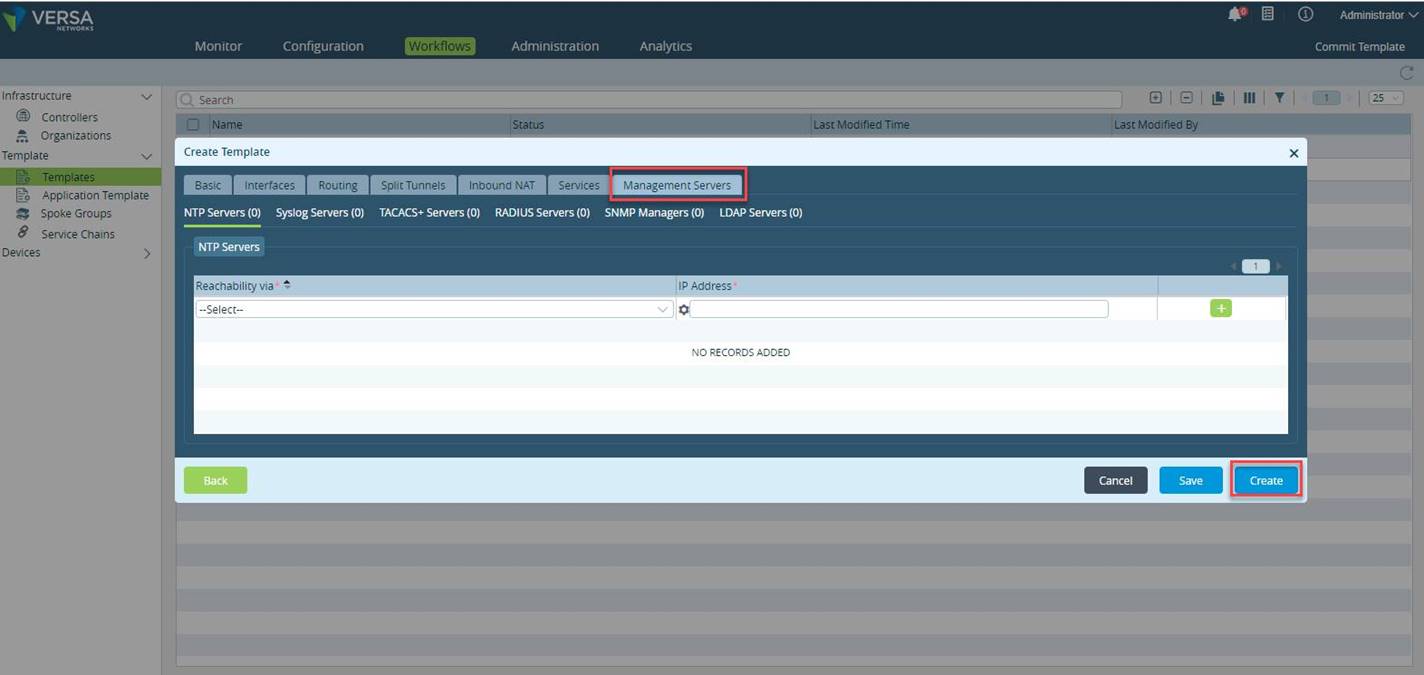
Onboarding Device and Device Groups Once you create the templates, add the information of the devices and device groups to be used by the branches.
- In the Director view, navigate to Workflows > Devices > Devices. Select the organization.
- Click + to onboard a device. In the Basic tab, enter the device information, such as Name, Serial Number and Select the Device Group.
If the Device Group is not present, click on +Device Group
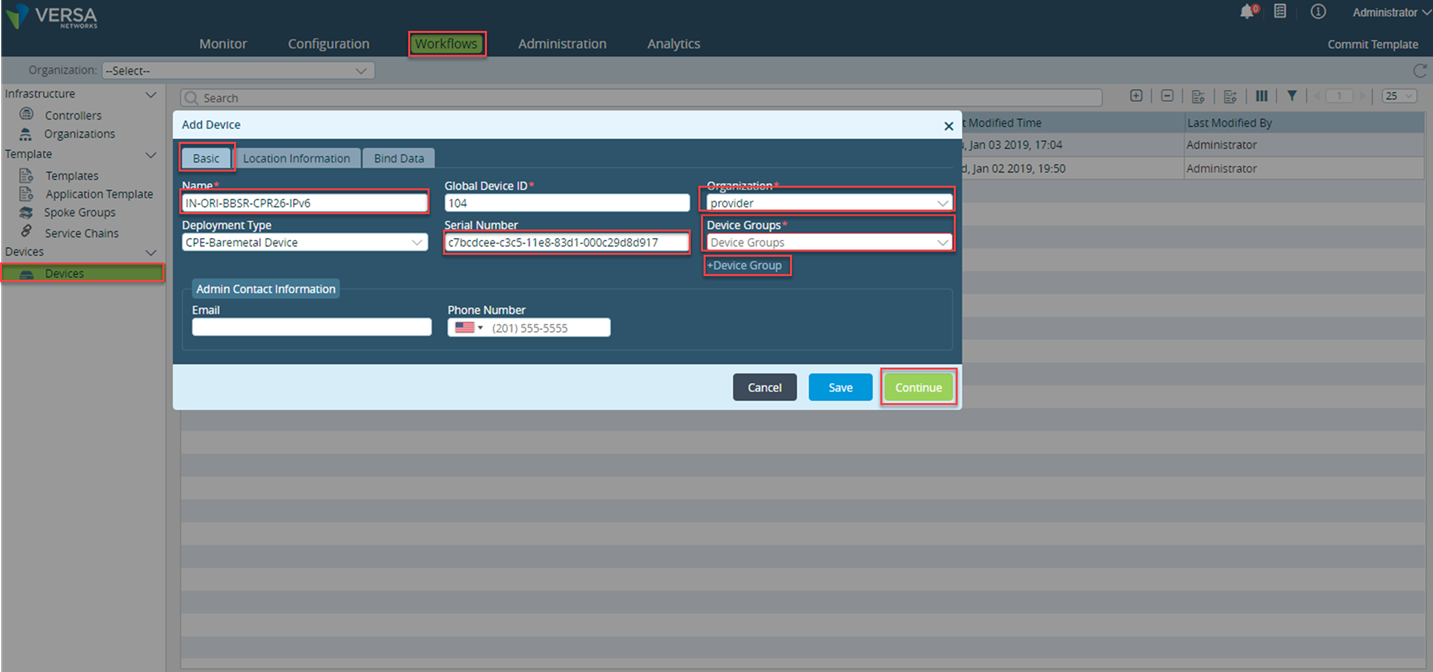
Create a new device group, click + Device Group.
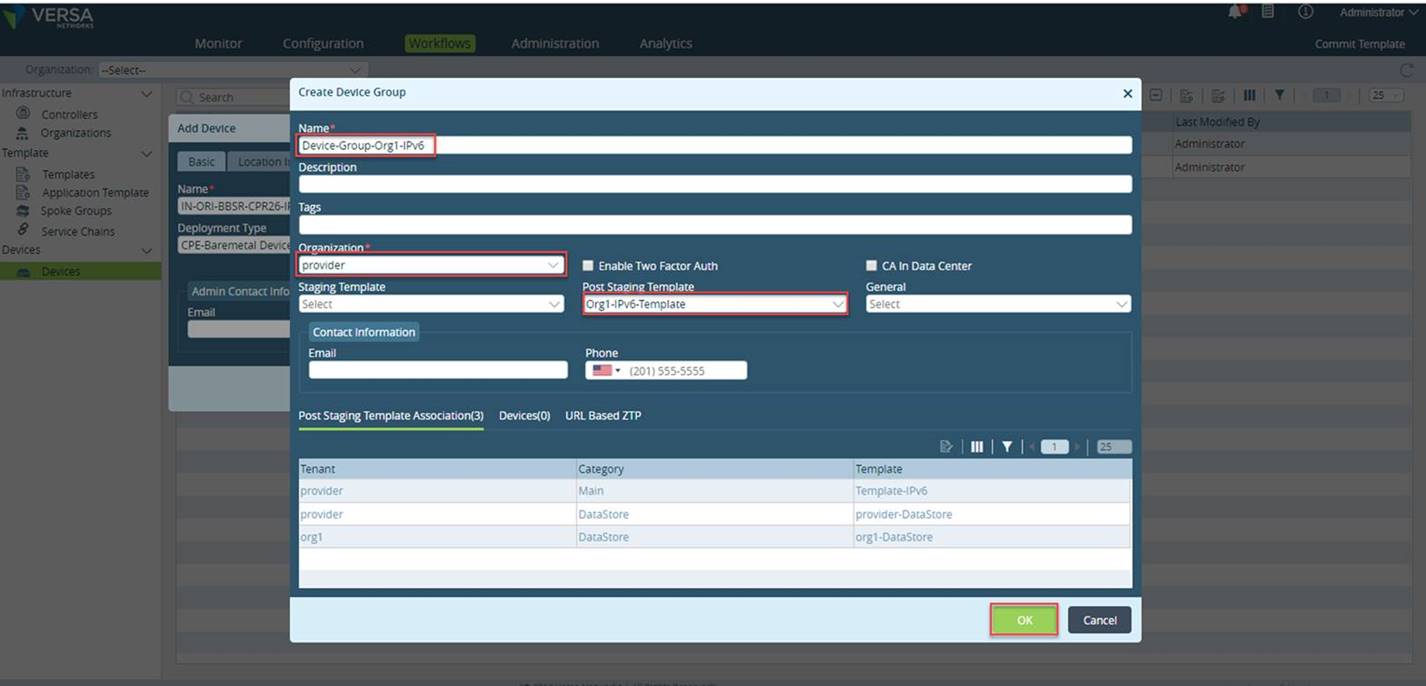
ADD the Location Information
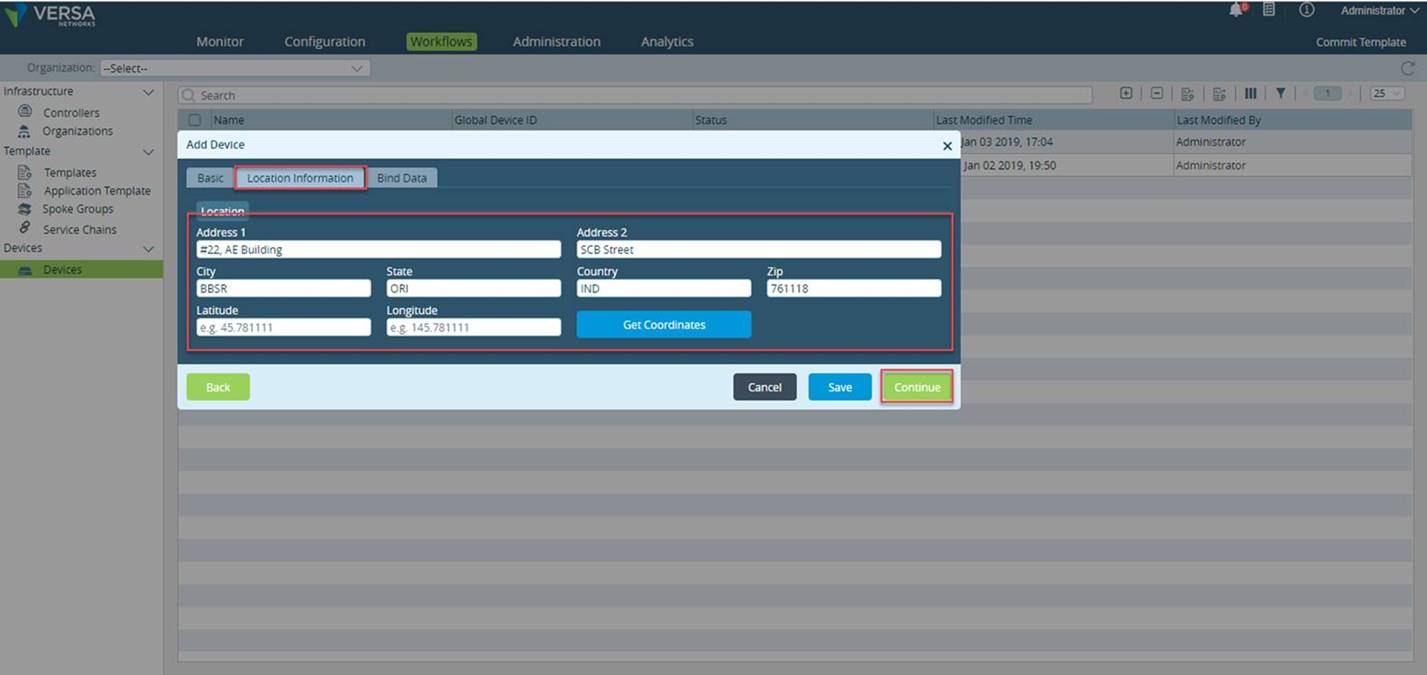
Under the Location Information tab, enter the applicable location information of the controller, click Get Coordinates to automatically* populate the latitude and longitude from the controller address, and click Continue
(For getting the Coordinates, Versa Director will need the Internet Access.)
Under the Bind Data tab, add the required field values for the templates. In this case, we enter the STATIC IPV6 address for device/CPE interface and the Default Gateway IPv6 address. The system validates the bind data variables per the specified variable type. In case they do not match, an error message is generated.
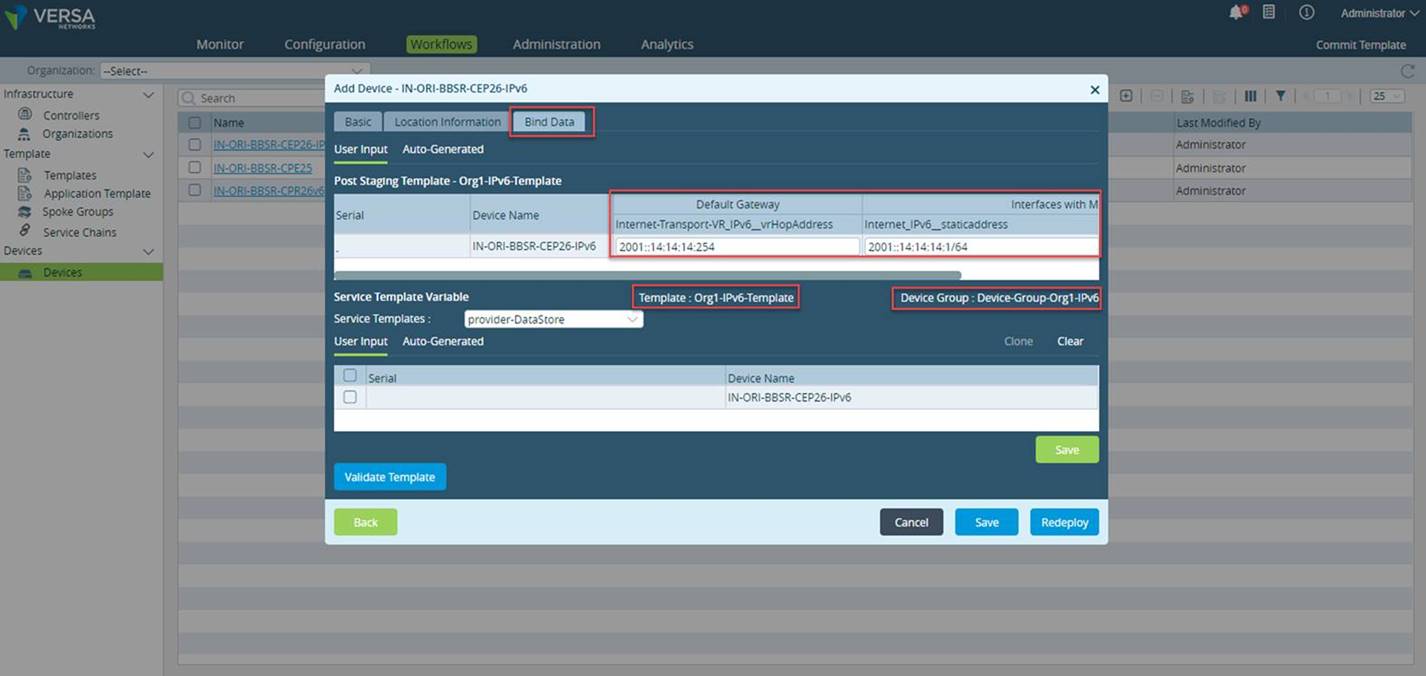
This completes the soft staging of the branch/CPE on Versa Director.
Configuration Preparation on Branch
This is script based Zero Touch Provisioning (ZTP) using IPv6 IP addressing scheme.
- ssh to the CPE or access it using console of the CPE
- Change the directory to /opt/versa/scripts
- Use the staging script to bootstrap the device. Since, we will be using IPv6 addresses, execute the script with required parameters as shown below:
sudo /opt/versa/scripts/staging.py -w 0 -c6 2002::12:12:12:2 -s6 2001::14:14:14:1/64 -g6 2001::14:14:14:254 -l SDWAN-Branch@provider.com -r Controller2-staging@provider.com -n IN-ORI-BBSR-CPE25v6
-c6 Controller IPv6 address/FQDN
-s6 Static IPv6/mask for WAN link
-g6 Default gateway IP address
-d6 Use DHCPv6 for WAN link
-l Local id-string/email used for IPSec authentication
-r Remote id-string/email used for IPSec authentication
-n Serial number of the CPE

- Once you executed the staging.py script, the FlexVNF will cretate the IPsec tunnel and get the mgmt IP Address as below from the staging Controller

- Check the Tasks window in the Versa Director to verify successful deployment of the device.
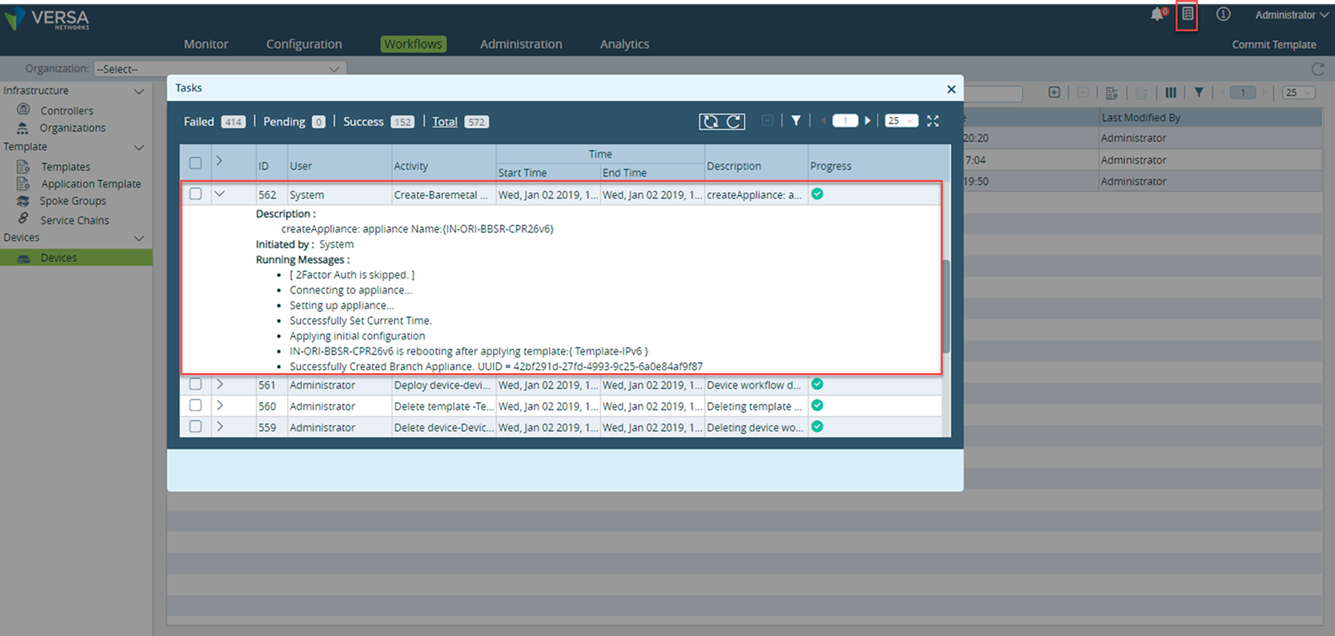
- Once Director completes pushing all the required configuration, Versa FlexVNF CPE will get all the IP addresses you have configured on Device bind data.
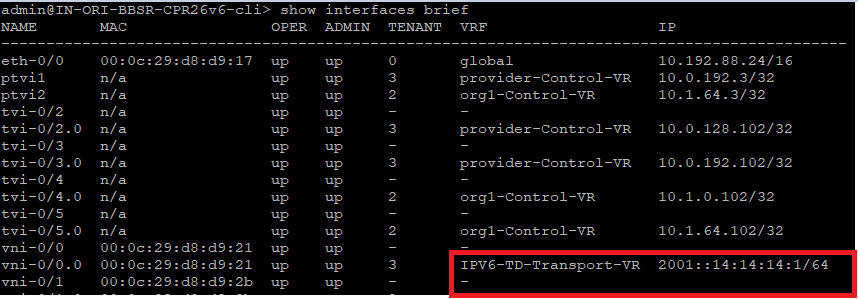
Validation
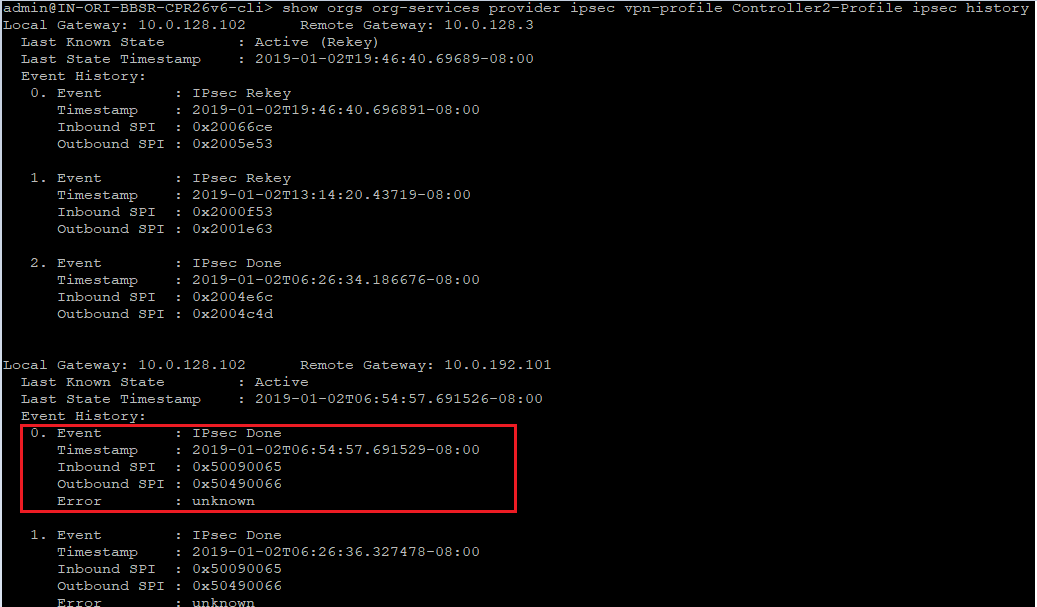
- Check the IKE/IPSec are working fine with Versa SDWAN Controller.
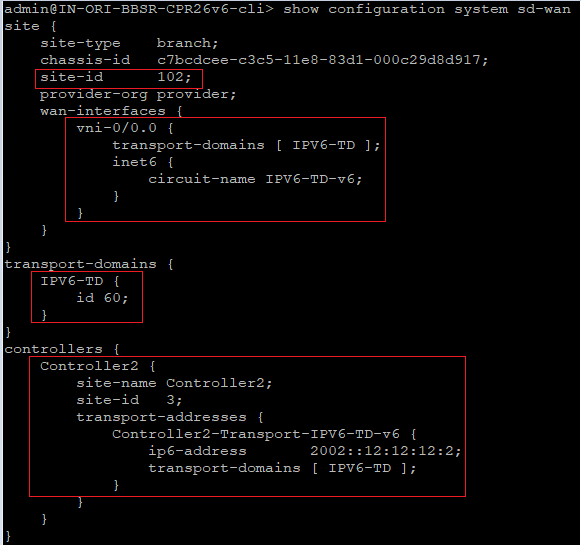
- Check the Transport-domains/ID/Controllers are correct or not
- Check the Connectivity between Versa FlexVNF CPE and Versa SDWAN Controller are fine.
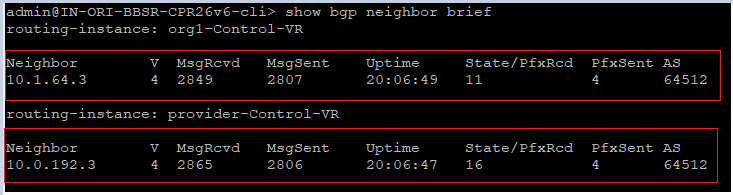
- Check the BGP status with Versa SDWAN Controller.
- Check the SDWAN SLA status.
