This article describes how to configure TACACS+ based user authentication for Versa Director.
Please refer to ref deployment diagram here
Prerequisite :
- Versa Director is installed and at least one parent organization is created
- TACACS+ server is also installed. We have installed tac_plus server version F4.0.4.26 on Ubuntu 14.04
- Versa Director and TACACS+ servers have reachability between them
- TACACS+ server is listening on the standard port on 10.192.78.151 in the management segment (eth0)
Step 1: Add Versa-specific configuration to TACACS+
- Open the tacacs configuration file as sudo user “sudo vi /etc/tacacs/tac_plus.conf”
- Configure the key (this key will be used on the connector defined on Versa Director )

- Add Versa-specific configuration such as Group and associated User to this configuration file
We have added the groups "ProviderDataCenterAdminGroup” and “TenantDashboardOperator" with cleartext password and we have defined the service "test" where we define the values to the attributes Versa-Role and Versa-GUI-Idle-TimeOut


- Define user "Tom" to be member of "ProviderDataCenterAdminGroup”. And “Alex “ to be a member of “TenantDashboardOperator”
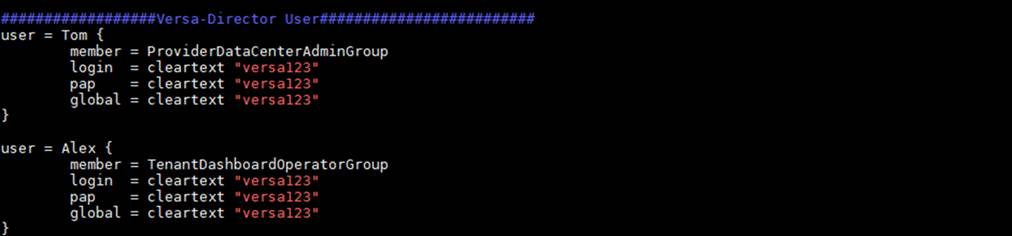
- For the configuration to take effect, we must stop and start the tacacs service.
To stop the tacacs service use following command
sudo /etc/init.d/tac_plus stop
To start the tacacs service use following command
sudo /etc/init.d/tac_plus start

Step 2 :
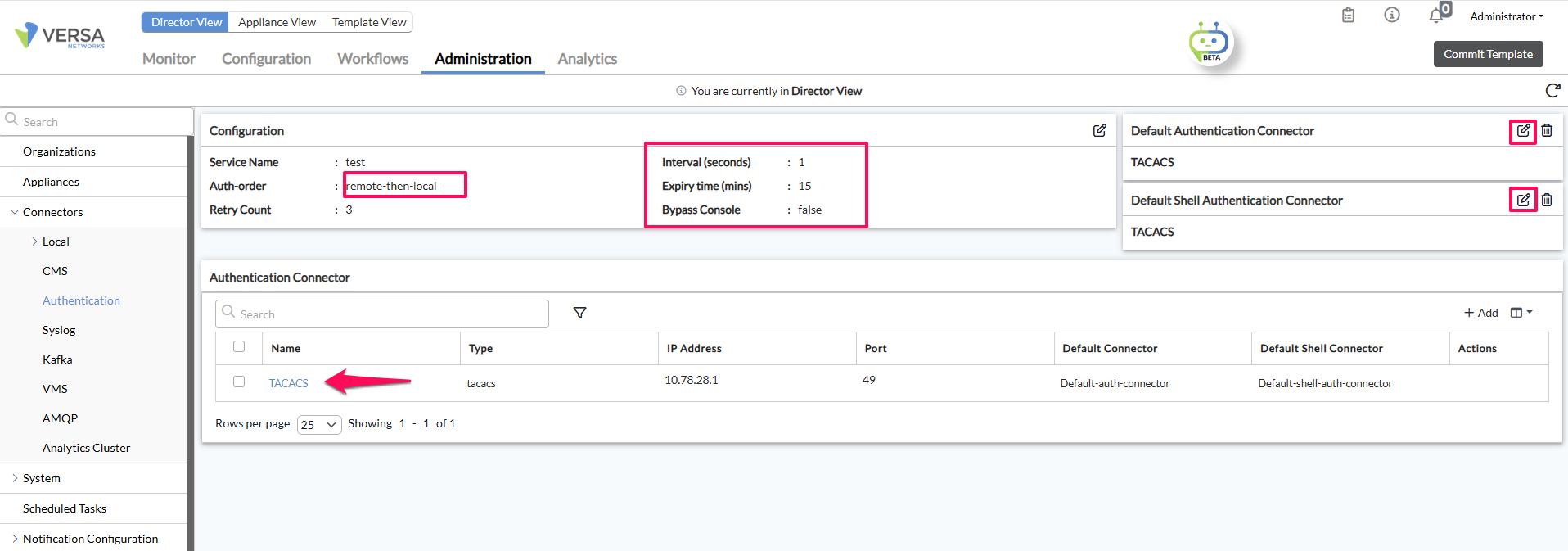
Go to Administration >Connectors >Authentication > Click on + Button
Select Tacacs
IP address: IP address of Tacacs Server
Port: 49 (Default Port of TACACS + server )
SecretString :It is the same Key configured in Step 1
Step 3:
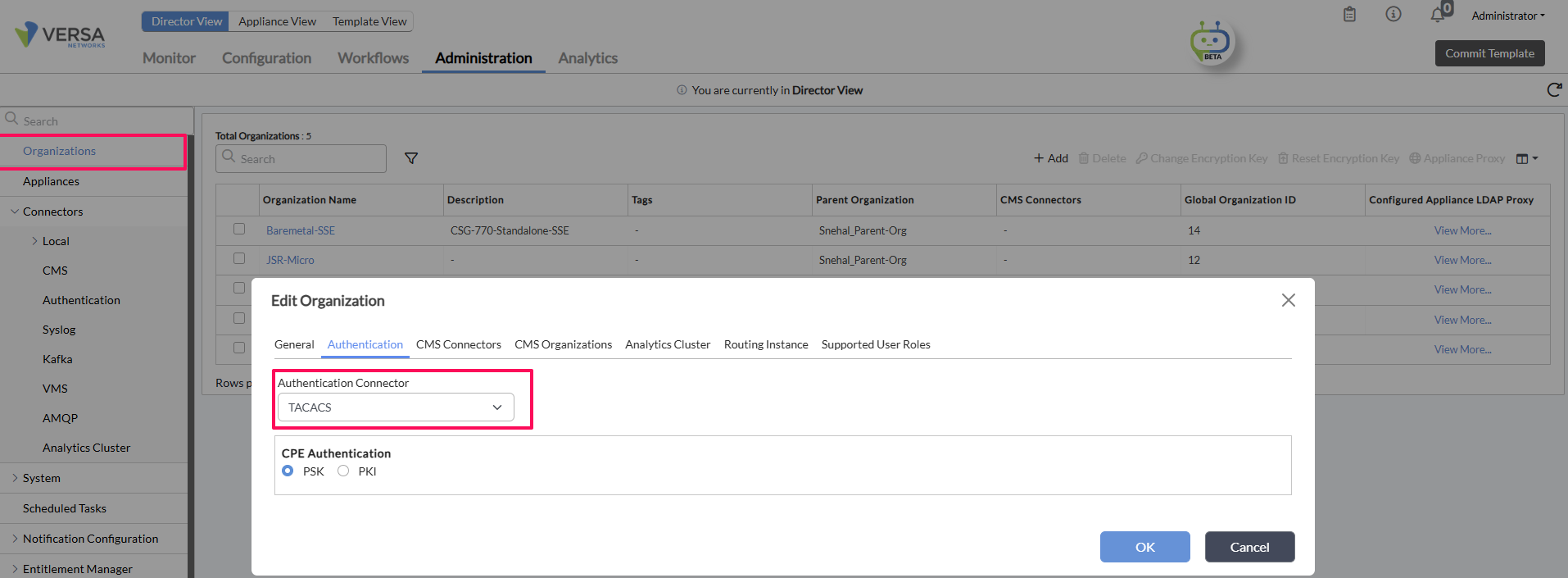
Go to Administration > Organization >Select the Parent Org
Add the Tacacs Connector ,which was created in Step 1
Step 3:Login to the Versa Director with users created on the TACACS server
We can login to Versa Director Web UI using the user "Tom" : member of "ProviderDataCenterAdminGroup”.
Username in this case will be Tom@System and the password is what we defined in TACACS server configuration file.
It is important to note that Provider users will need to use the format username@System.
For organizational users, the format is username@Org-name. We can log in to the Versa Director Web UI using the user "Alex" : member of “TenantDashboardOperator”.
Username in this case will be Alex@Tenant1 (here Tenant1 is the tenant organization name) and the password is what we defined in the TACACS server configuration file.