How to:
- Create a HUB
- Set HUB priority in the existing Spoke Group
- Verify the Workflow Template in the Device Group of Spokes
- Recreate the Workflow Template
- Commit the template again on all the required Spokes
- Verify LAN-VR on any Spoke Device
Create a HUB
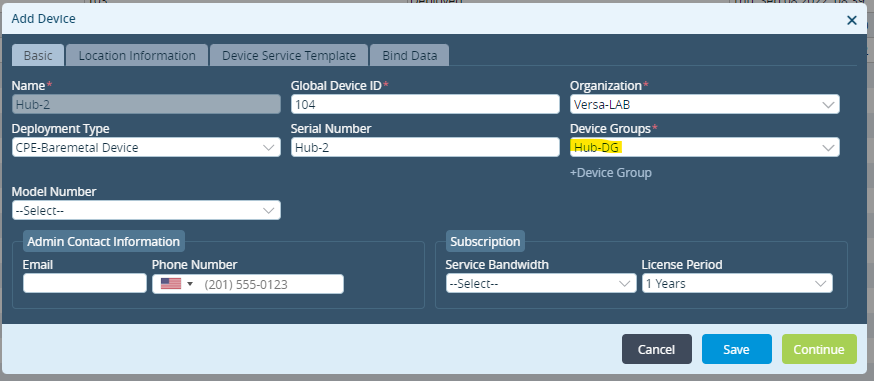
- Add the Device Workflow with its Bind Data for the new HUB via Workflow > Devices
(Assuming the Device Group for HUB exists)
- Provision the appliance with Staging Script
sudo ./staging.py -w 0 -c <Controller IP> -s <WAN IP on device> -g <Gateway IP> -l <IKE Local ID> -r <IKE Remote ID> -n <Serial Number>
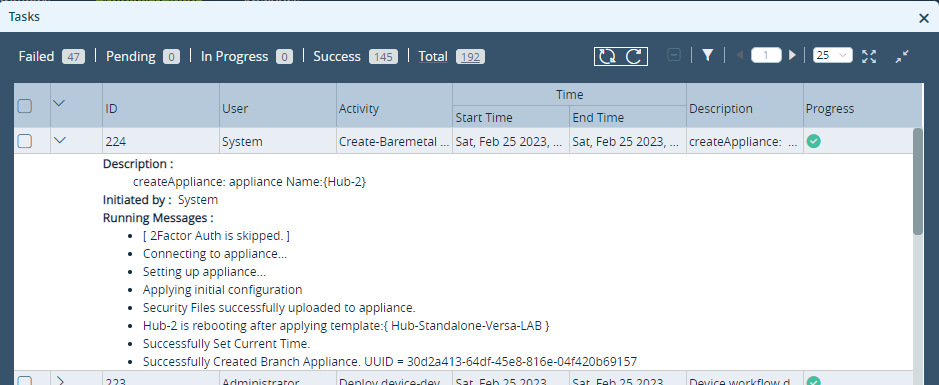
- Verify the output of the task on VD for successful provisioning
- Verify the status (Reachability/Config Sync/Service) of the HUB via Administration > Appliances

Set HUB priority in the existing Spoke Group
- Once HUB is onboarded successfully, it will be listed as an option in the Spoke Groups with priority set to Not Used

- Modify the priority as per the requirement
(Setting Hub-2 priority 2 for demonstration)

- Once the priority is added, hit Create to recreate the Spoke Group
Verify the Workflow Template in the Device Group of Spokes
- Verify the Device Group on any spoke appliance via Workflow > Devices
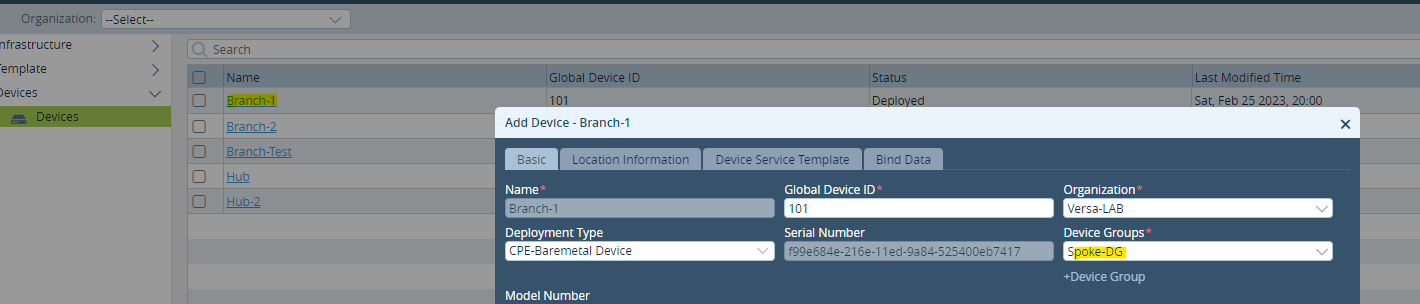
- Verify the Workflow Template linked with this Device Group
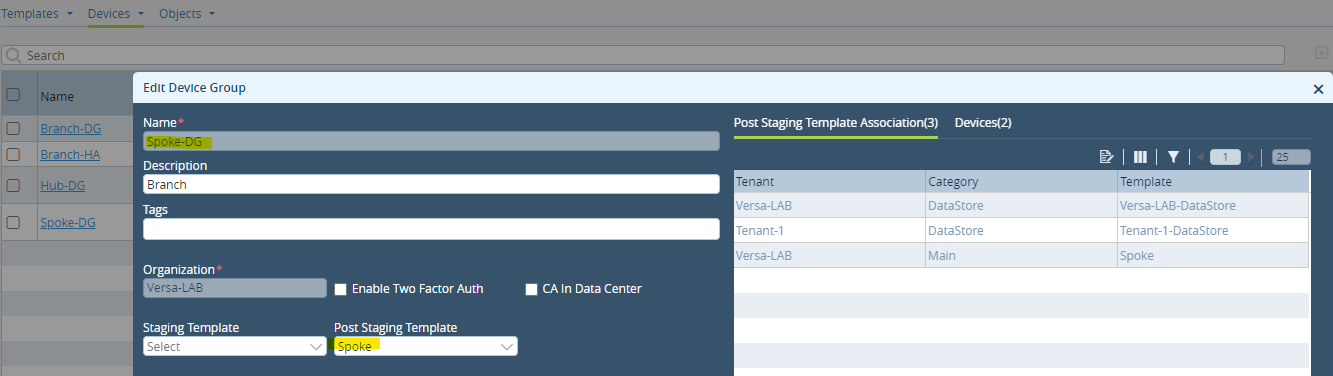
Recreate the Workflow Template
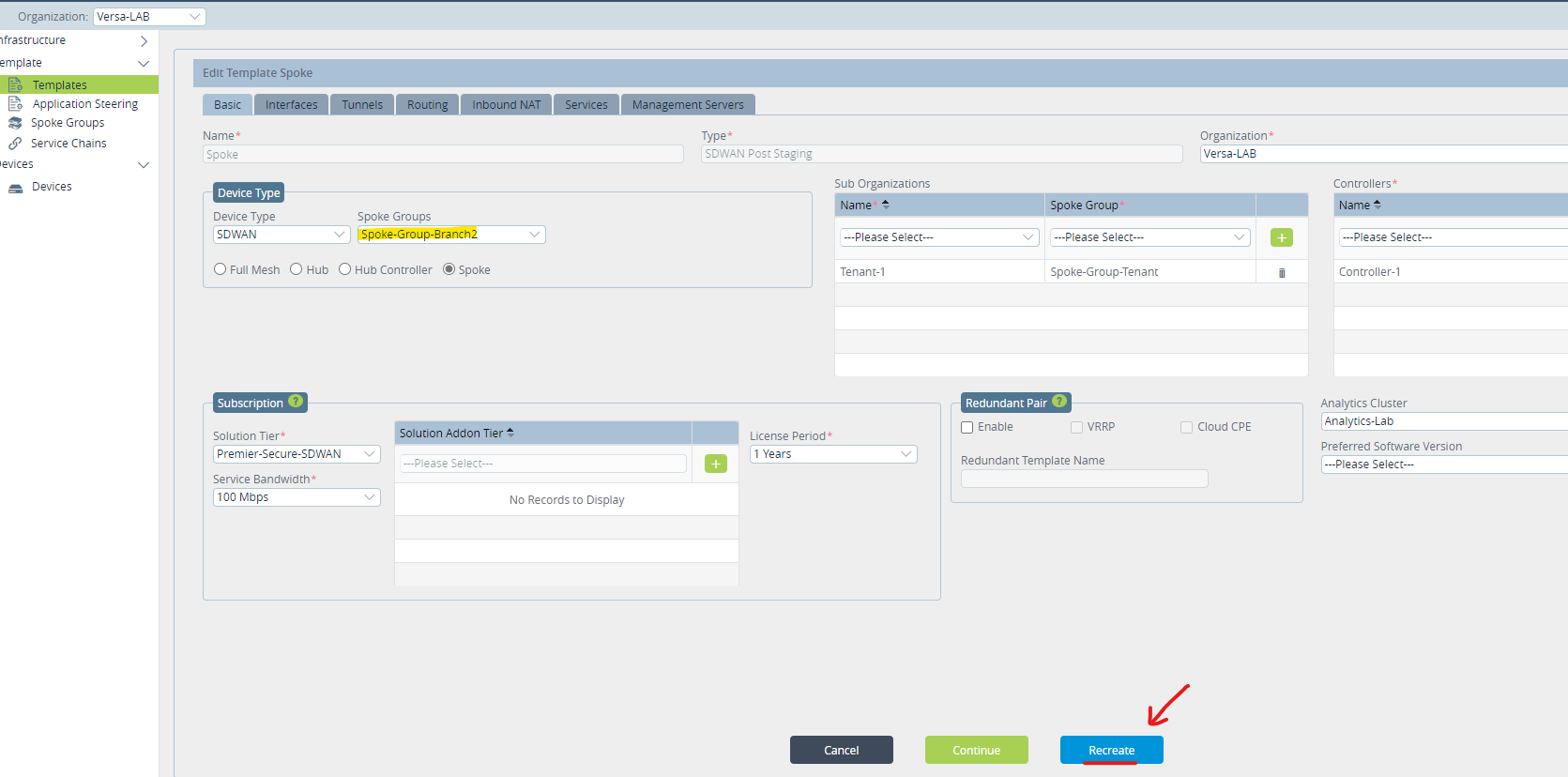
- open the Workflow Template verified in the above step via Workflow > Templates
(Verify the Spoke Group field contains the Spoke Group)
- Hit Recreate to add the new Hub settings to the Template
Commit the template again on all the required Spokes
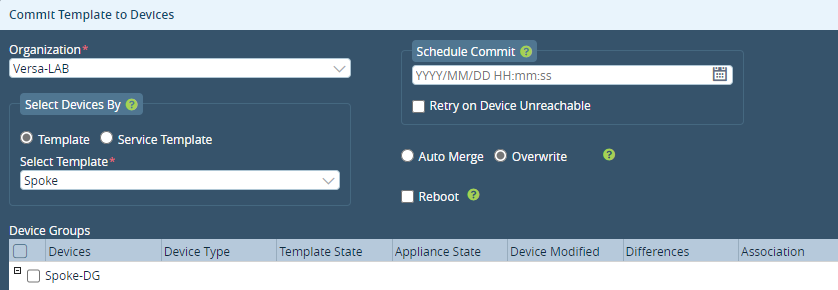
- Hit Commit in VD. Select the ORG and Template that was recreated in the above step
- Select the Spoke Devices in the Device Group to which you want to apply the changes
(Selected Branch-1 for Demonstration)
- Verify the differences before and after committing via Diff tab.
(Extended Community for the Hub and Local preference depending on the defined HUB priority)
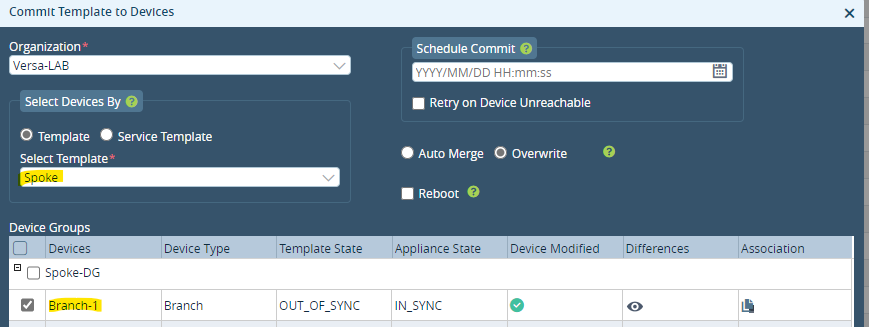
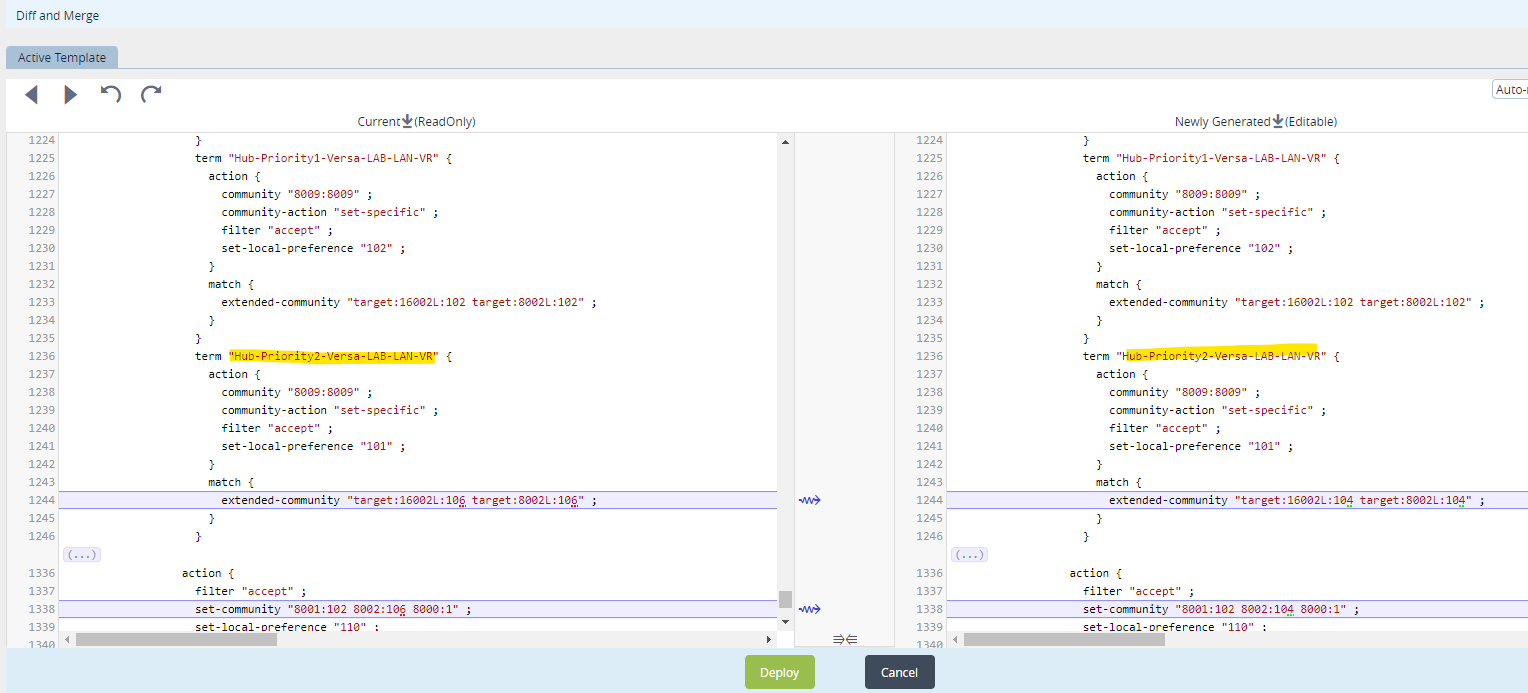
- After commit is successful, the Appliance and Template state will be in Sync

Verify LAN-VR on any Spoke Device
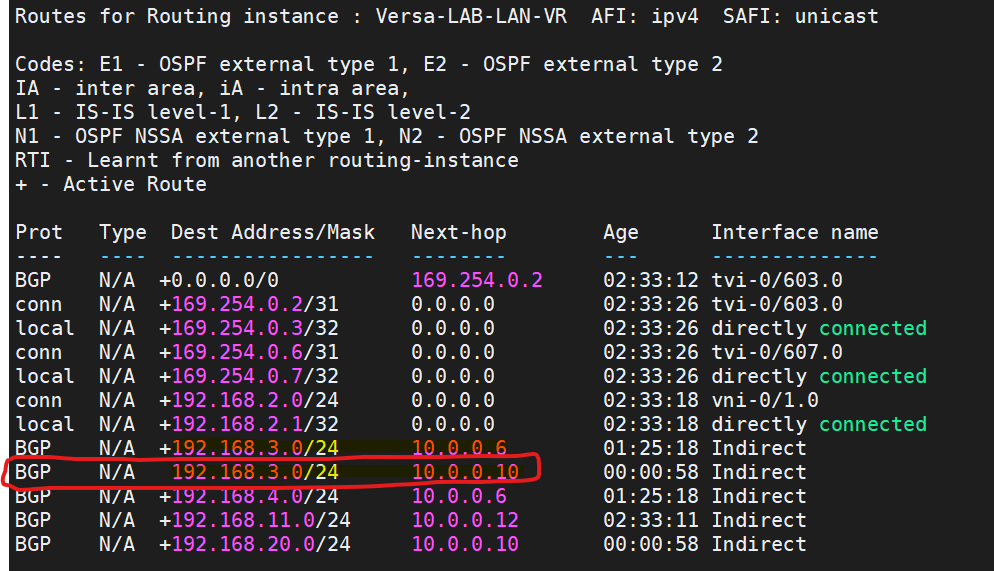
For demonstration, we can see that before Commit Spoke-1, LAN VR has HUB-1 as a next hop for reaching the LAN network behind Spoke-2 (Spoke to Spoke via HUB)
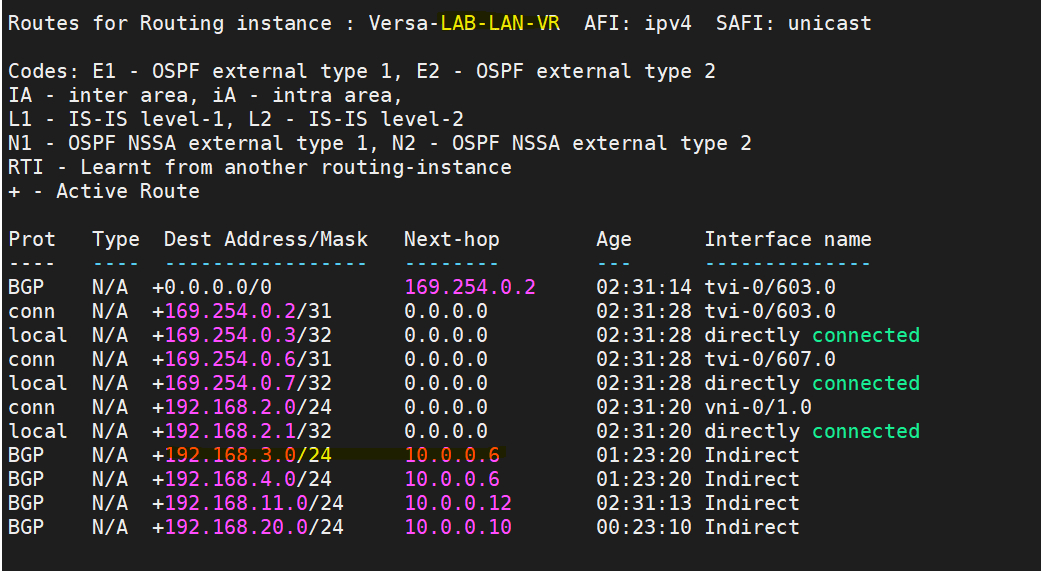
After Commit is successful, Spoke-1 LAN VR added HUB-2 as the next hop for reaching the LAN network behind Spoke-2