How to:
- Configure BASIC NAT-44 for any specific LAN
- Advertise NATed network in SDWAN
* For demonstration, all configuration in Lab has been done directly in appliance context. It is recommended to perform all configurations via Workflow Template in a production environment.
Configure NAT
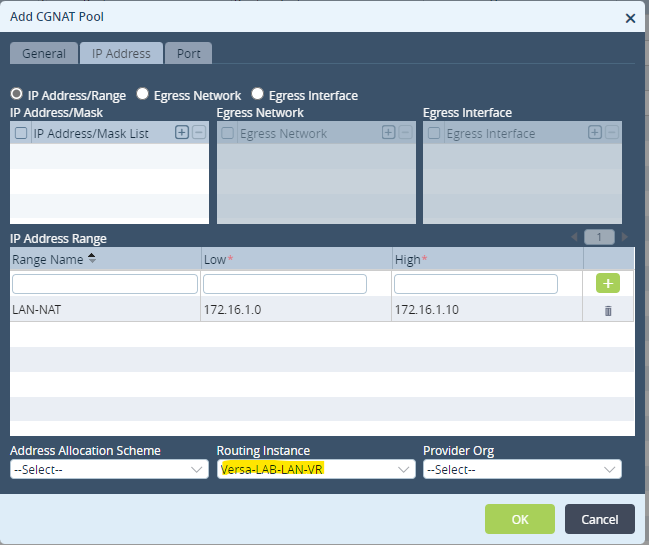
- Create a NAT pool with the range of IP addresses/subnet to be assigned and select the routing instance as LAN-VR
Configuration > Services > CGNAT > Pools
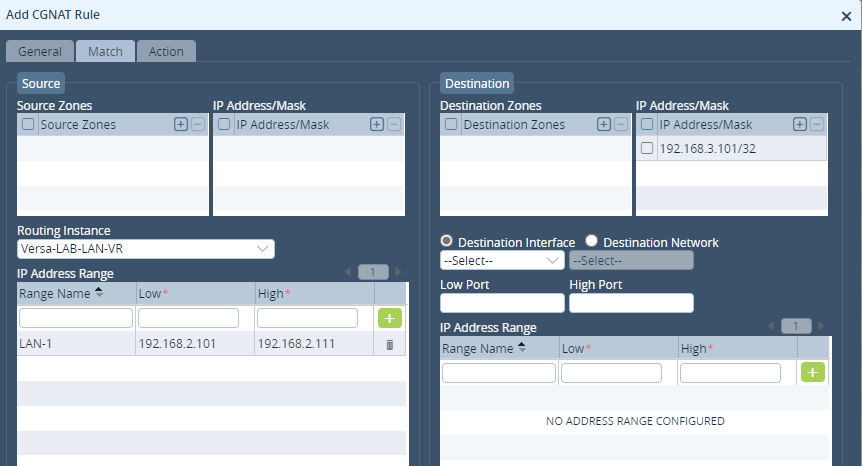
- Add a Rule to match the source network address range/subnet to be NATed in LAN-VR and define the destination
Configuration > Services > CGNAT > Rules
- Define NAT Mode as Basic NAT-44 and call the NAT pool created above under source pool
Configuration > Services > CGNAT > Rules
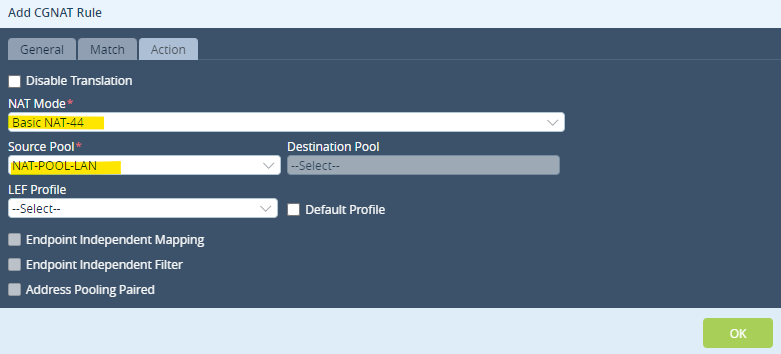
* You can change the order of NAT rule by defining the precedence value under General tab
- Initiate ping from a LAN device to the respective remote branch destination and verify the NAT operation via
show orgs org <ORG> sessions nat brief

- Verify on remote branch that this NATed IP is reflected as Source IP for the session
show orgs org <ORG> sessions brief

* In the above example, we can see that source IP 192.168.2.101 is being NATed to 172.16.1.0 on Branch-1
The same is reflected on Branch-2 as we can see the Source IP for the session is the NAT IP
Advertise NATed network in SDWAN
Now, even though the NAT operation is working as expected, remote destination will not be able to reply as there is no route for the NATed network in the LAN-VR of remote Branch and therefore pings will time out.
As we see below no route exists for 172.16.1.0
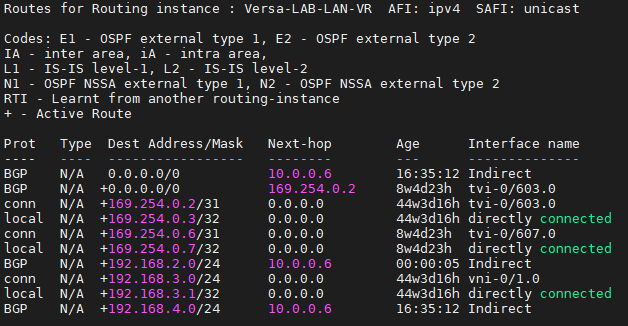
In order to advertise the NATed network to SDWAN. perform below steps:
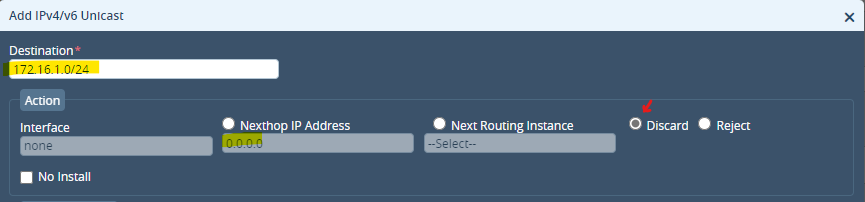
- Add a STATIC route to the NATed network (here 172.16.1.0/24) in LAN-VR with next hop 0.0.0.0 and discard the route.
This will create an entry for the network in Control and Data plane with no defined interface (null) on the Branch where NAT is implemented.
Configuration > Networking > Virtual Routers > ORG-LAN-VR > Static Routing
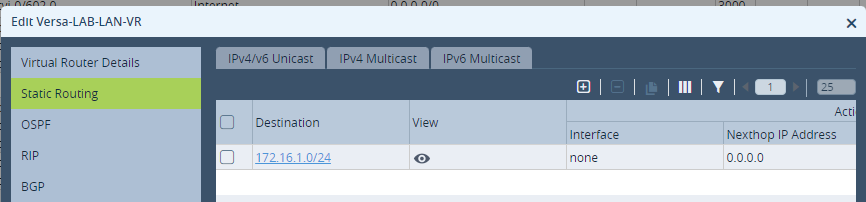
- Add a rule to the default redistribution policy Default-Policy-To-BGP in the LAN VR to accept Static route
* Community is not required for mesh topology. (Spoke to Spoke) communication
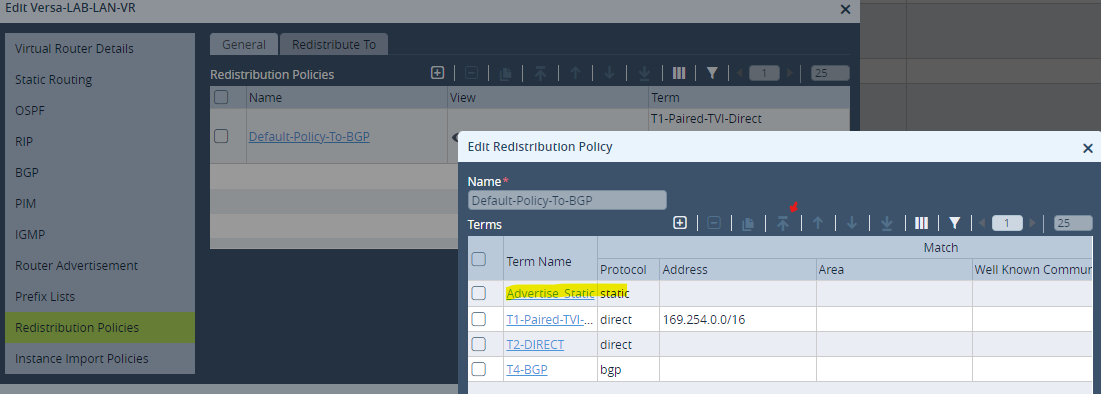
Configuration > Networking > Virtual Routers > ORG-LAN-VR > Redistribution Policies > Default-Policy-To-BGP
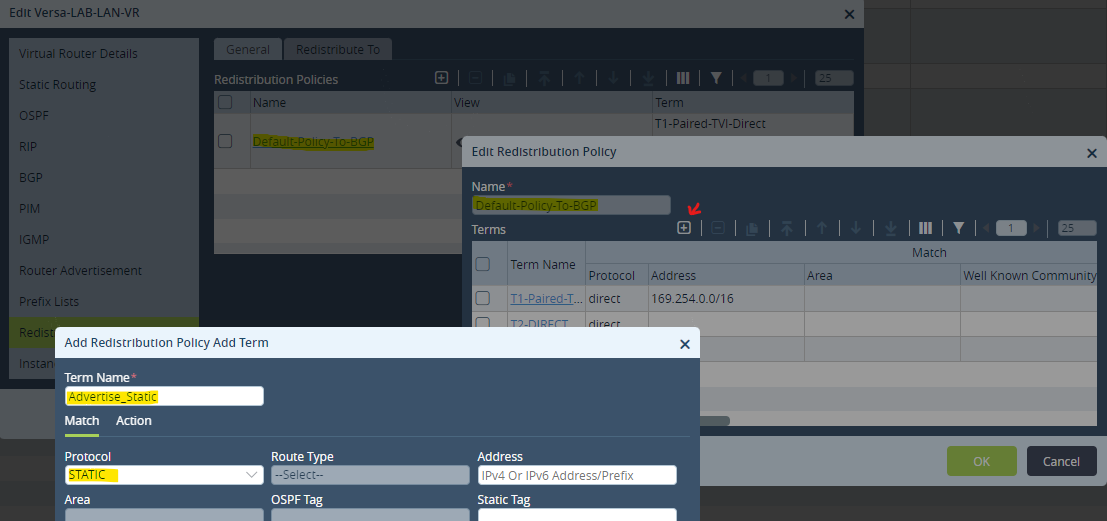
- Move this rule to the top. Hit OK
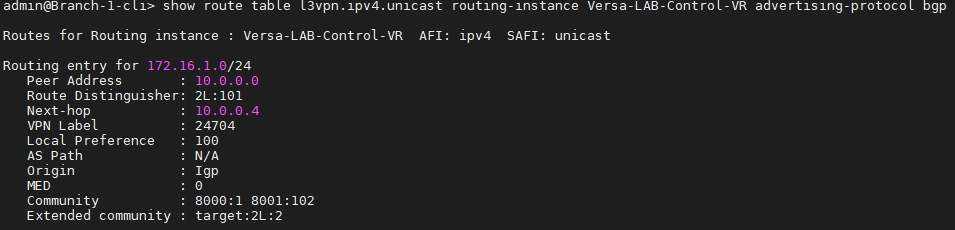
- Verify the NATed network is being advertised to SDWAN in the Control-VR
- Verify the NATed network is reflected in the LAN-VR of the remote Branch
Below we can see 172.16.1.0/24 entry received via BGP in the LAN-VR
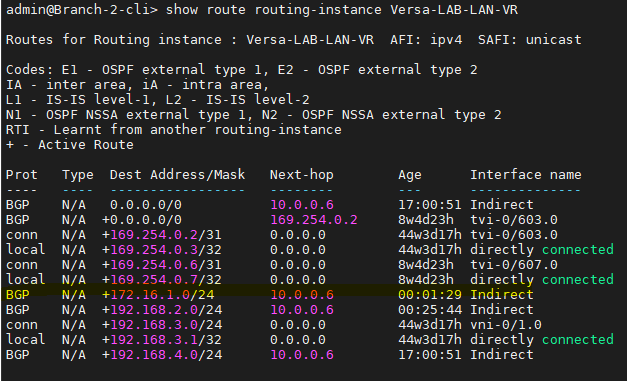
Now there is an established reachability for the NATed network.
####################################################
NOTE: Make sure there is a firewall rule to allow stateful communication for the NATed network.