Overview
Versa FlexVNF supports two methods for matching URLs in URL-filtering policies:
| Method | Use When |
|---|---|
| Exact string match | You know the precise domain/path (e.g., www.facebook.com) |
| Regex pattern match | You need wildcard or partial matching (e.g., all subdomains of a domain) |
Important: Do not includehttp://orhttps://in URL patterns. URL matching is performed against the normalized URL without the protocol prefix. Enter only the domain and optional path (e.g.,www.example.comor.*example.*).
Prerequisites
Before configuring URL filtering, ensure the following are in place:
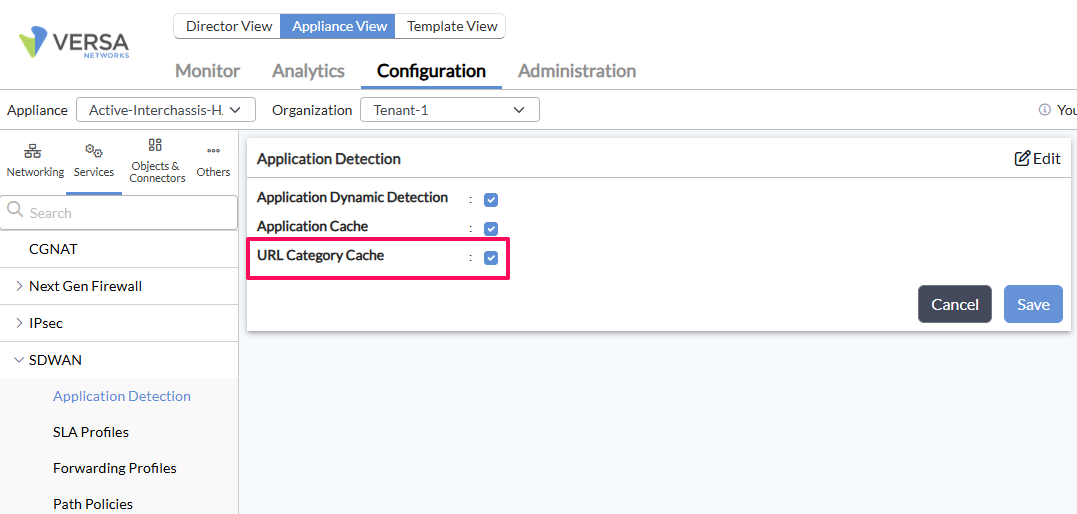
- URL-Category Cache must be enabled — required for IP address resolution/match to function correctly.
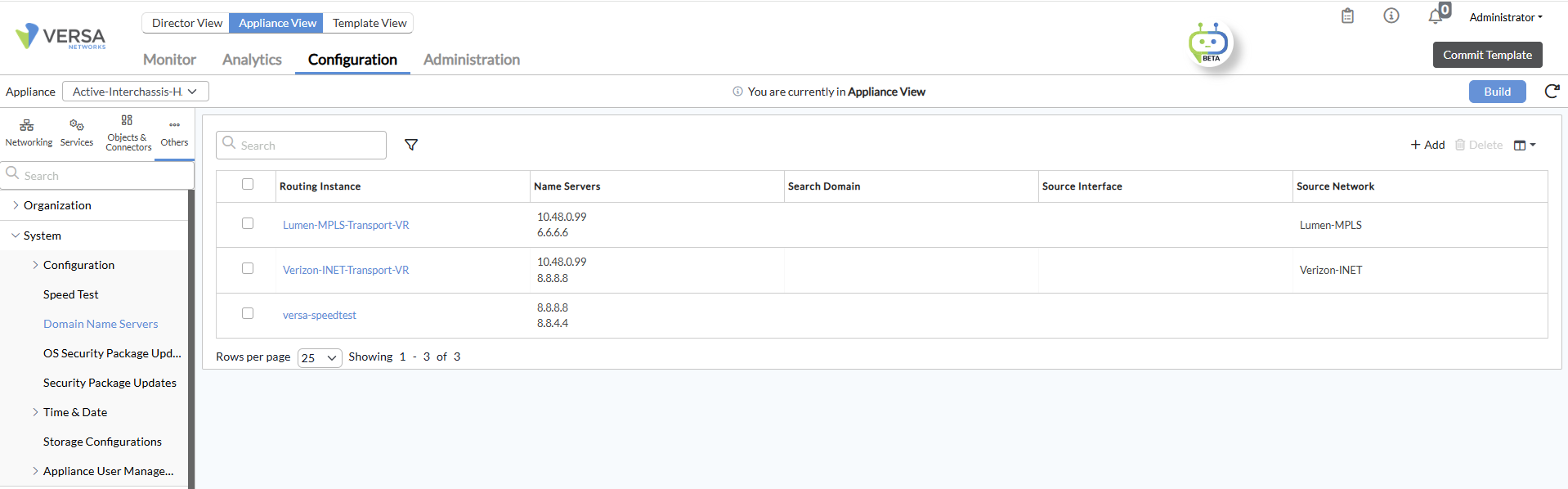
- DNS must be configured at the System level — see the DNS configuration section below.
Case 1 — Exact URL String Match
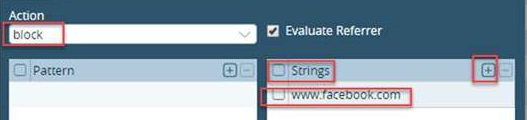
Use this when you want to block or allow a specific, known URL. Define the exact URL without any wildcards.
Example: To match www.facebook.com, configure it as a string entry:
Case 2 — Regex Pattern Match (Basic)
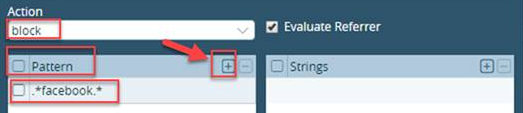
Use regex when you want to match a URL pattern. For example, to match any URL containing "facebook", use .*facebook.*.
IMP NOTE: Versa uses standard regex. Always define strict patterns — overly broad patterns will match unintended URLs.
Case 3 — Complex Regex Pattern Match
Use this for multi-part patterns — for example, matching all subdomains and paths of microsoftonline.com:
Pattern: (\w*\.)microsoftonline\.com(\/.*)
NOTE: Tested on VOS 21.2.3
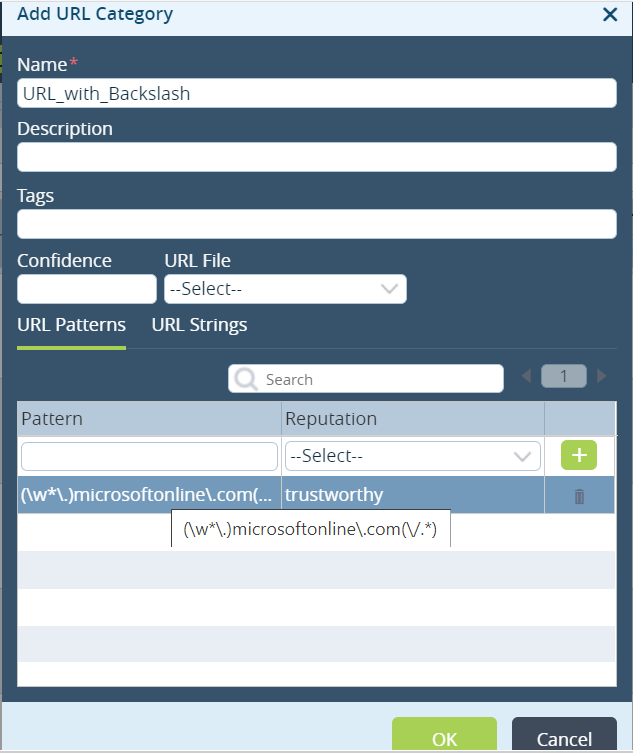
Verified CLI output:
admin@SDWAN-Branch3-cli(config)% show orgs org-services Tenant1 url-filtering
user-defined-url-categories {
    URL_with_Blackslash {
        urls {
            patterns "(\w*\.)microsoftonline\.com(\/.*)" {
                reputation trustworthy;
            }
        }
    }
}
Pattern Testing — Validate Before Deploying
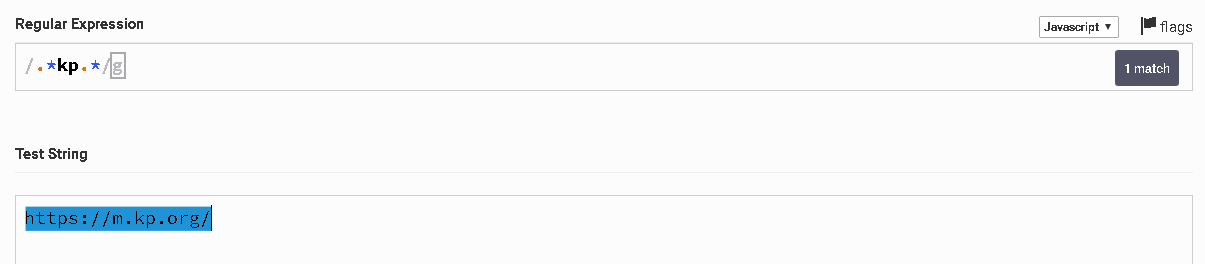
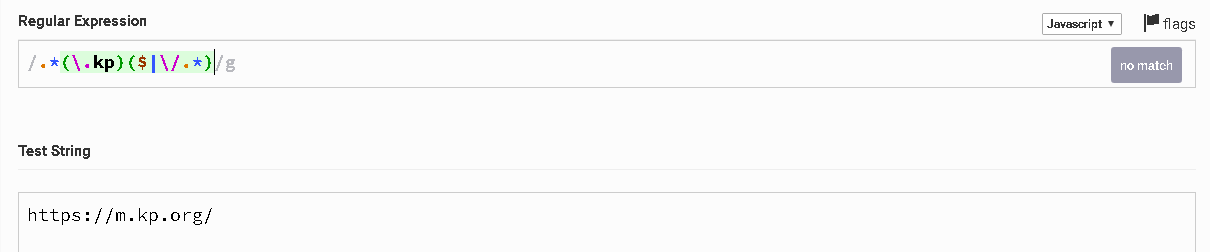
Always validate your regex pattern against sample URLs using a public regex testing tool before pushing to production:
Example: Overly Broad Pattern
Pattern .*kp.* — intended to match North Korean domains (.kp) but incorrectly matches unrelated URLs like kpmg.com or skype.com:
Corrected Pattern
Pattern .*(\.kp)($|\/.*) — matches only .kp TLD domains and their paths:
| Pattern | Matches | Issue |
|---|---|---|
.*kp.* | kpmg.com, skype.com, example.kp | Too broad — unintended matches |
.*(\.kp)($|\/.*) | example.kp, news.kp/article | Correct — no false matches |
Enable URL-Category Cache
URL-Category Cache must be enabled for IP address resolution and category matching to work. Without this, URL filtering will not function correctly.
Configure DNS at System Level
DNS must be configured at the system level (not just per-tenant) for URL-category cache lookups to resolve correctly:
Troubleshooting
| Symptom | Likely Cause | Fix |
|---|---|---|
| Pattern not matching expected URLs | Pattern too strict or missing anchors | Test on regexr.com; add .* prefix/suffix |
| Pattern matching unintended URLs | Pattern too broad (e.g., .*kp.*) | Add TLD anchors: .*(\.kp)($|\/.*) |
| URL filtering not working at all | URL-Category Cache disabled | Enable URL-Category Cache (see above) |
| Domain not resolving to correct category | DNS not configured at system level | Configure system-level DNS (see above) |
| Pattern never matches any URL | http:// or https:// included in pattern | Remove protocol prefix — enter domain/path only |
Quick Reference — Common Pattern Examples
# Exact domain match
"www.example.com"

# Any URL containing keyword
".*keyword.*"

# All subdomains of a domain
".*\.example\.com"

# All subdomains + any path
"(\w*\.)example\.com(\/.*)"

# Specific TLD only (e.g., .kp)
".*(\.kp)($|\/.*)"
Last validated: VOS 21.2.3