[Note for 20.2.2 director] Please use the Analytics installation available on the 20.2.3 director or download it from the below location. This is the latest script which has a few fixes (including functions like add-node) that are not present in the script packaged with 20.2.2 director image.
https://versanetworks.box.com/s/ah26100phm0n3v72m95oo13gq3mkiph7
For 21.1.x, 22.1.x director please use the van-installation script that was used for the installation
Steps are as below for adding an extra Analytics node to an existing 2 node cluster (the procedure remains the same irrespective of the number of nodes in the existing cluster)
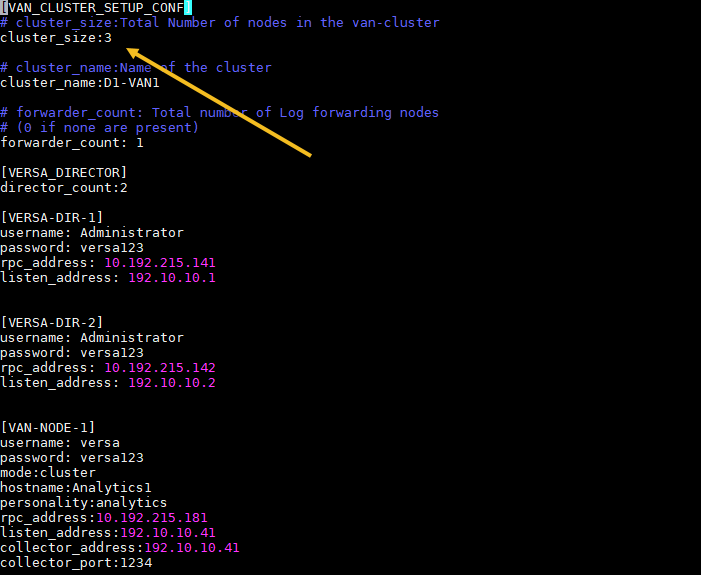
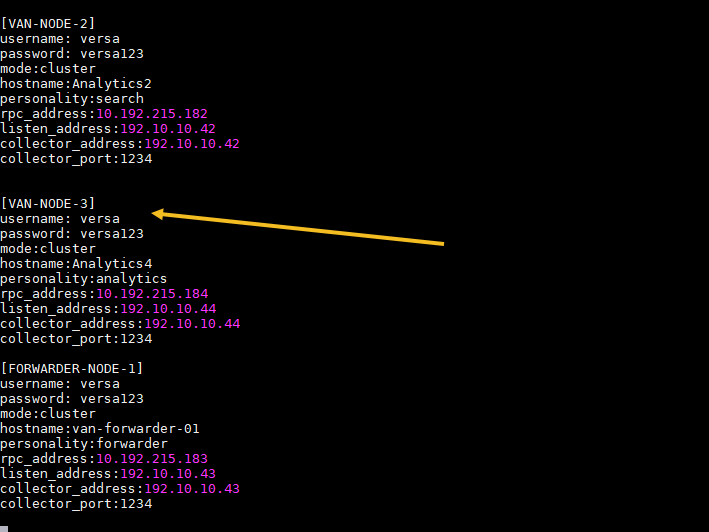
- Edit clustersetup.conf (the one that was used for the previous cluster installation), modify the cluster_size to reflect the new size and add the details of the new node as shown below
- Execute the installation script with –add-node option
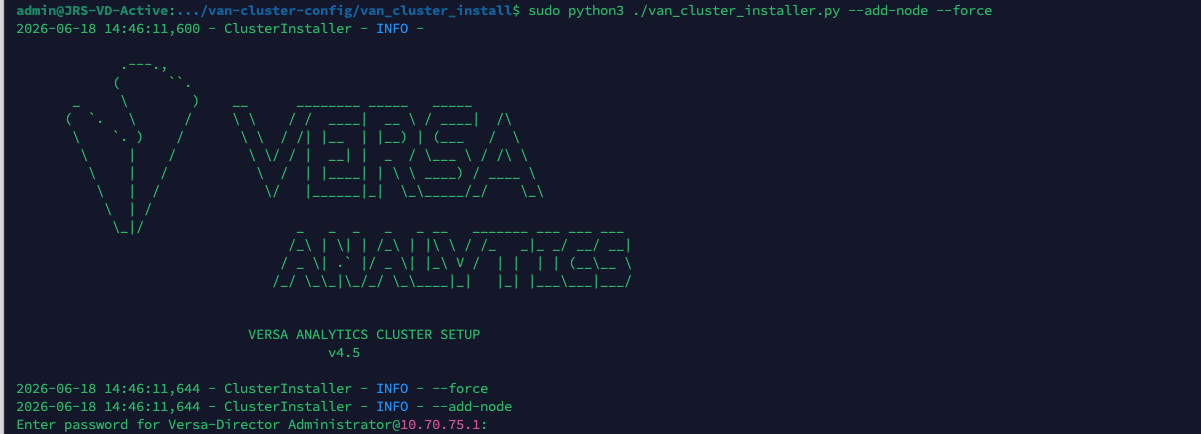
It will essentially run vansetup on the new node
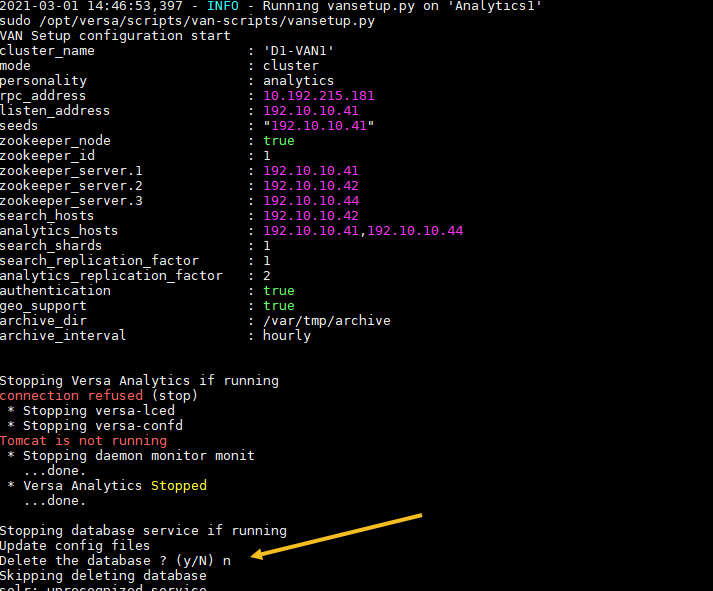
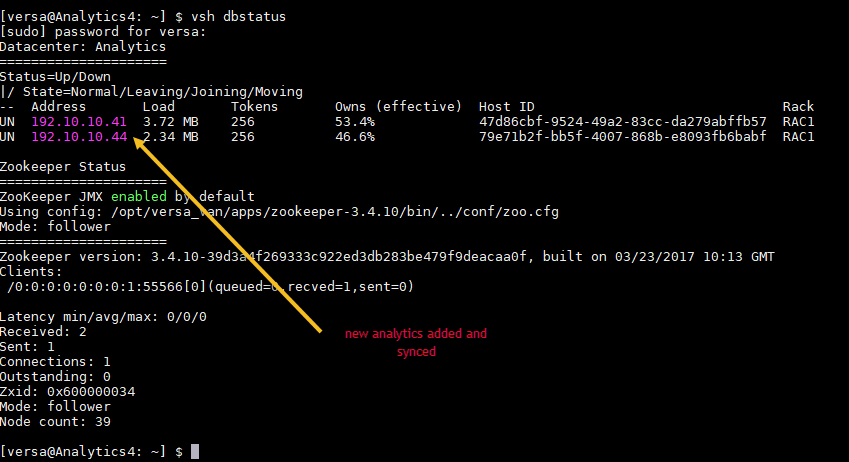
- You can check the "vsh dbstatus" to confirm if the node has been added, also if it's a large DB it might take a week, or two, to sync the DB with the new node (if you are adding a new search node, the new number of search nodes will/should reflect in the "live-nodes" output in vsh-dbstatus executed on the search nodes)
- Re-execute the post-setup so as to copy/sync the certificate, add log-collector configuration and update the hosts file on the new node

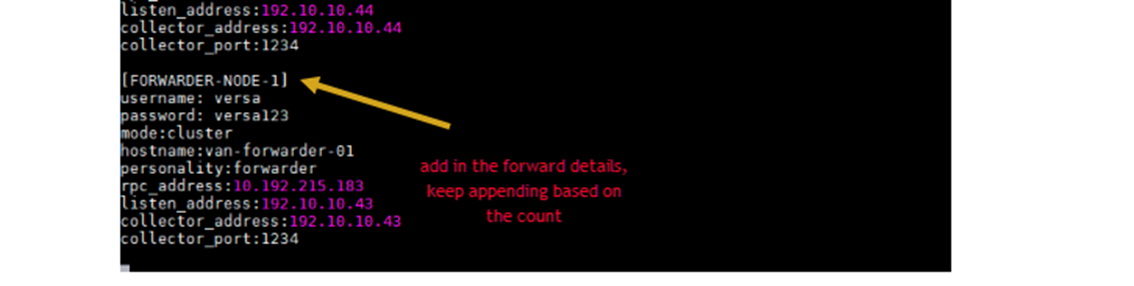
Note: If you are looking to add new log-forwarders to an existing cluster, the procedure would be to simply fill in the required details in the existing clustersetup.conf file (just update the forwarder_count and add in the forwarder details as below) and re-execute the installation script with "—add-node" option (and re-execute it again with –post-setup –force option), the "—add-node" option will cause the script to connect to the new nodes and configure them as log-forwarders, and the –post-setup run will setup the log-collector configuration on them (you can then manually set up any external remote-collectors if needed). Please also check the "admin/settings" page on the UI of all the cluster nodes and append the log-forwarders address in the "driver hosts" listing and click on "save".
Instead, if you are bringing up a new cluster with log-forwarders, the procedure remains the same except that you don't need to use "—add-node" option
<Update the count of log-forwarder as shown in the snippet below>
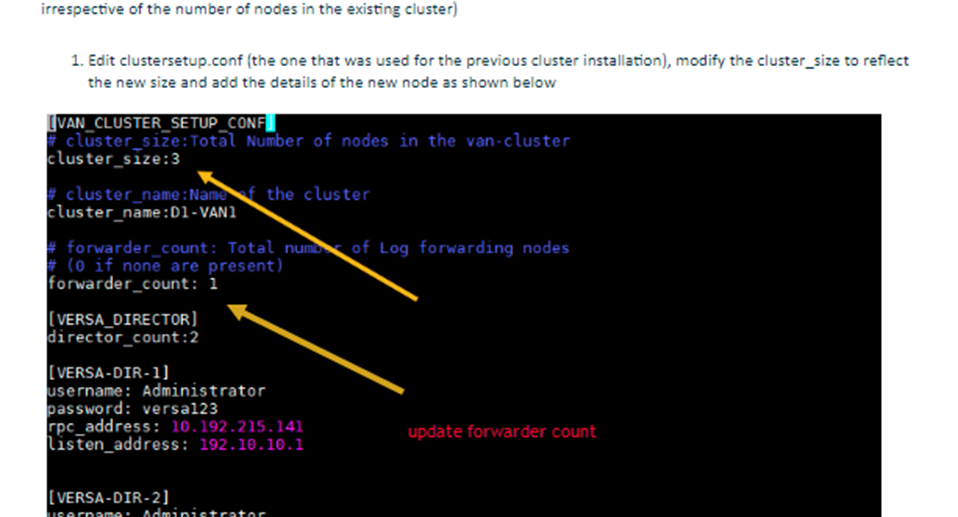
Append details of the log-forwarders as shown in the snippet below