Purpose
Case 1: This procedure will help to rename a site host name or site name (on standalone device) to new name without truck roll to onsite.
1. Go to Workflows -> Devices and deploy a new device new site name and new serial number(serial number can be same as new site name) but copy all user input bind data from old site
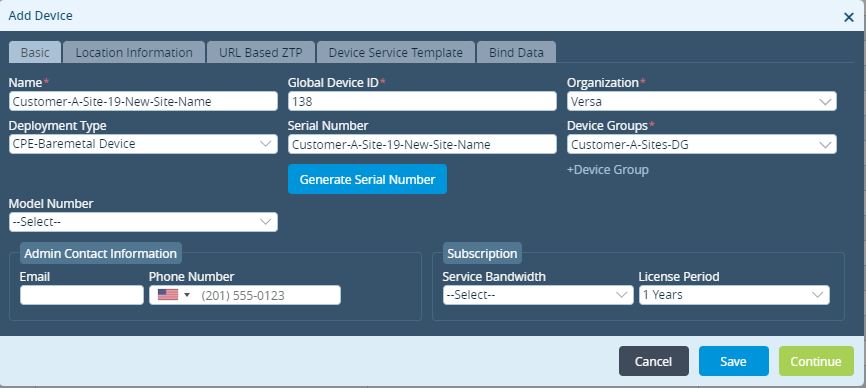
Assign the same device group as device which will be renamed.
It is not mandatory to use the serial number same as new device name, you can use something like “<original serial number>-New”. Use the same in next step.
Using different serial number is needed as we cannot use same serial number in two workflow devices.
2. Login to device which needs hostname or site name change and run below commands
- Before we go in config mode to make changes, we need to ensure that changes are allowed in cli.
Others > system > configuration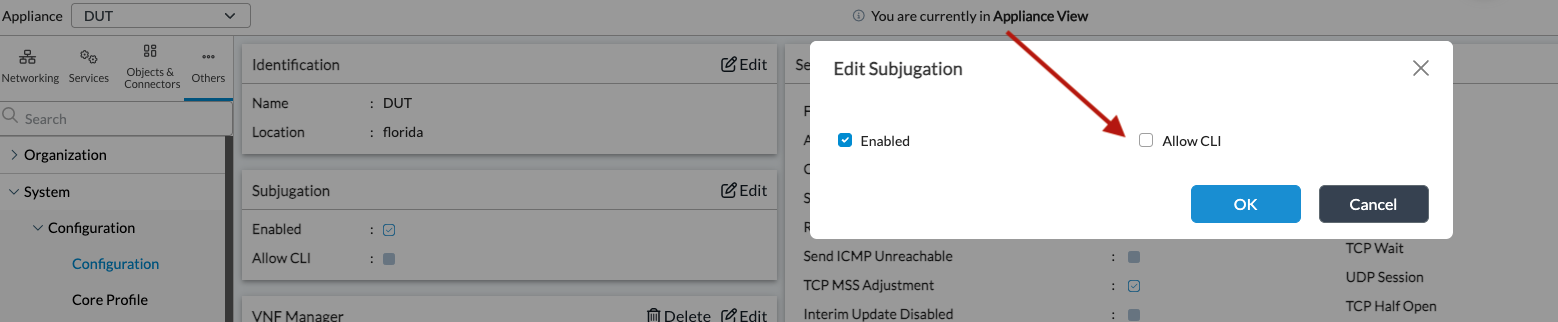
- Go to config mode
cli>config
- Change serial number entered while deploying site in above step-1 using command 'set system sd-wan site chassis-id <new serial number'
- Example: set system sd-wan site chassis-id Customer-A-Site-19-New-Site-Name
- Example: set system sd-wan site chassis-id Customer-A-Site-19-New-Site-Name
- Change site-name entered while deploying site in above step-1 using command 'set orgs org <org-name> sd-wan site site-name <new site name>'
- Example: set orgs org Versa sd-wan site site-name Customer-A-Site-19-New-Site-Name
- Commit above changes using command 'commit' and exit using command 'exit'
- Please reset the password for user: admin to Versa default password and remove external-aaa before restarting the Versa services.
- Example: set system users admin password versa123
delete system external-aaa
commit
- Restart the services using CLI 'request system restart' and perform Step 3 quickly to delete the device before the services come up
3. Delete device from appliances page (Administrator -> Appliances or Monitor -> Devices) which needs to be renamed to different name

Do not choose clean configuration or Erase configuration, just click "Yes"
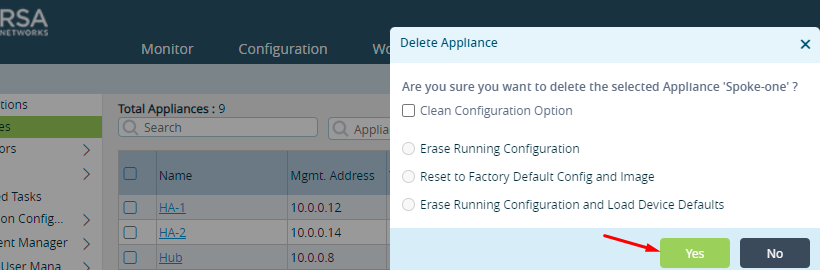
4. Once new device shows up in Appliance page, delete old device from Workflows->Devices

This completes steps to change host name or site name of existing device.
Case 2: This procedure will help to rename a site which is in HA/cluster (where the site name of peer device is not changed) to new name without truck roll to onsite.
Following screenshot shows the original Bind Data, take a note of this paired site id
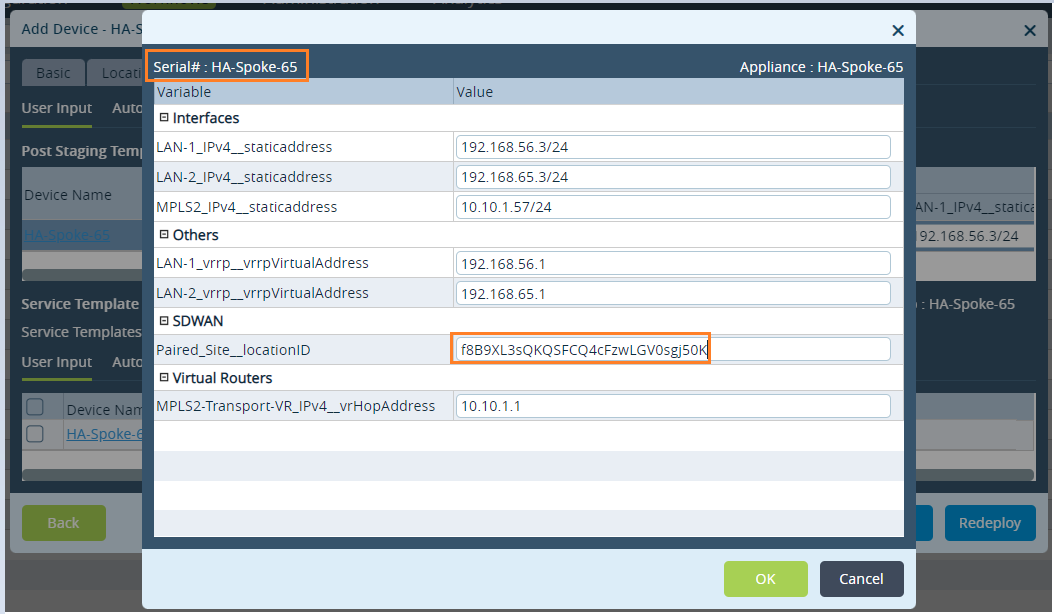
Following screenshot shows the modified paired site locationID
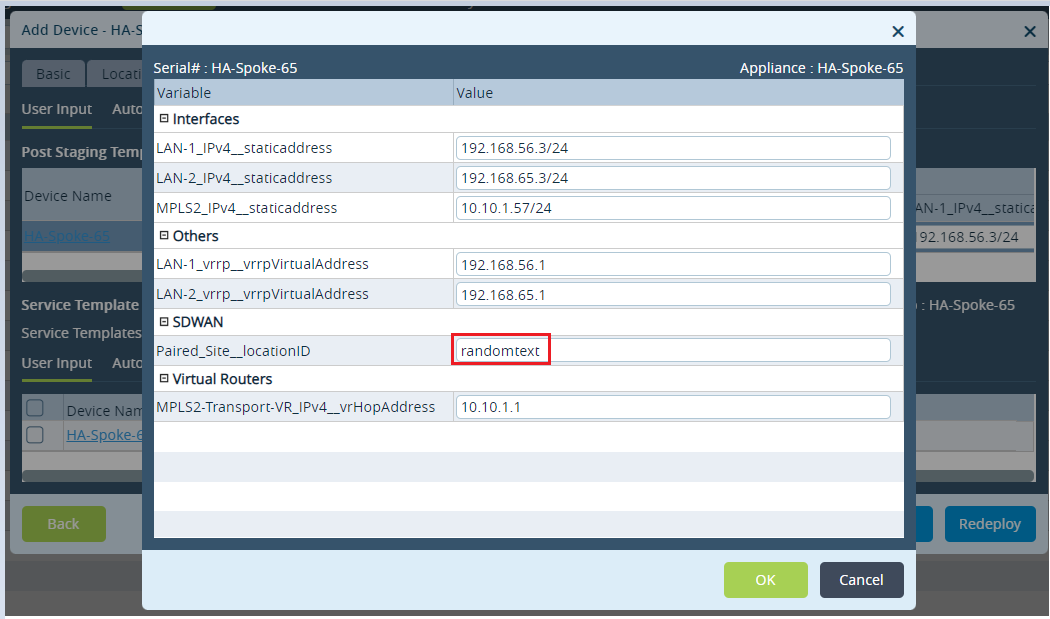
Please note: We have not committed the template so even though it is changed in the workflow device it will not affect the actual device. This step is necessary as we cannot use same paired site ID in more than two workflow devices.
1.2 Go to Workflows->Devices and deploy a new device containing new site name and new serial number(serial number can be same as new site name) but copy all user input bind data from old site and use the same value of Paired_Site__locationID which you saved in text editor.
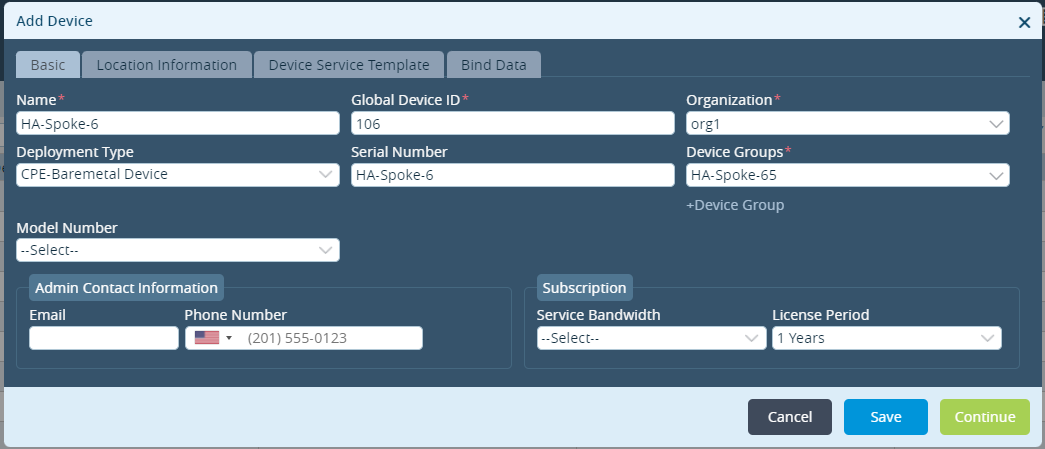
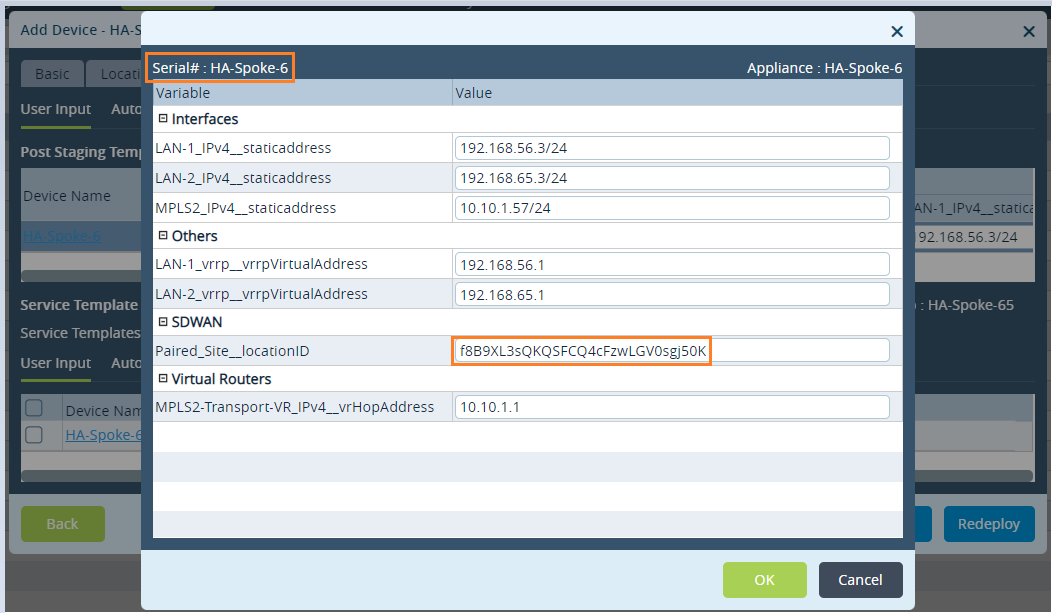
Assign the same device group as device which will be renamed.
Follow same steps 2 to 4 from Case 1 above.
Caveats
- When site name is changed using above procedure, UUID of the device changes. Entitlement reports will be generated with new UUID but with updated site name.
- With the site name change the serial number in the template is also changed.
- When CPE name change occurs, old license for old CPE name will be terminated and new license for new CPE will be started.When old license has 3 year or 5 year contract period, new license will be created for 1 year period only.
- Some of the old software version has bug where tvi IP or name cannot be changed so above steps will not work. Latest GA versions of 21.2.1+ has fix (Bug ID 65825)