For general DHCP functionality on VOS please refer: https://support.versa-networks.com/support_home?id=kb_article_view&sys_kb_id=ea8020b087028b10389dedf50cbb35a1
Overview
Versa allows configuring DHCP static and DHCP dynamic servers on the same LAN interface and subnet. This requires proper separation and ordering to ensure correct IP allocation.
Key Requirements
A Static Mapping Profile is mandatory for DHCP static servers.
Static and dynamic DHCP must be configured as separate server profiles.
Both servers can share:
LAN interface / network
Lease profile
DHCP options profile
Configuration Best Practices:
Server Separation and Order
Static DHCP Server
Under match - In addition to matching on basis of Interfaces/networks, we need to also add the match criteria for the hosts that the static server will assign static IPs to.
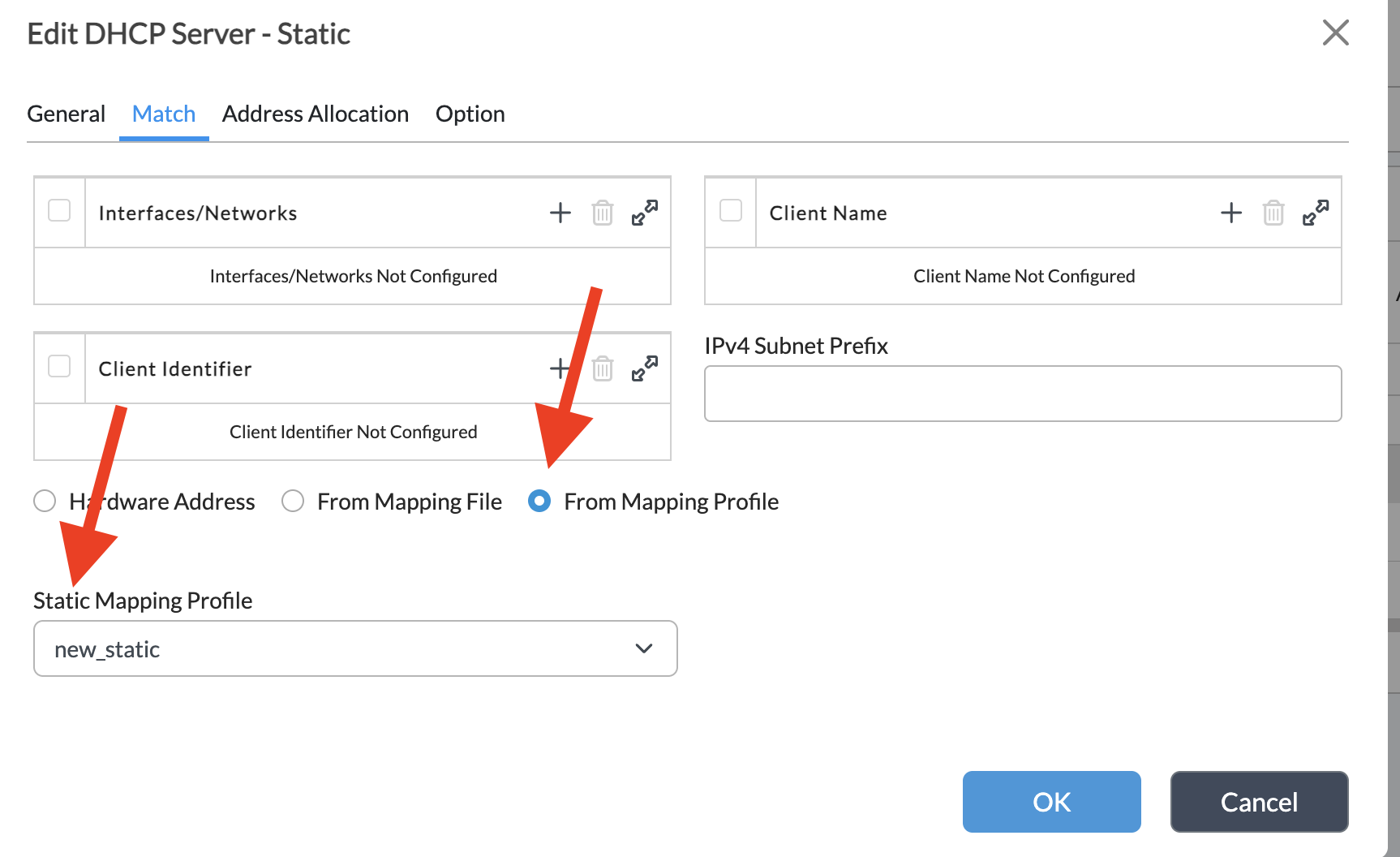
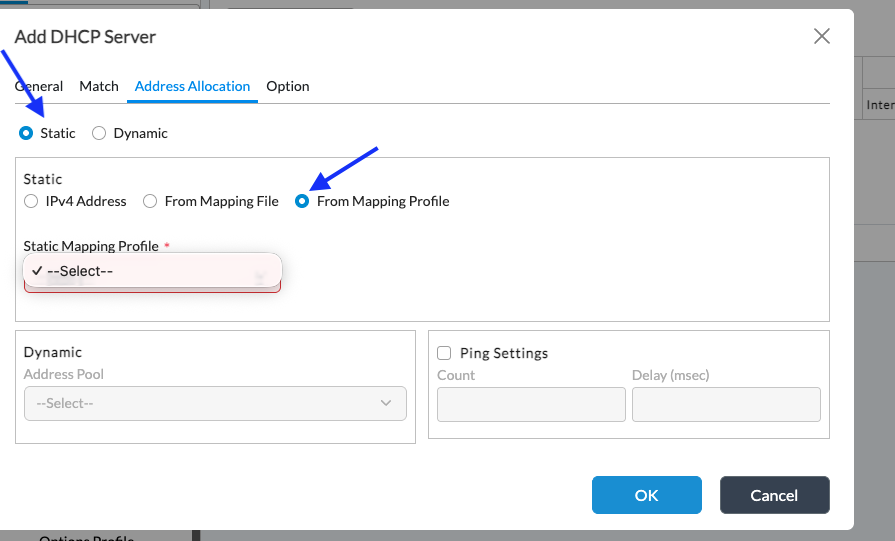
Address Allocation: Static → From Mapping Profile
Uses a Static Mapping Profile
Must be placed above the dynamic server
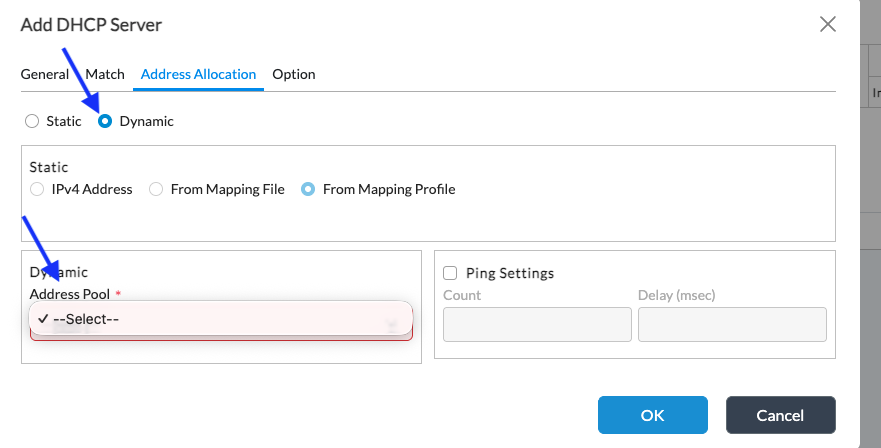
Dynamic DHCP Server
Address Allocation: Dynamic → Address Pool
Uses an Address Pool
Handles clients not matched by the static server profile
Address Allocation Behavior
Static DHCP
IPs are assigned based on MAC-to-IP mappings in the static mapping profile.
(Refer to Screenshot 1)Dynamic DHCP
IPs are assigned from the configured address pool.
(Refer to Screenshot 2)
Quick Troubleshooting Steps:
- View Active DHCP leases
show orgs org-services <org_name> dhcp active-leases
- Capture DHCP Traffic For a Client based on HW address
Summary
Static DHCP requires a static mapping profile
Use separate static and dynamic DHCP servers
Place static server above dynamic
Static = mapping-based, Dynamic = pool-based