The following article will guide you on what to do when the device is not booting up correctly with VOS installed:
the First, Console in the appliance with a laptop connecting to the console port
Make sure the following settings are correct:
- Correct COM port (Check the Device Manage to find the correct COM port)
- Baud Rate: 115200
With the above two, we should be able to console into the appliance but if it is still failing
Make sure the following are checked
- Good working console cable
- Check with another laptop
If you are getting the following prompt on the console or the OS is not getting detected
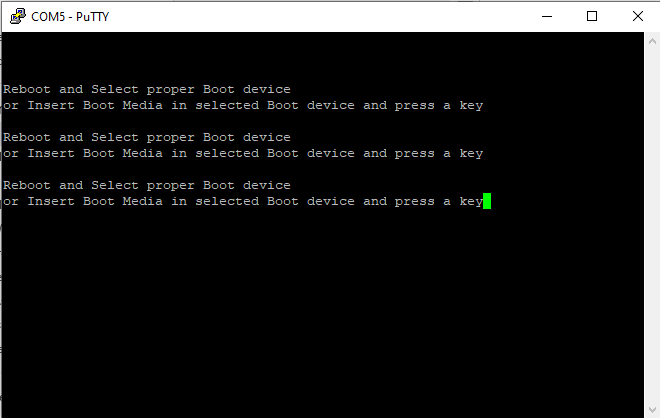
Make sure the following condition is checked
- Boot priority
How to enter into BIOS
- Connect your laptop to the Versa appliance using a console cable.
- When the appliance is booting up, press the Esc/Del key to interrupt the boot process and enter BIOS mode.
- If you don't get the Esc/Del option during boot up, or miss it, power cycle or reboot the appliance to see the prompt again to enter into BIOS.
Go to the BIOS menu > Boot option
Make sure HDD/SSD is getting detected as shown in the below window
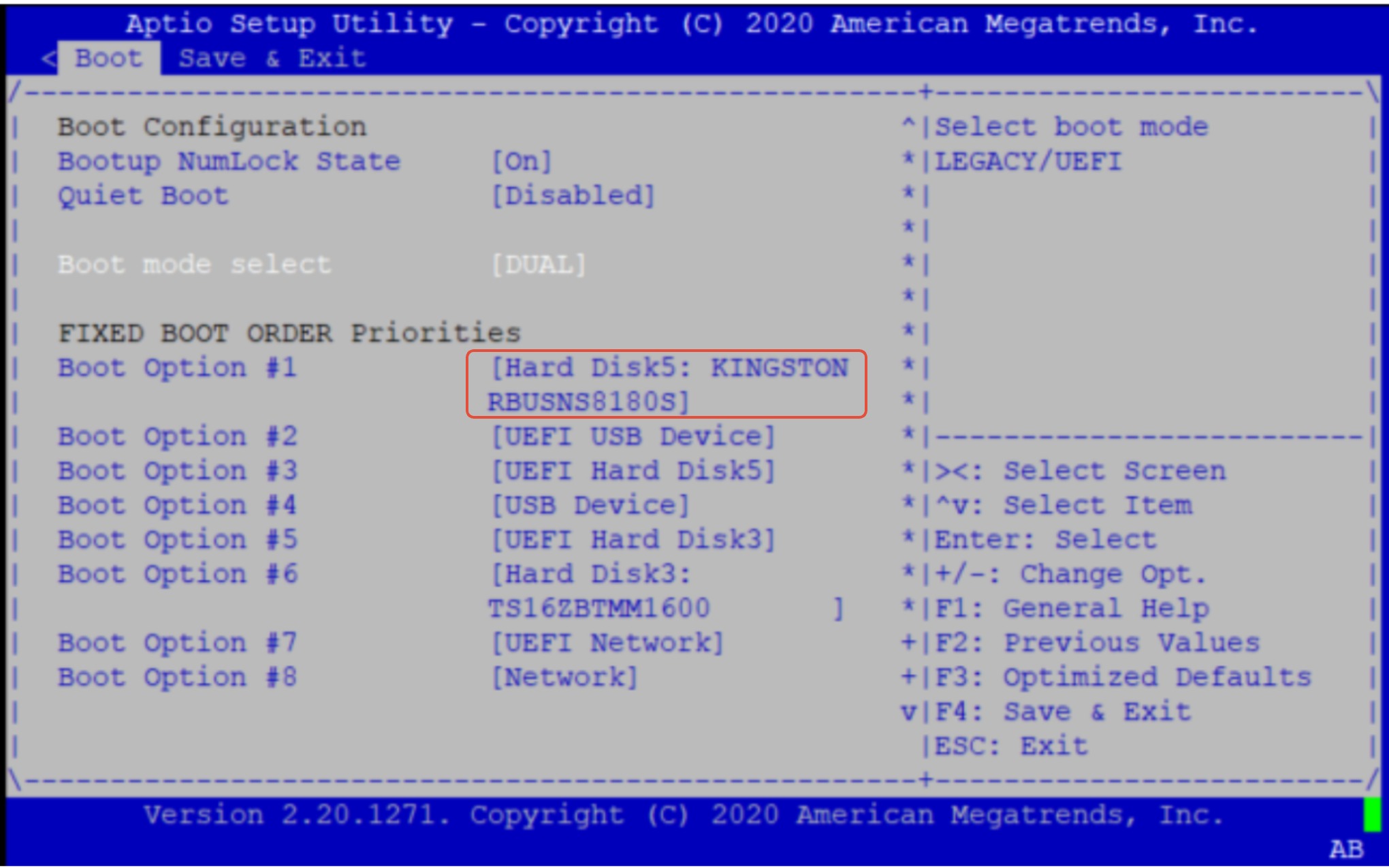
If the HDD/SSD is not getting detected then it means an issue with the HDD/SSD
Eg for such cases
In the below image, we are not able to detect Hard Disk 5 but only able to see Hard Disk 3
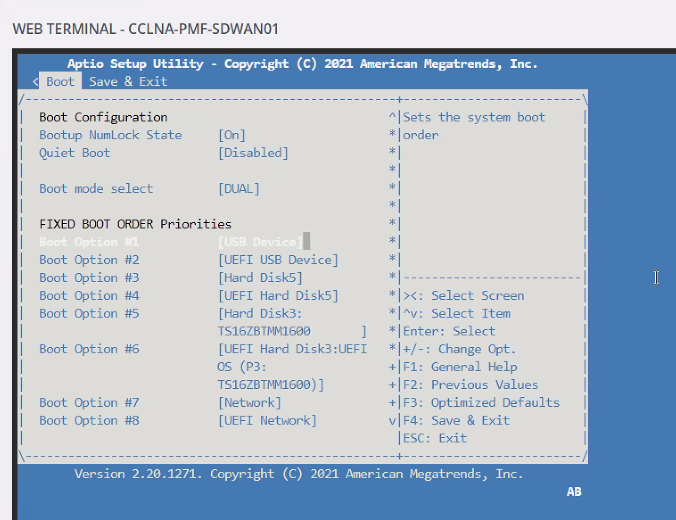
In this case, you can try doing the below and check if this helps
Option 1:
Go to Save & Exit
Select restore default => then select Save and reset
The system system will reboot. Then, go back into bios and check if it's detected in both the Boot page and Save & Exit page
If option 1 doesn't work then do option 2
Option 2:
Power cycle the box once and check again if it's detected after the power cycle (Remove all power cords => wait ~ 1min => plug-in power cords)
- If the HDD/SSD is getting detected upon power cycle then make sure HDD/SSD is getting selected as Boot Option 1 or 2.
- If it is selected at 2 and USB is selected at boot option 1 then make sure USB is not inserted, so it can boot correctly through HDD/SSD
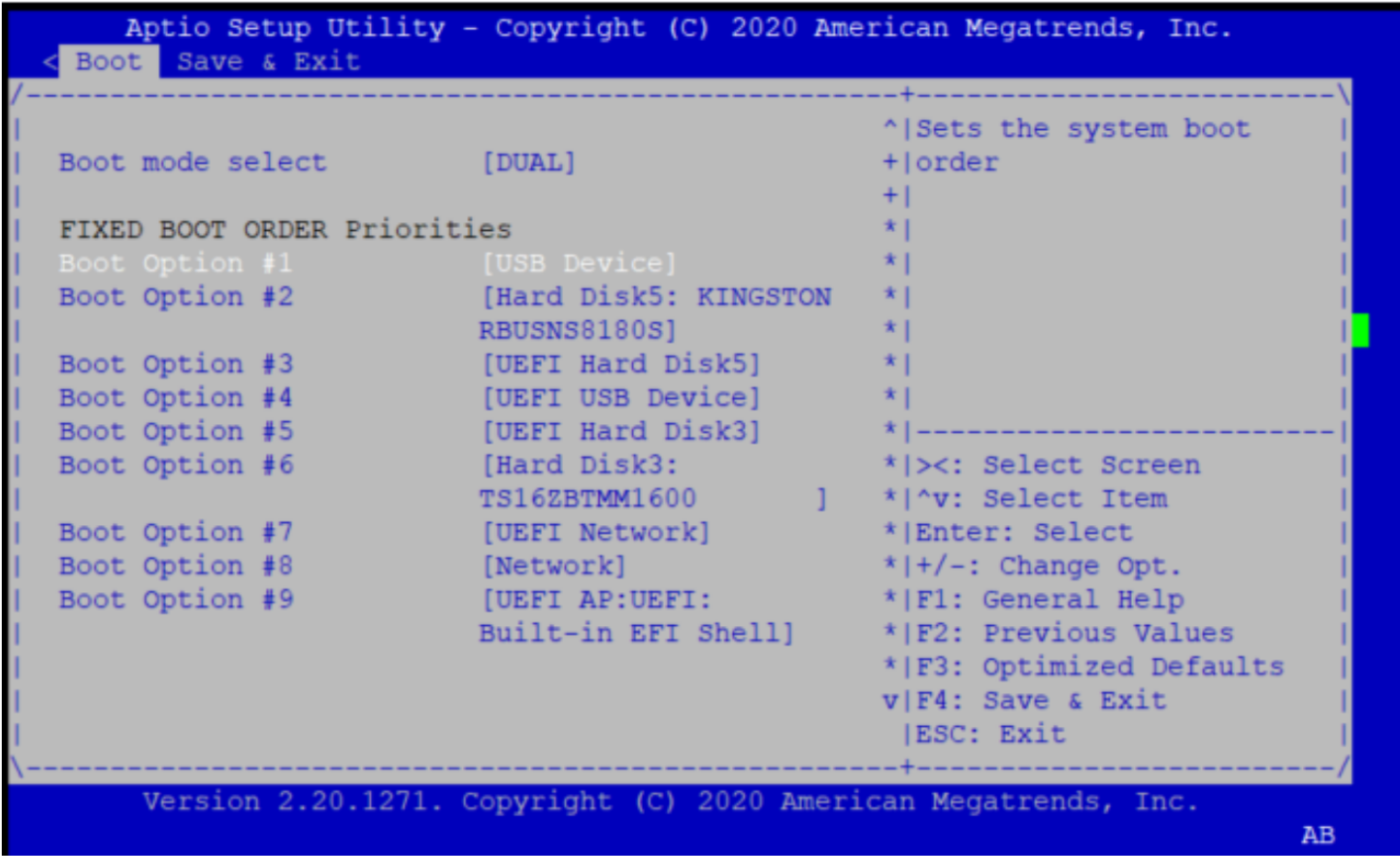
- If the HDD/SSD is getting detected and it is still not booting up properly then do USB ISO Installation following the document (Make sure USB has selected at Boot Option #1): https://docs.versa-networks.com/Getting_Started/Deployment_and_Initial_Configuration/Branch_Deployment/Installation/Install_on_Bare_Metal
Once the ISO installation is done successfully, you should be able boot up with VOS.
If HDD/SSD is still not getting detected then it is an issue with HDD/SSD which is not getting detected. If it is CSG device, collect the information mentioned in the document here and check with support: