This document provides a step-by-step guide to debug missing data issues in the GUI of the Analytics cluster.
Step 1: Verify Active LEF Connection on VOS Device
Objective: Confirm that the VOS device has an active LEF connection with the correct node.
Procedure:
Log in to the Analytics Admin GUI.
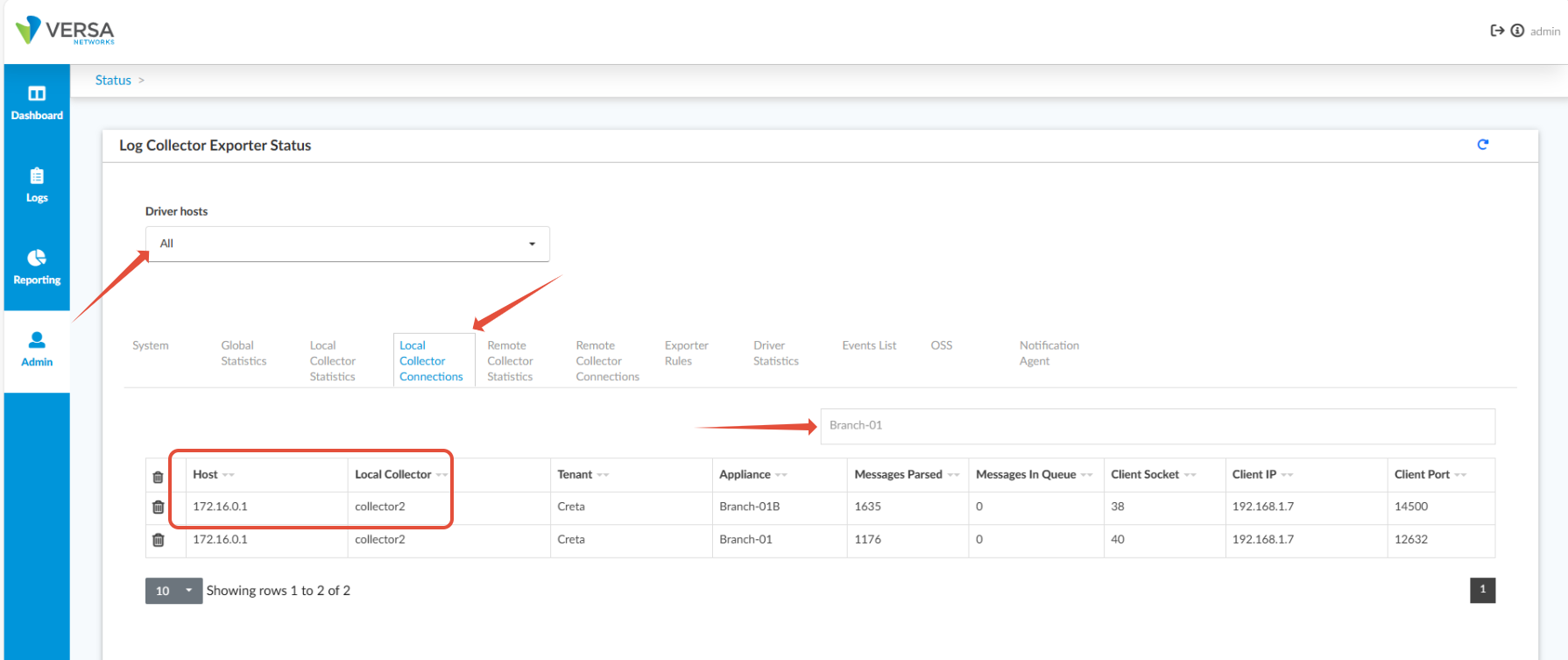
Navigate to: Admin → System Status → Log Collector Exporter.
On the Log Collector Exporter Status page:
Select ALL from the dropdown.
Go to the Local Collector Connections tab.
Verify that the device is listed and connected correctly.
Step 2: Check for Raw Logs for the Missing Date
Objective: Ensure raw logs were received for the date on which data is missing.
Procedure:
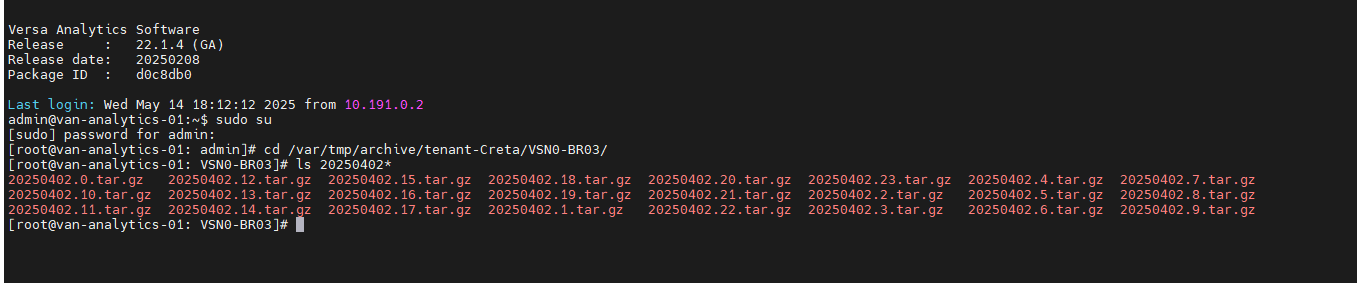
SSH into the node where LEF is established for the device.
Run the following commands (replace with the correct site name and tenant) to search for the missing date (
YYYYMMDD):# sudo su# cd /var/tmp/archive/tenant-Creta/VSN0-BR03/# ls 20250402*Confirm that raw log files for the expected date are present.
Step 3: Verify Data in Database
Objective: Check whether data was ingested into the database.
Procedure:
Identify the Table:
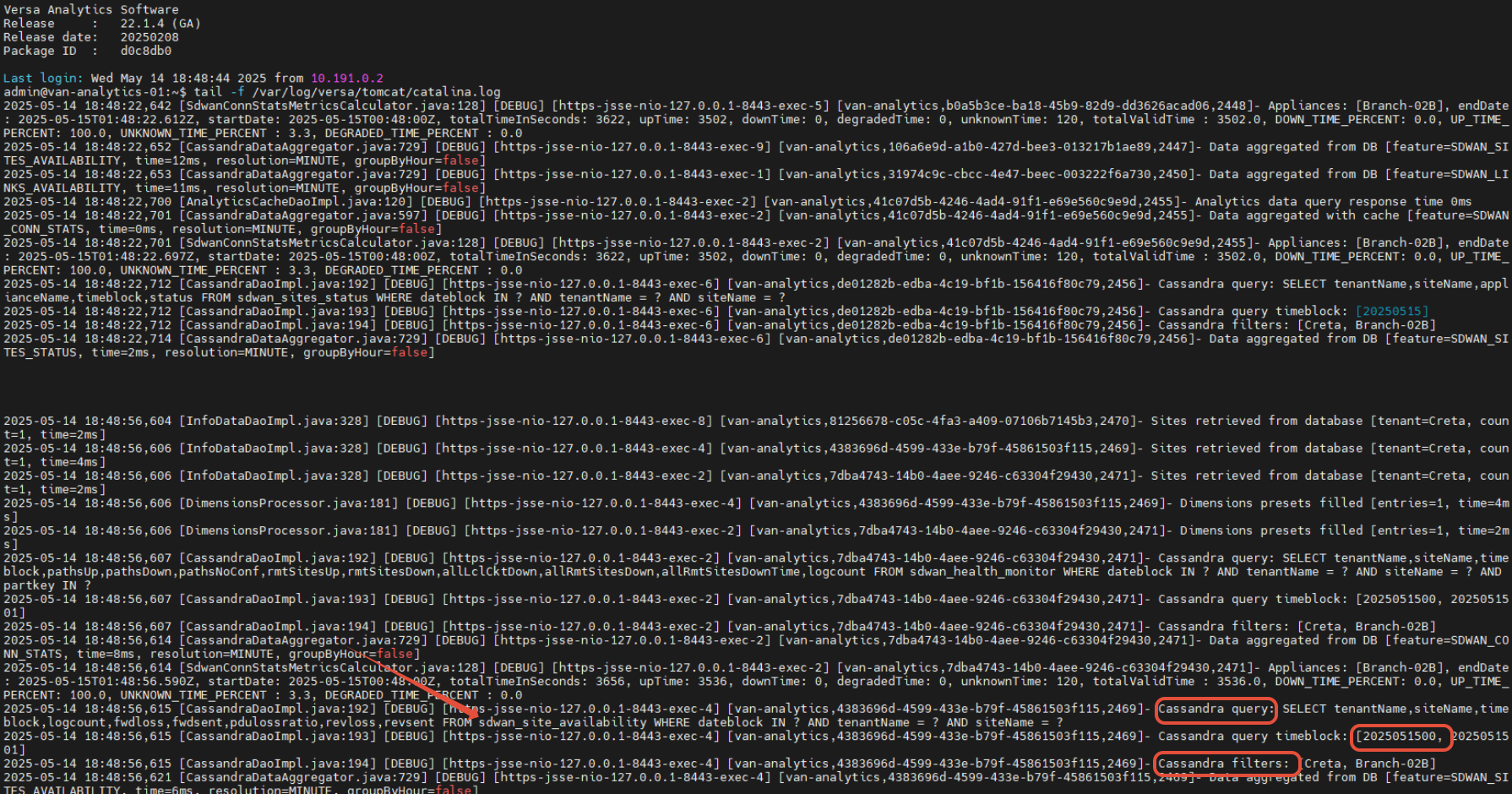
Enable debug logging in the Analytics GUI.
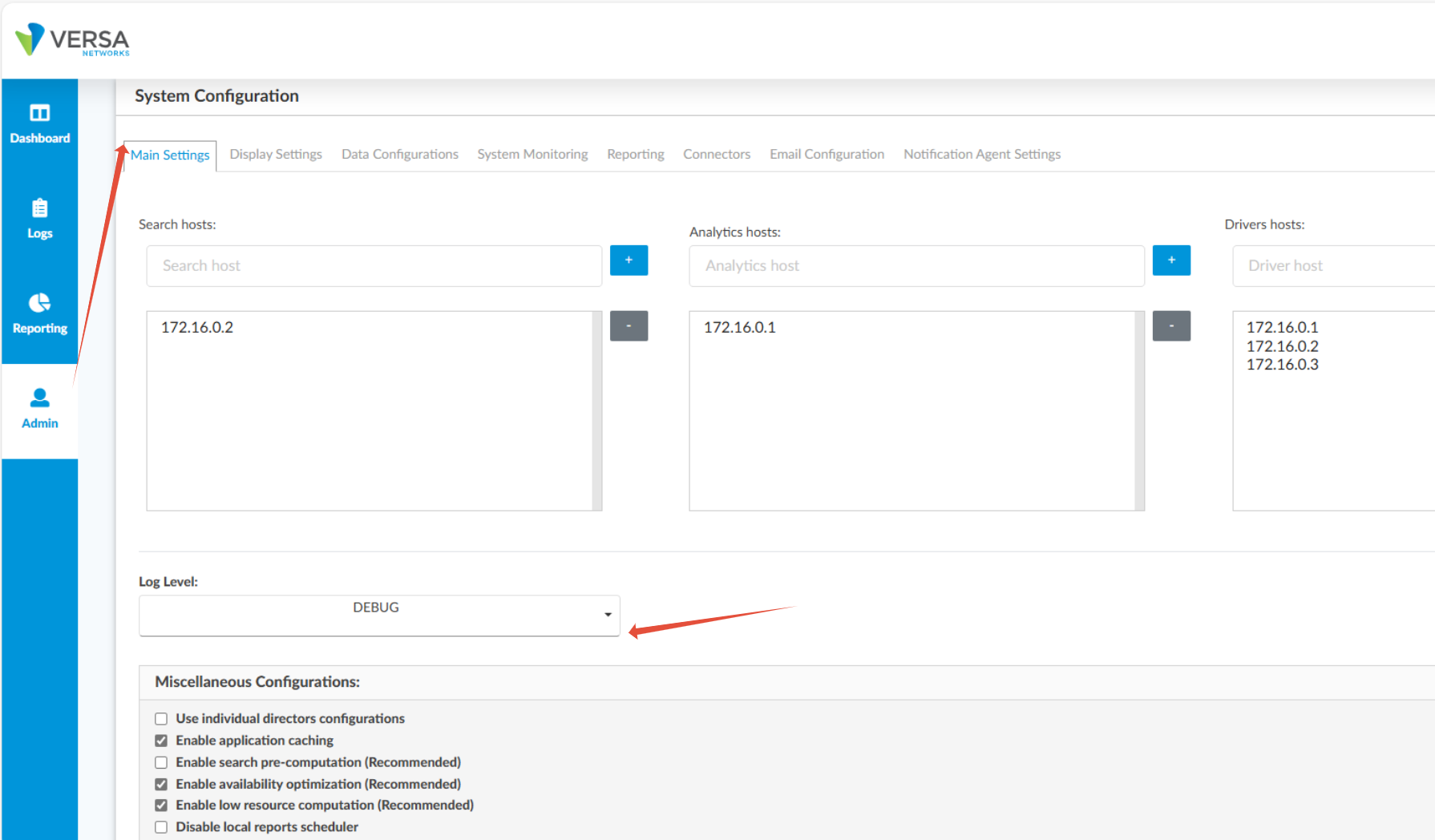
Run:
# tail -f /var/log/versa/tomcat/catalina.logReload the relevant graph to identify which table is being queried.
Different type of table in Cassandra DB.
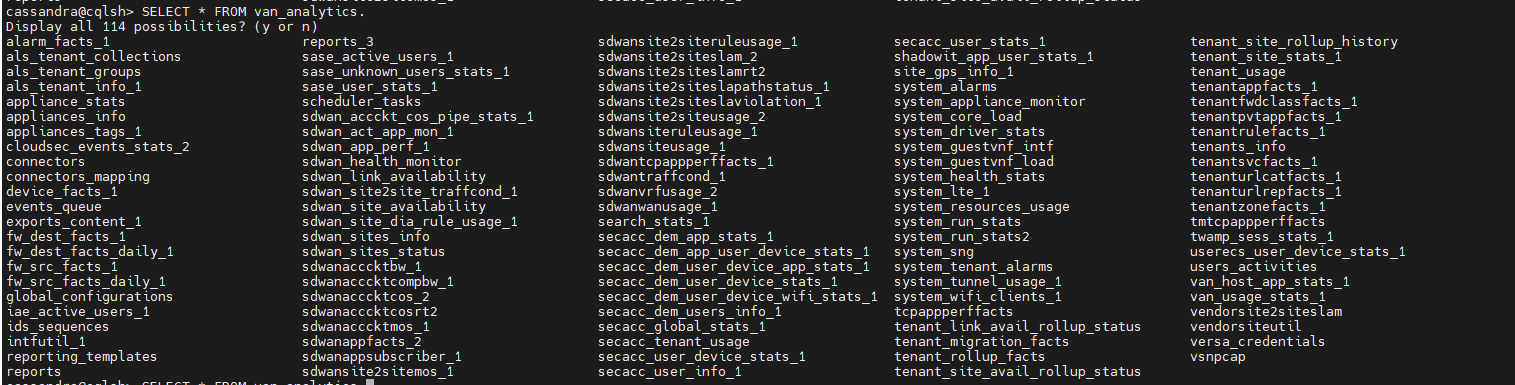
Query Cassandra:
Access the Analytics CLI:
# cqlsh -u cassandra -p cassandraRun a sample query to confirm table accessibility:
SELECT * FROM van_analytics.sdwan_link_availability LIMIT 1;Query for the specific missing
dateblock(inYYYYMMDDHHformat).
Note: Reference time is in UTC.SELECT * FROM van_analytics.sdwan_link_availability WHERE tenantname='Creta' AND sitename='BR03' AND dateblock IN (2025040300) ALLOW FILTERING;
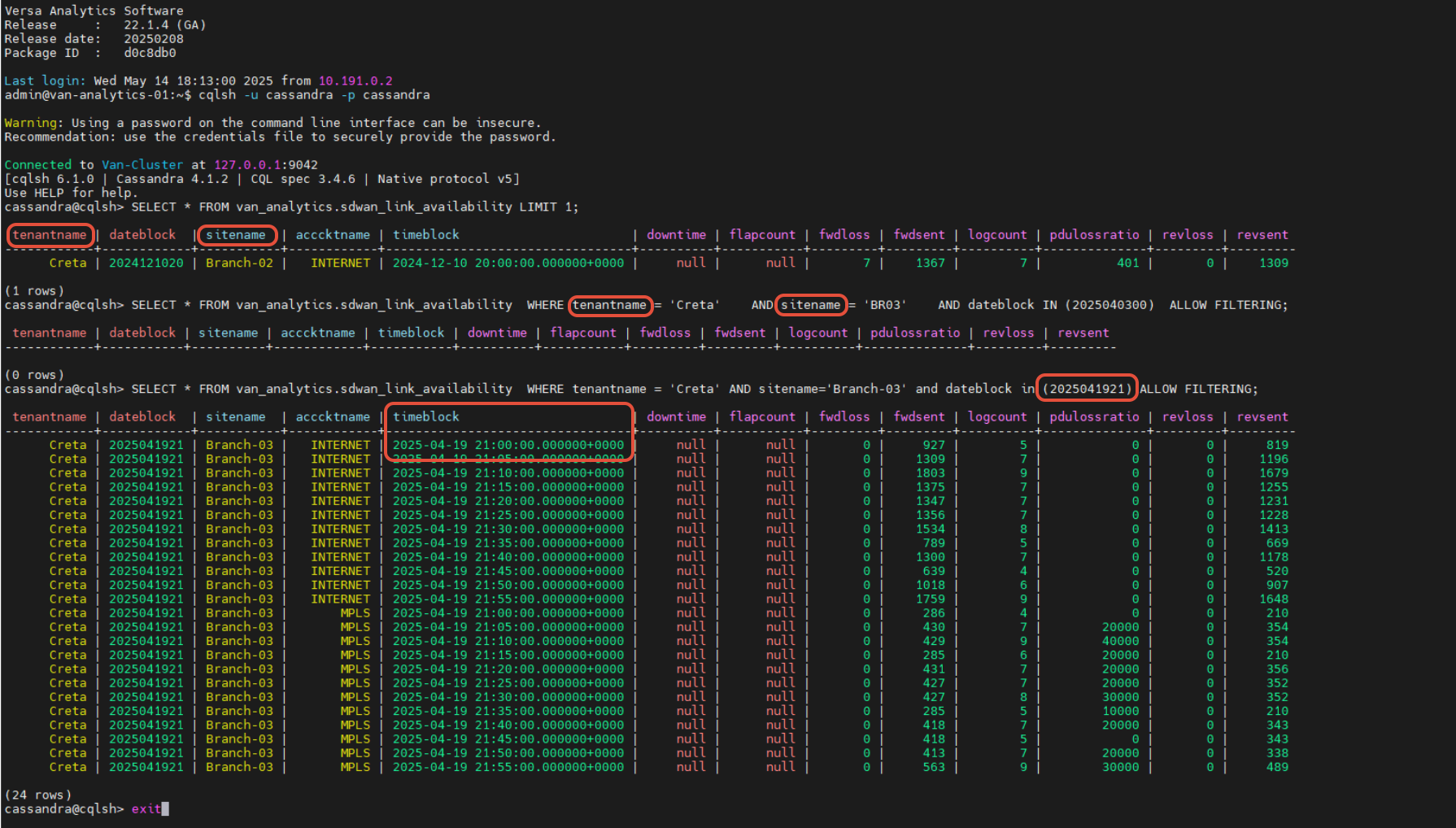
Interpret Results:
If no data is found, proceed to Step 4 to check for ETL errors.
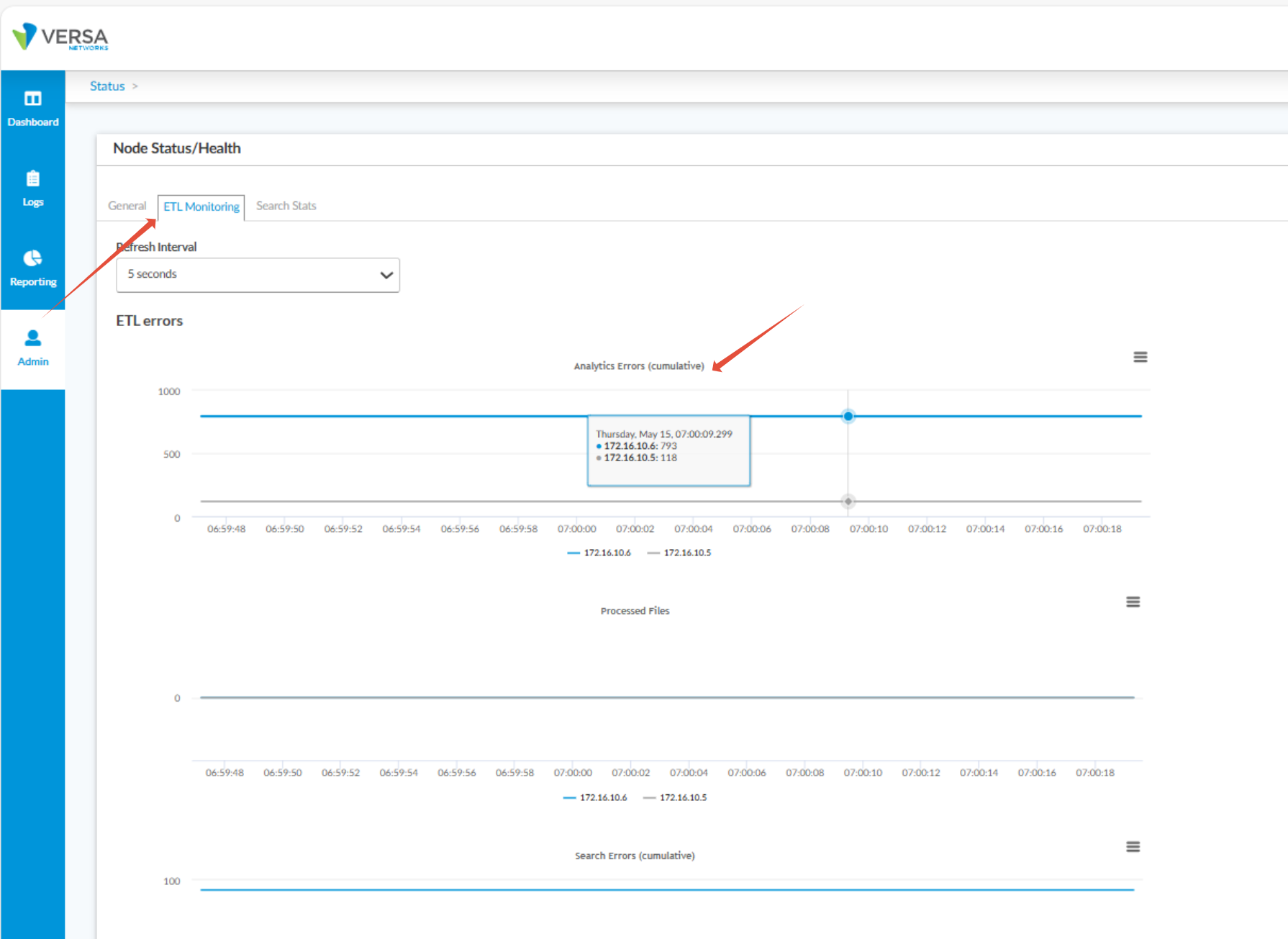
Step 4: Check ETL Errors in Analytics GUI
Objective: Detect any ETL-related issues during data processing.
Procedure:
Go to the Analytics Admin GUI.
Navigate to: Admin → System Status → Status → ETL Monitoring.
Review the ETL Analytics Error Logs for any warnings or errors related to the missing date.