Objective:
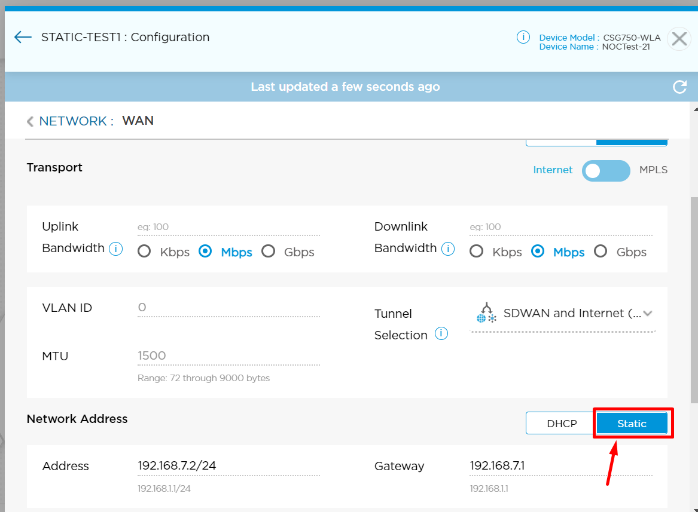
Whenever the customer attempts to change the WAN link type from “DHCP” to “STATIC” from Titan UI in unlock mode they will hit the below issues.
Problem found in Titan UI Version:
Titan Global - R9.1
Issue fixed in Titan UI Version:
Upcoming Titan Global – R9.3
Problem statement:
- Internet traffic not working.
- Local DIA is not functioning as per desired WAN link.
- Cloud-based applications are not working properly as per the preferred path.
Problem Analysis:
Below are the steps to analyze the issues.
- Verify if the above issues are due to a WAN type change from “DHCP” to “STATIC”, this we can confirm with the customer.
- If point 1 is true, then go to Titan UI and verify the WAN type and its DHCP.
Titan UI: (changed from DHCP to STATIC in unlock mode)
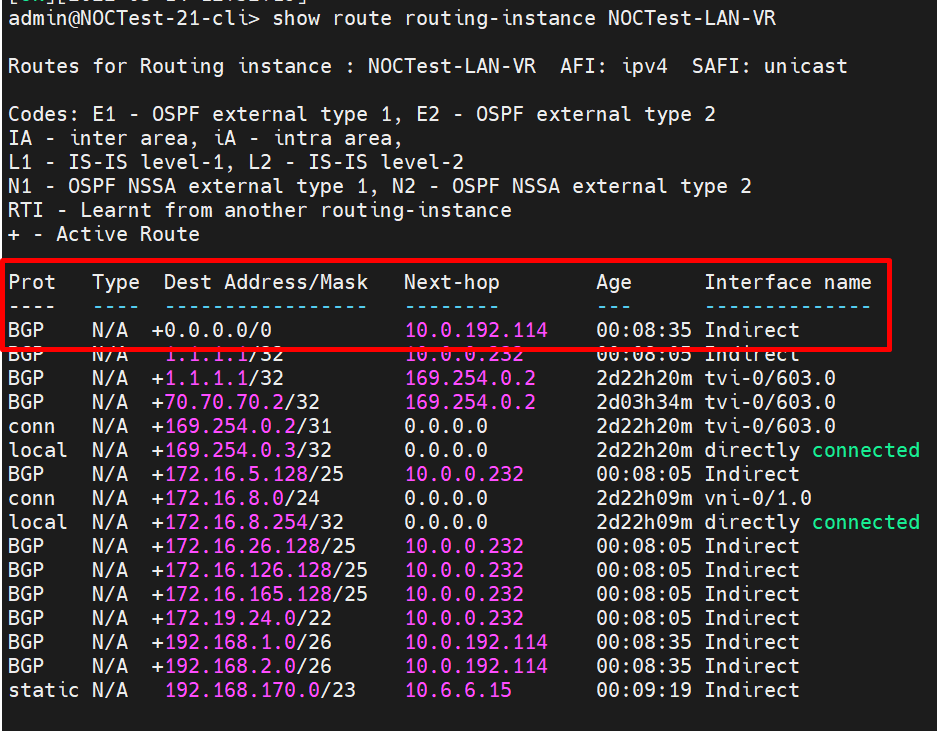
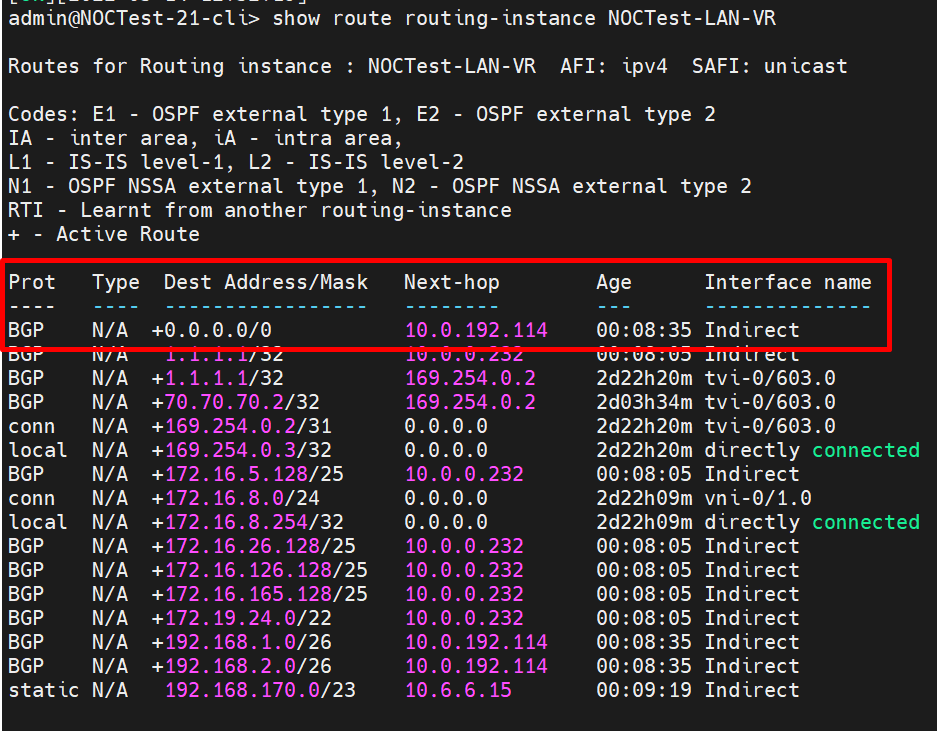
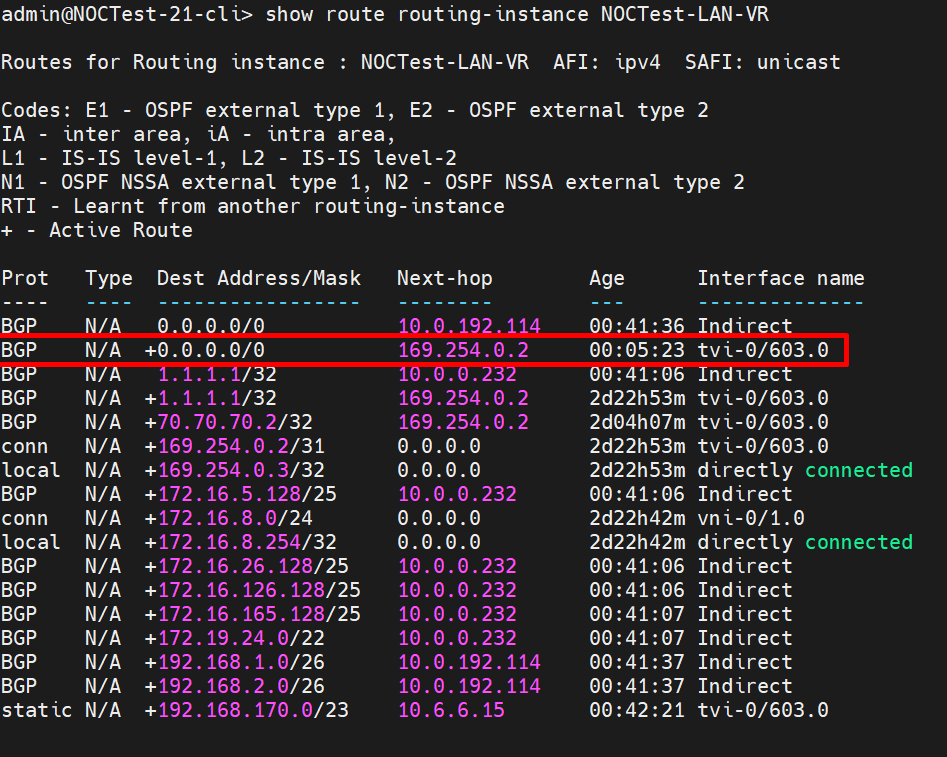
3. Log in to the device CLI and verify the static default route on LAN VR. In this problematic case, the static route is not present towards local WAN paired tvi. Below is the reference screenshot of the problematic device.
Device CLI
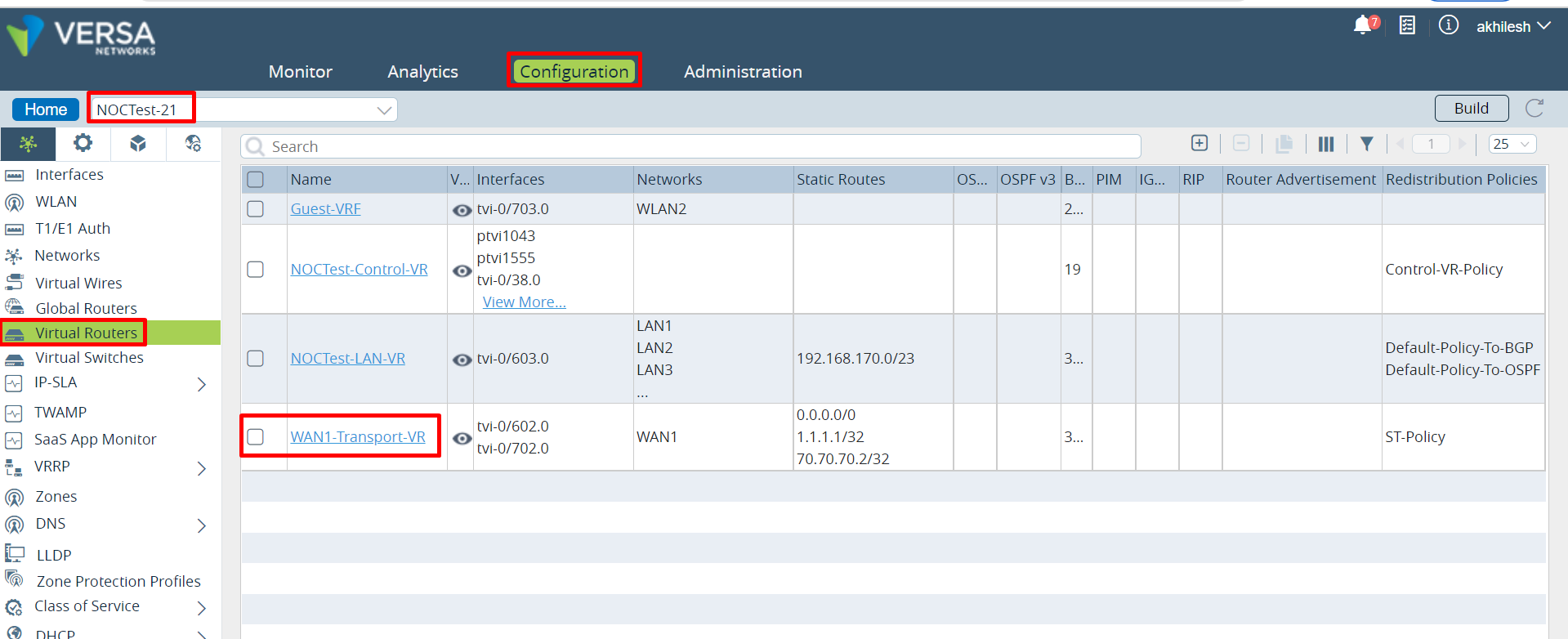
4. Then go to director > appliances > click on device > configurations > Virtual router > WAN VR
Click on WAN VR > redistribution policies > ST-Policy > Term
Director UI:
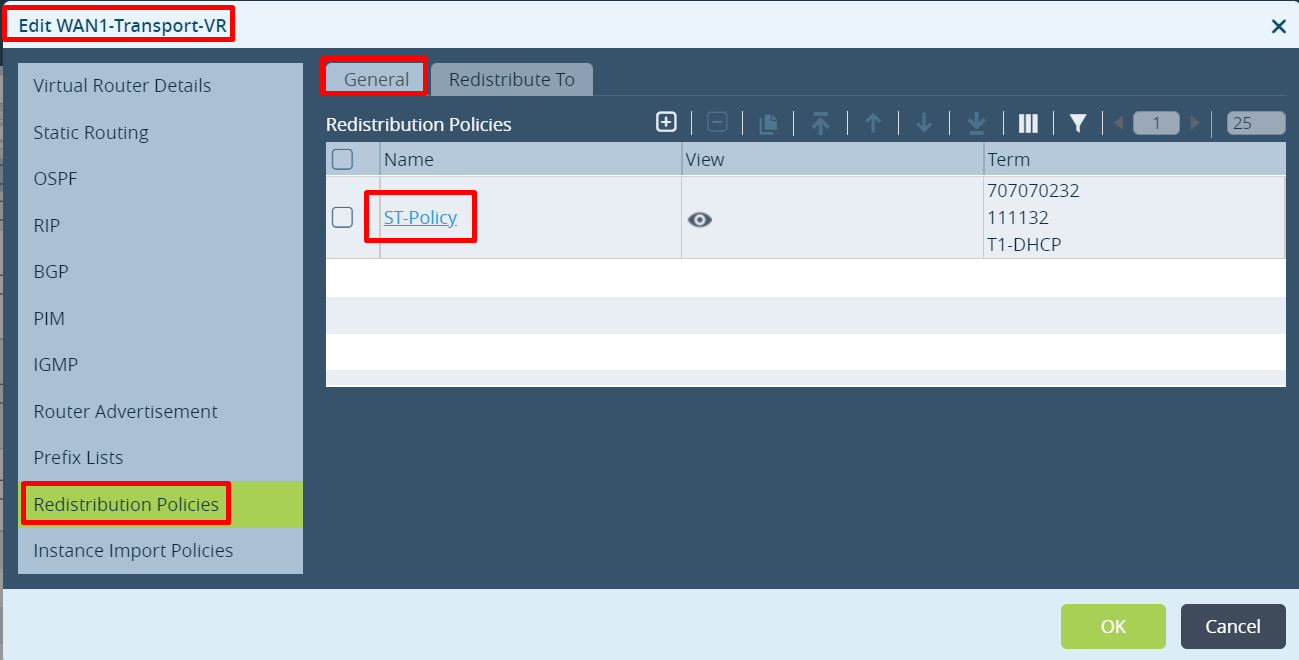
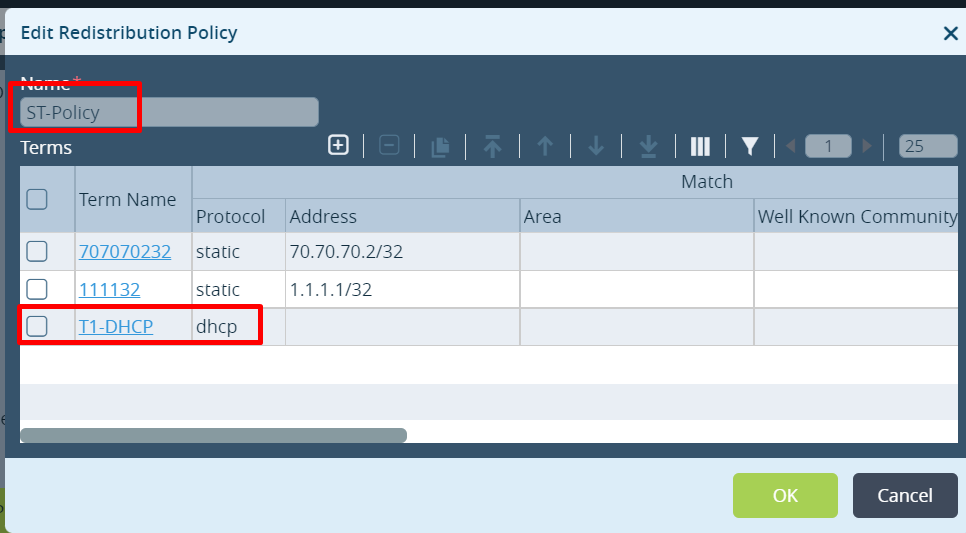
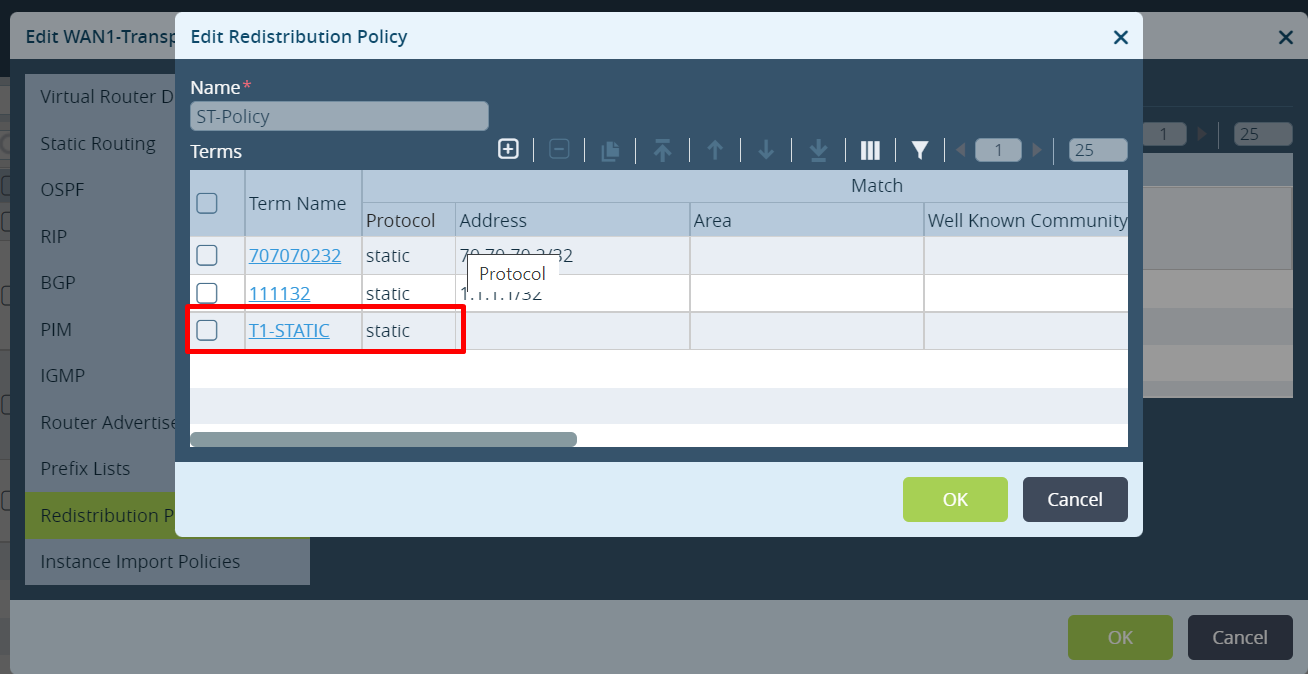
5. The Redistribution policy only has the term T2-DHCP to match the DHCP protocol. The additional required policy is not added after the config change (above screenshot). The ST peering will not advertise a default route to LAN VR and technically that static WAN interface will NEVER be used for DIA traffic unless we add a second term to match the static protocol.
Workaround/Fix:
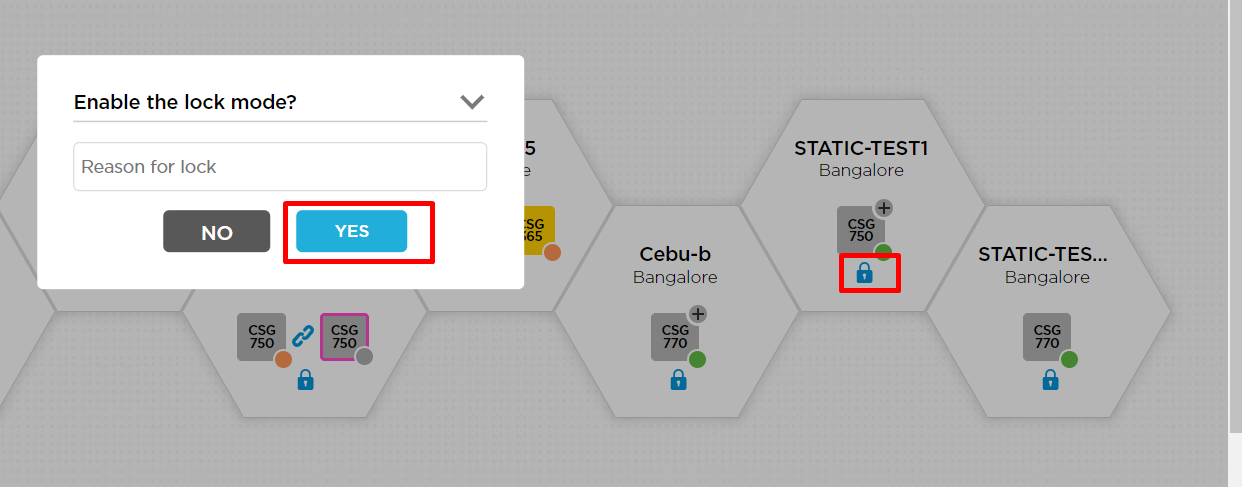
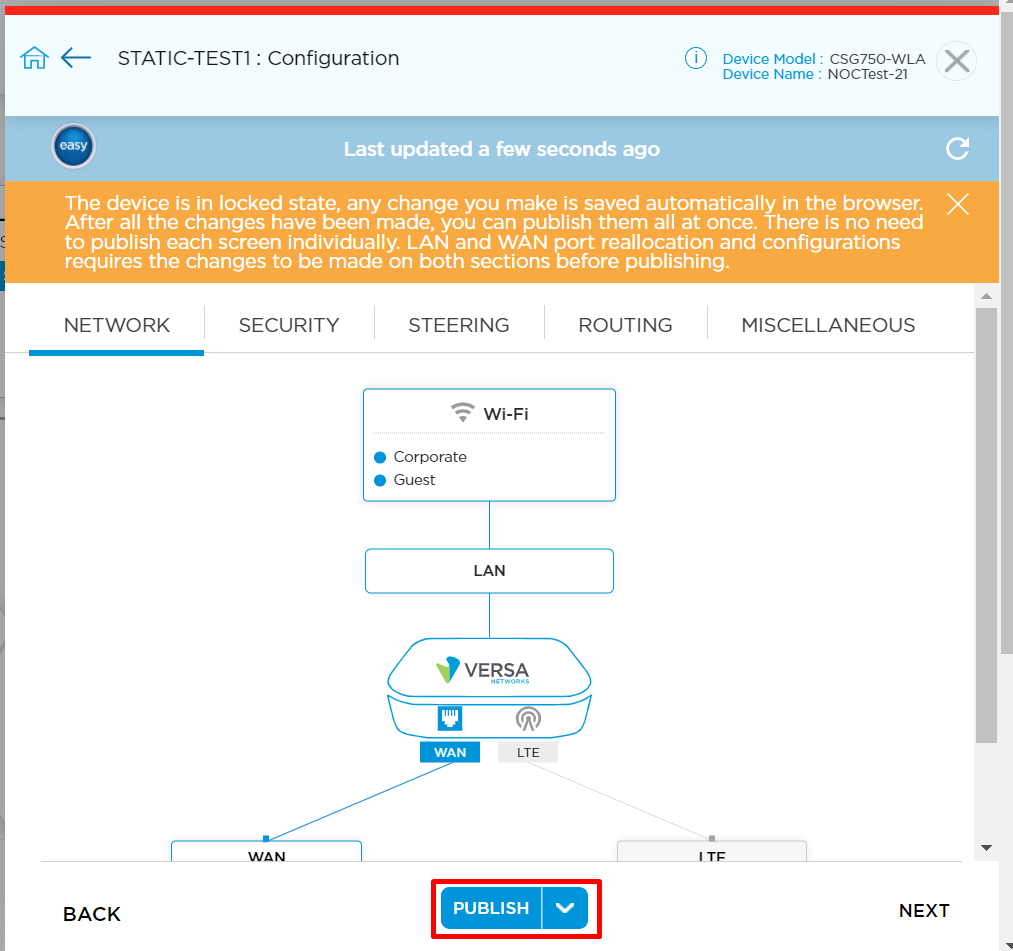
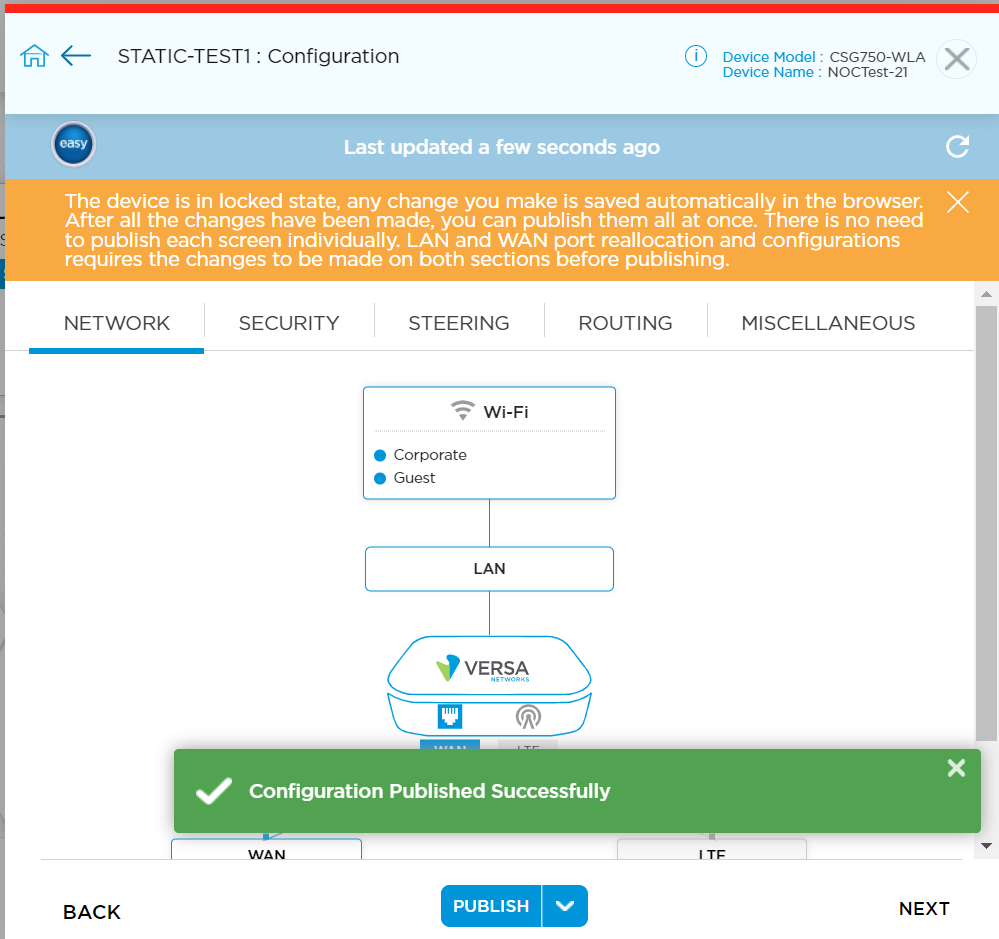
- Perform lock and publish from Titan UI that will add the new term “T1-STATIC” under the redistribution policies on WAN VR and the LAN routing table will learn the default route from paired WAN tvi.
2. Once after performing the publish, then set the device back to unlock mode.
Post Verification:
Once the lock and publish are completed from Titan then go to the device CLI and the director verify the below.
In Director UI the term under the redistribution policy is updated from “T1-DHCP” to “T1-STATIC”.
In device CLI the default route towards the local WAN is installed.
Thank You!