Note: This KB is made for the cloudIT customer only.
1. Login to the Titan portal as an MSP.
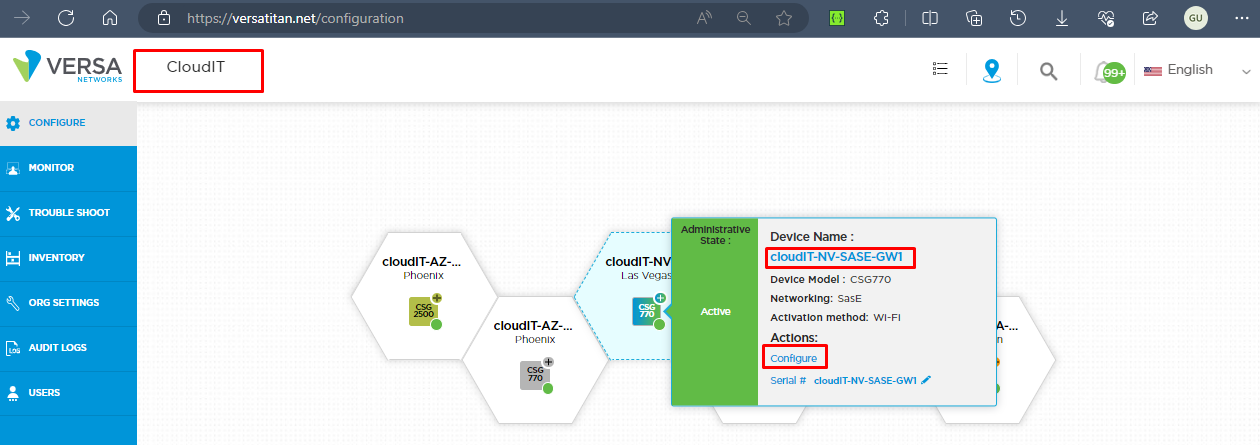
2. Open the Provider ORG, i.e cloudIT and click Gateway > Configure.
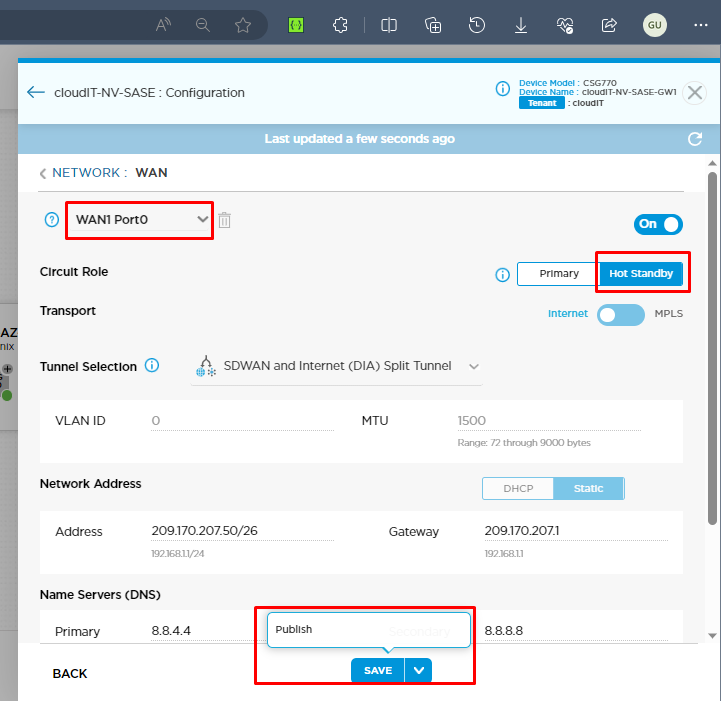
3. Change the circuit role of WAN1 to Hot Standby under the WAN setting and then do publish.
(Note: This depends on the customer as to which port he needs to make standby, please check accordingly.)
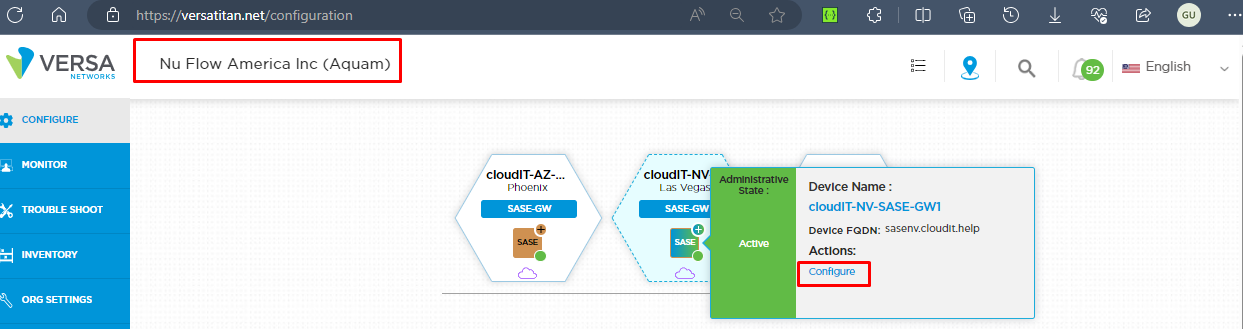
4. Once the publish is done, now go to the tenant org where you want to change the WAN priority.
5. Click on the gateway device and Click Publish.
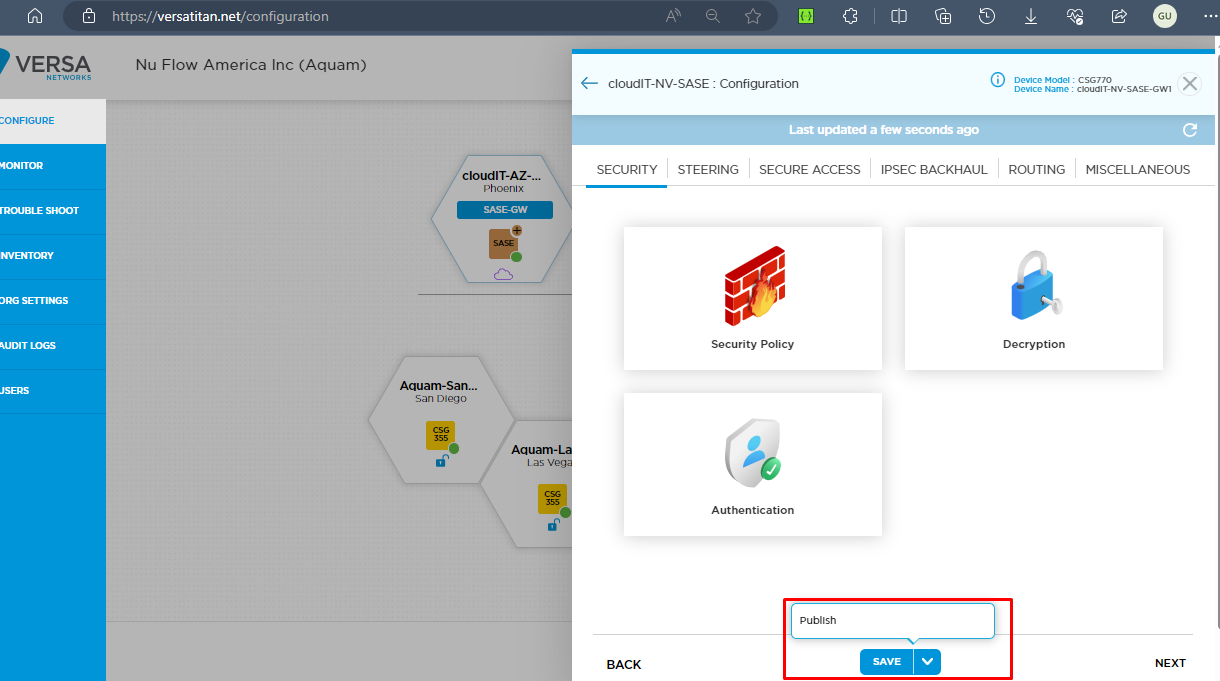
This publish will make the required changes to the BGP preference on the device.
e.g
